Instant digital delivery. One purchase, one file, no subscription. Full refund within 14 days if it does not do what this page says it does.
This is a fractional CFO board report template that takes your client’s Xero or QuickBooks export and turns it into a one-page board package sitting on a twelve-month engine whose balance sheet ties by construction — and which refuses to call itself checked until it does.
Your client’s bookkeeper sends you a Xero export. You spend the next two hours turning it into something a board can read — and you do it again next month, for every client.
This is that two hours, done once. A fractional CFO board report template built in Google Sheets: paste the export, map each account to an executive category once, and get a board package that ties.
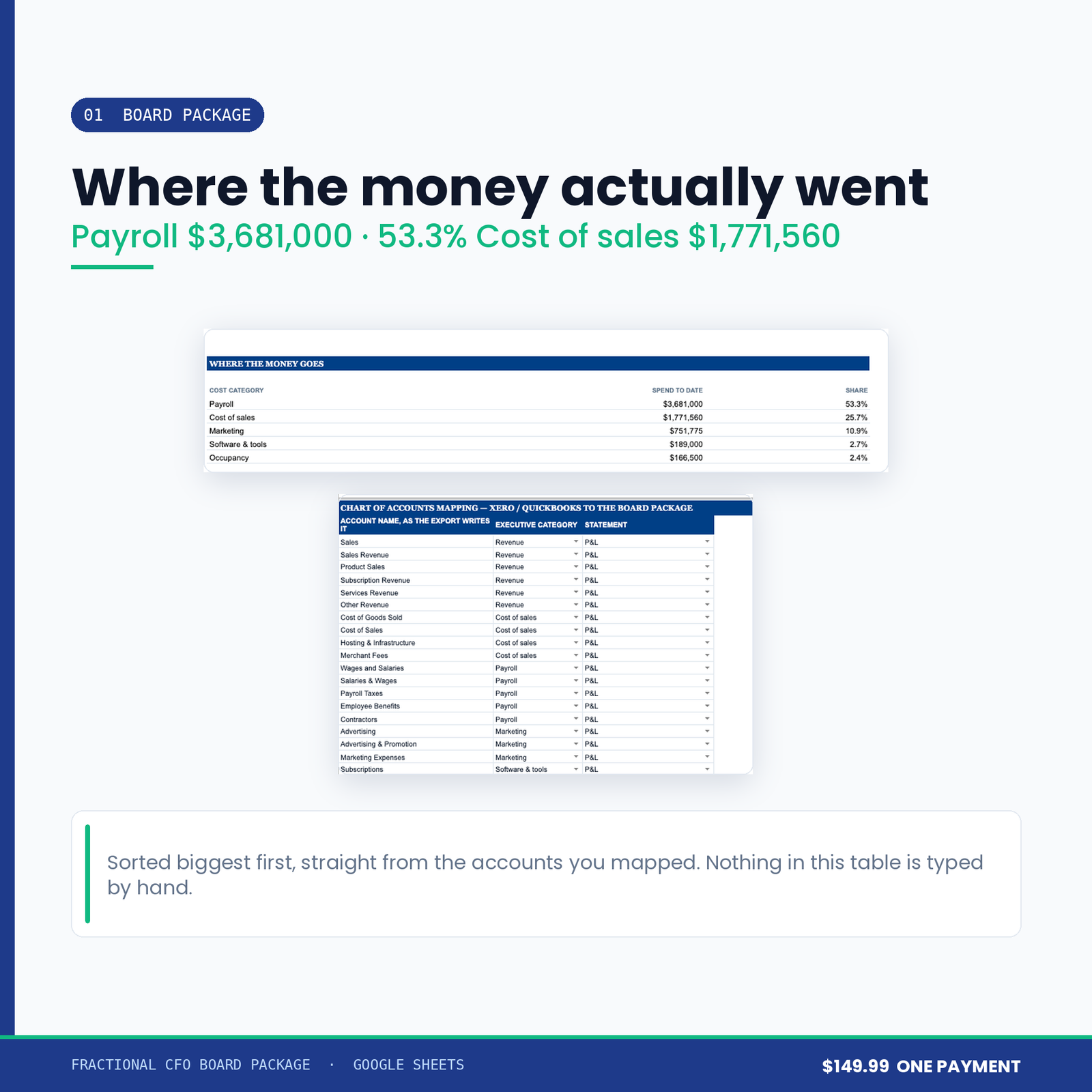
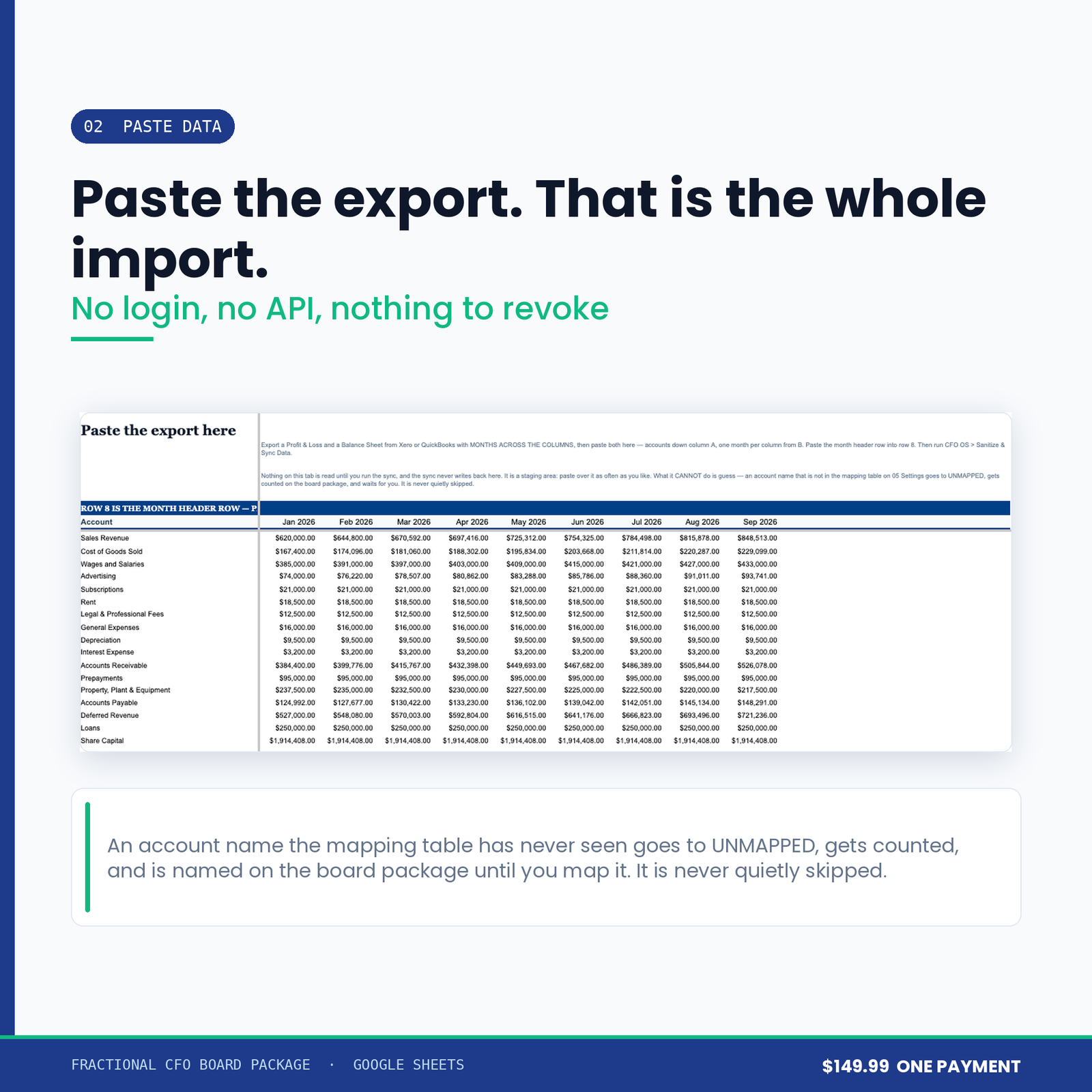
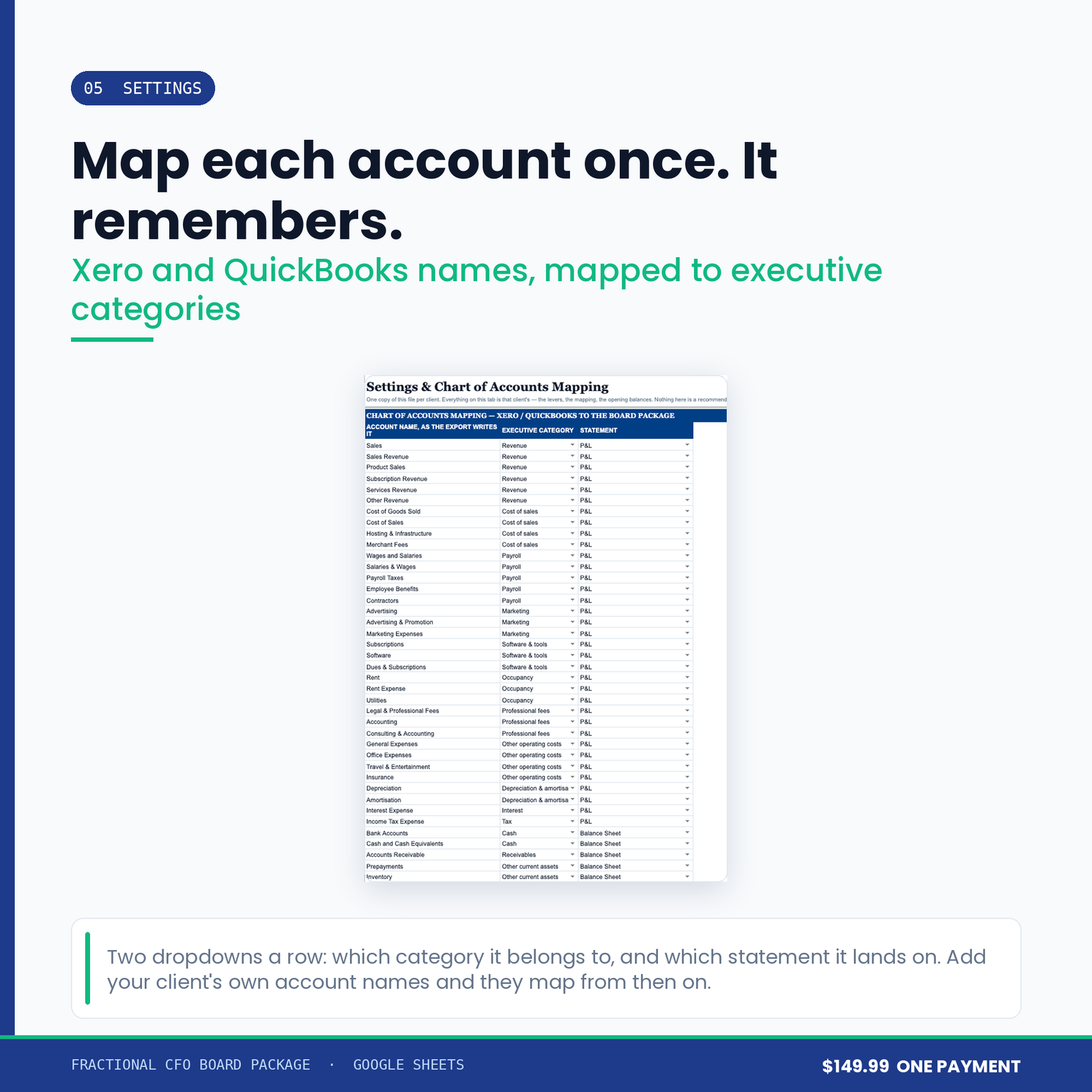
Export a Profit & Loss and a Balance Sheet from Xero or QuickBooks with months across the columns. Paste both onto the staging tab. Map each account name to an executive category — Revenue, Payroll, Occupancy, and so on — using the dropdowns on the settings tab. Run Sanitize & Sync Data.
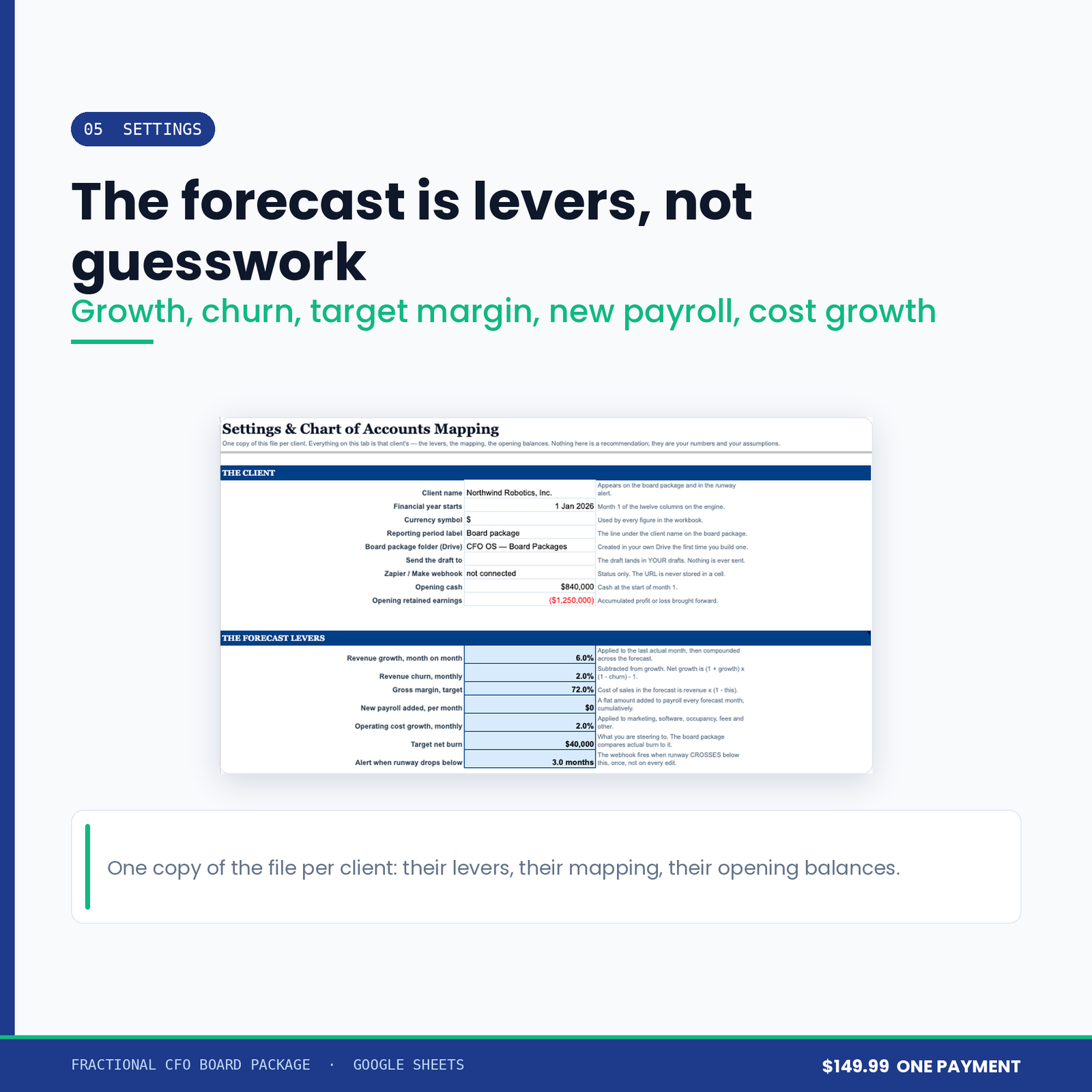
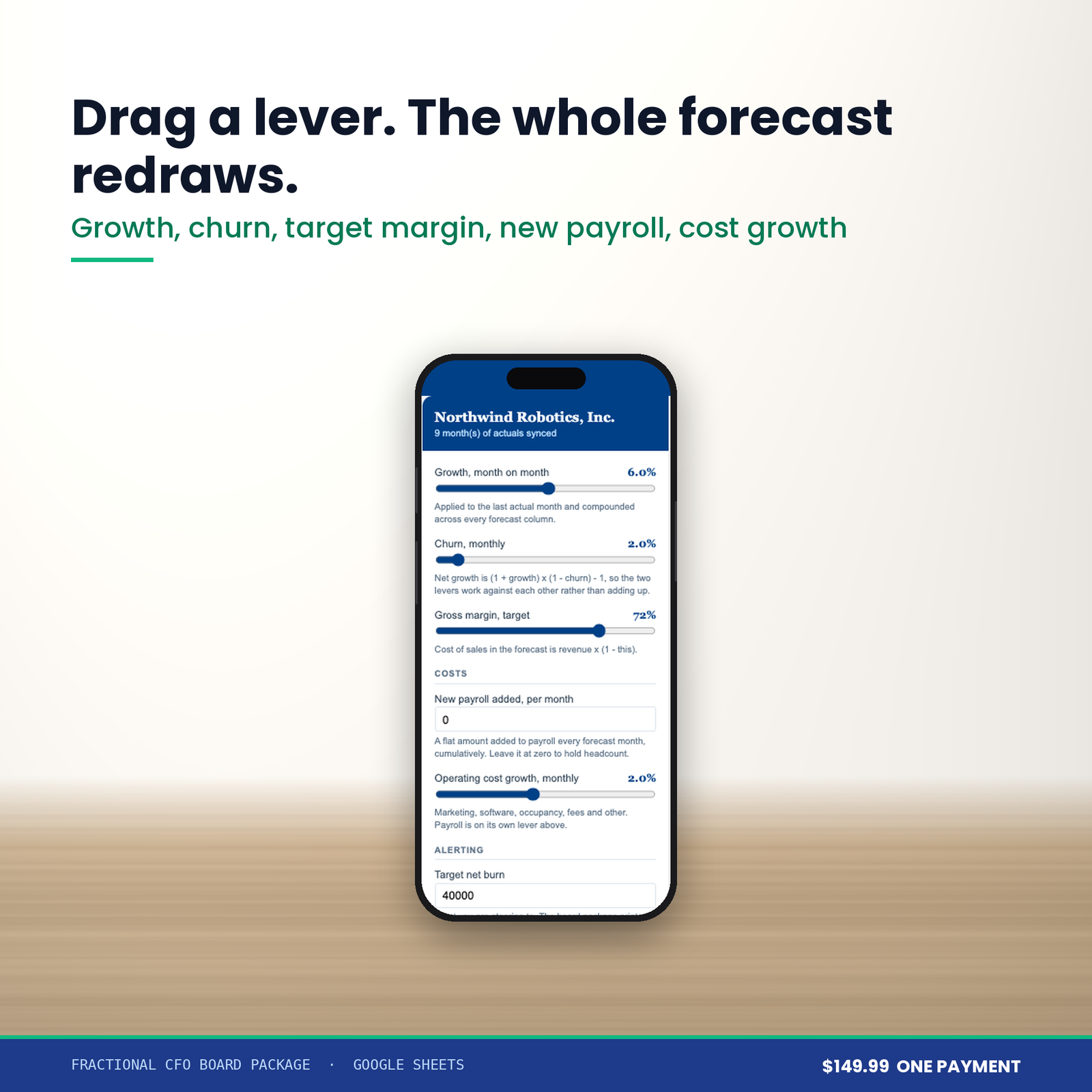
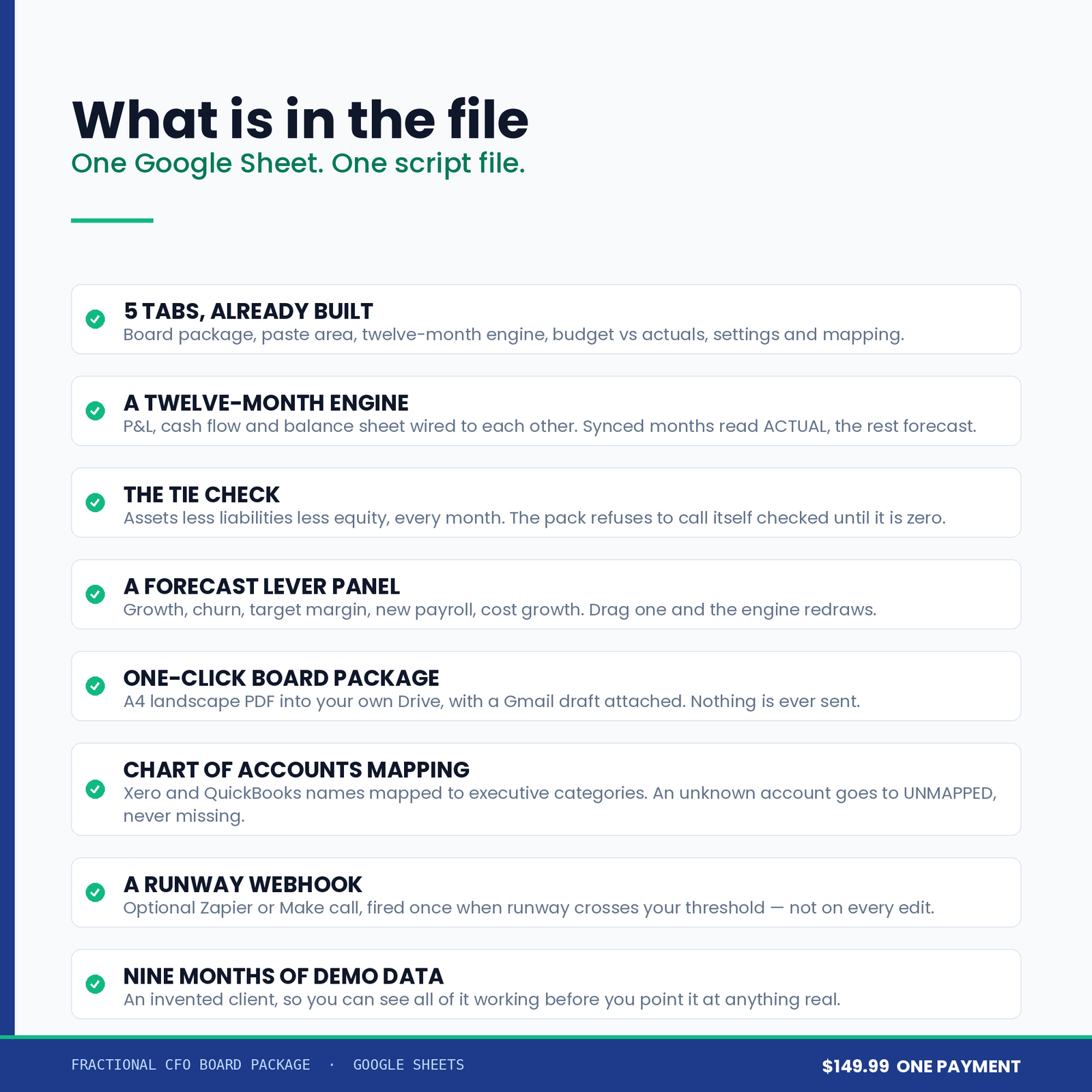
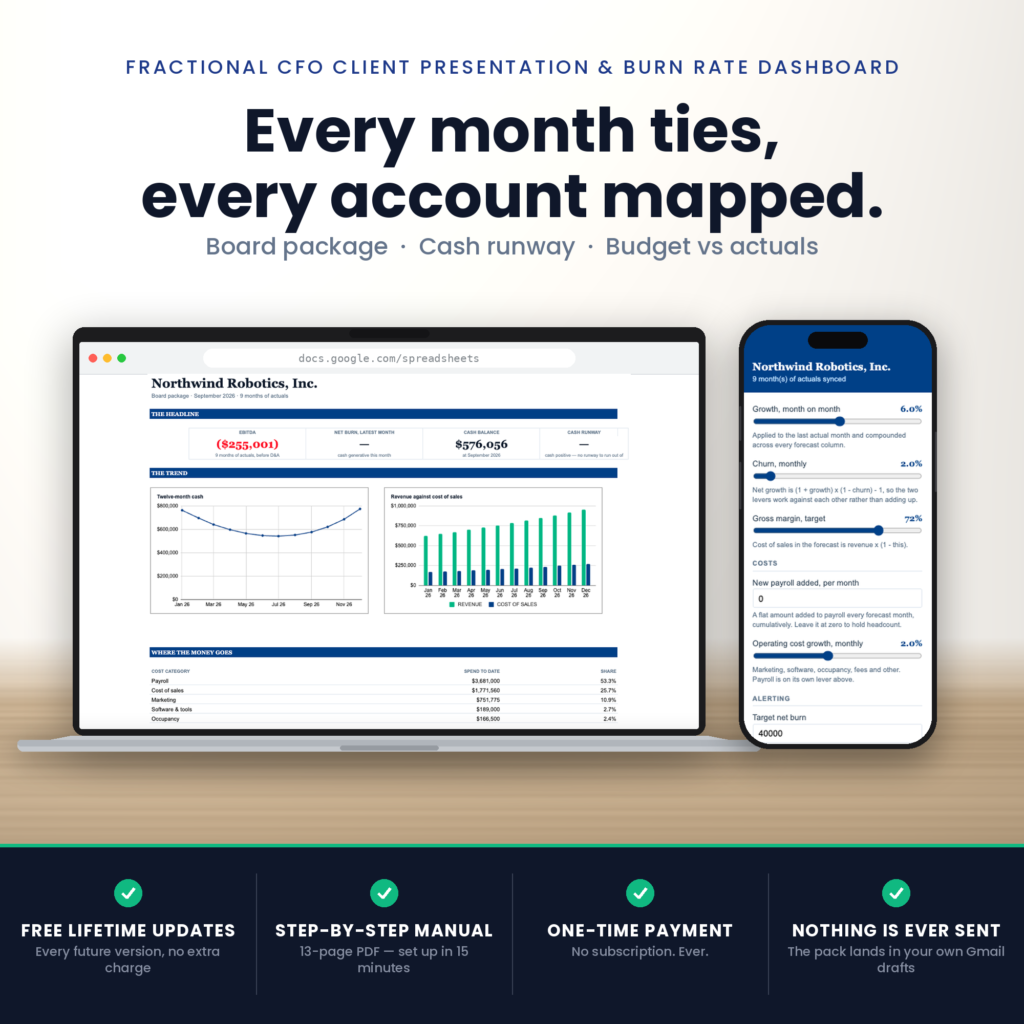
What comes out is a twelve-month financial engine: a profit and loss, a cash flow statement and a balance sheet, wired to each other. The months you synced are marked ACTUAL. The rest are forecast from levers you control — revenue growth, churn, target gross margin, new payroll per month, operating cost growth. Every column says which it is, so nobody presents a forecast believing it is history.
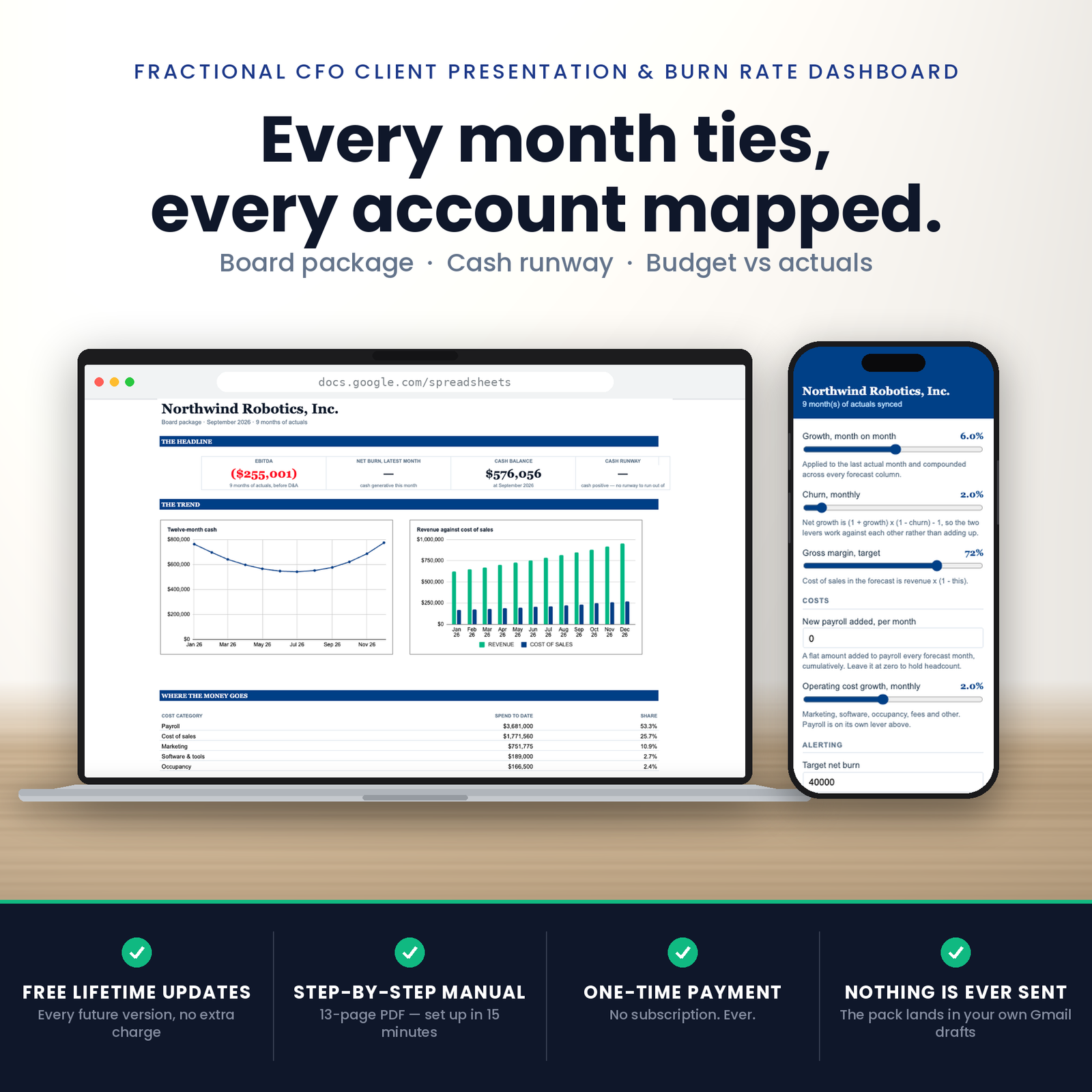
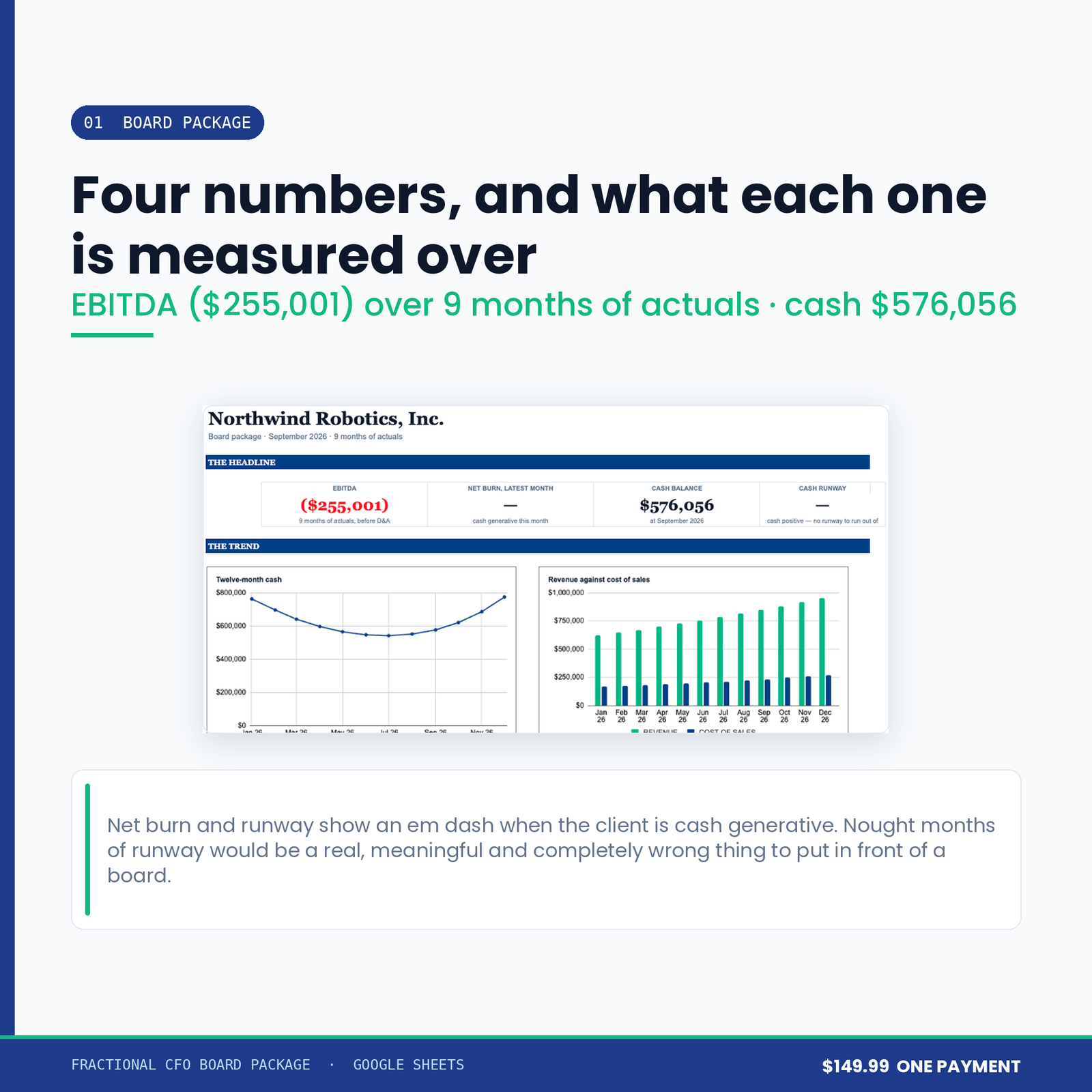
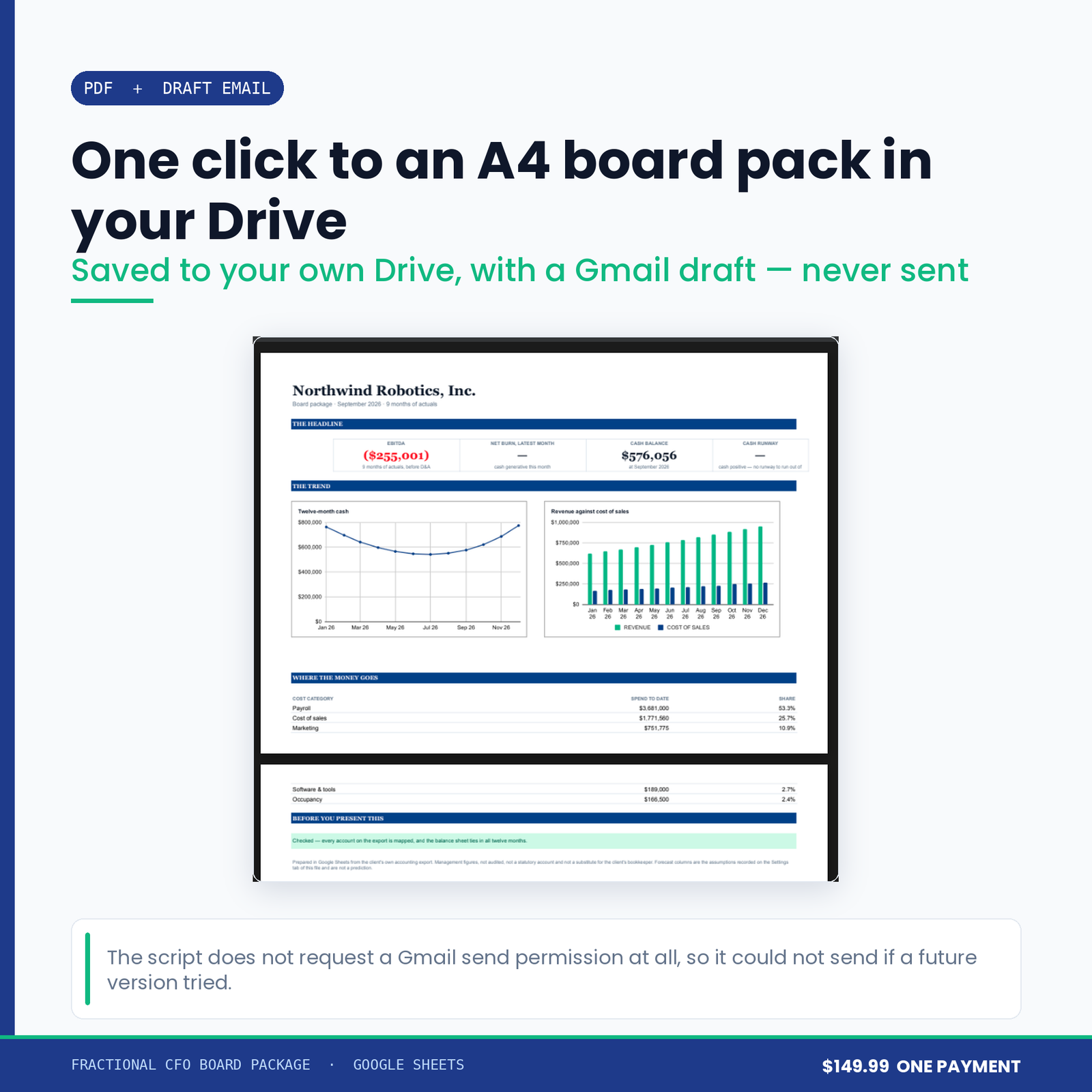
On top of that sits the board package: EBITDA, net burn for the latest month, cash balance, cash runway, a twelve-month cash line, revenue against cost of sales, the five biggest cost categories, and one sentence at the bottom telling you whether the page can be trusted.
This is the part worth reading twice, because it is the difference between a board pack and a pretty table.
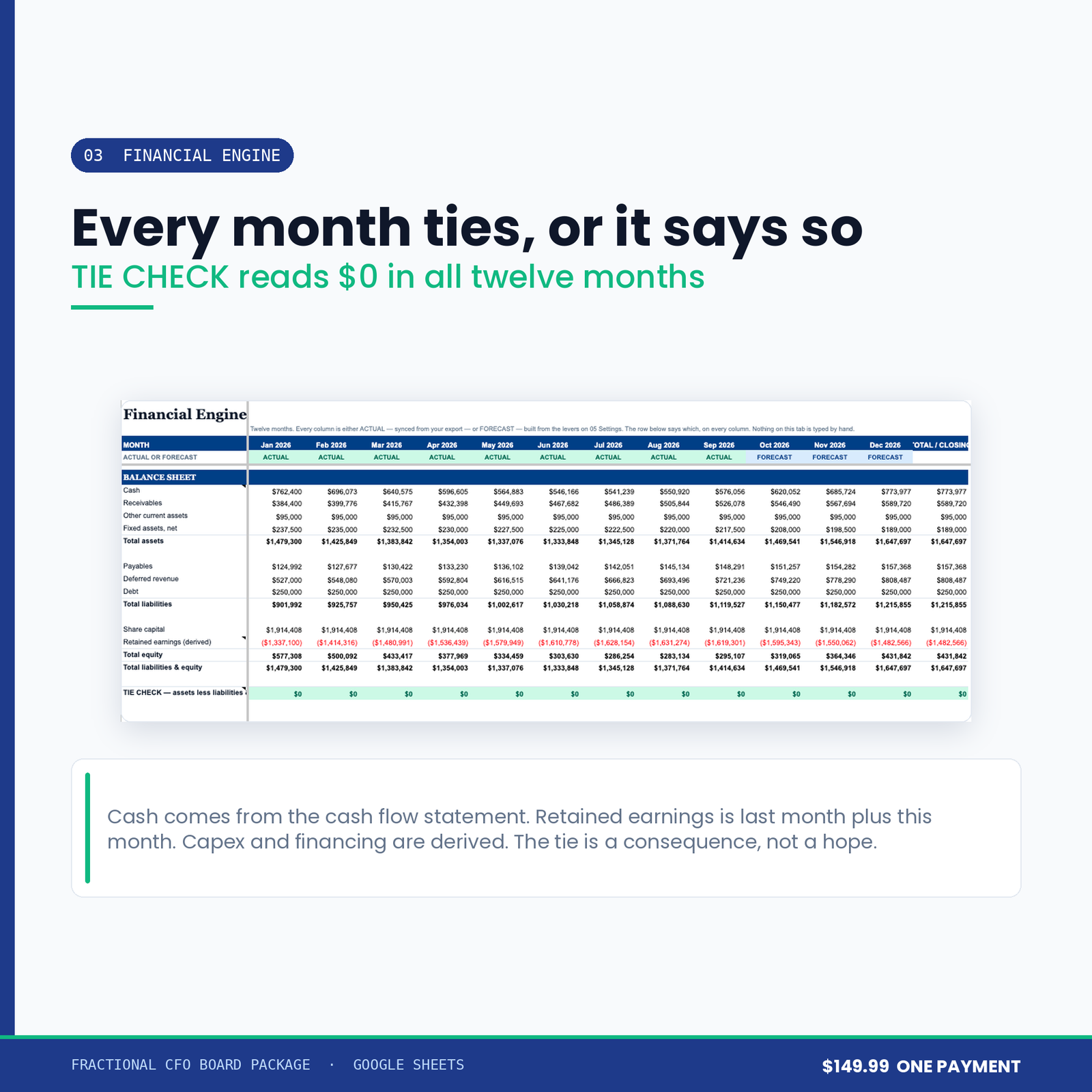
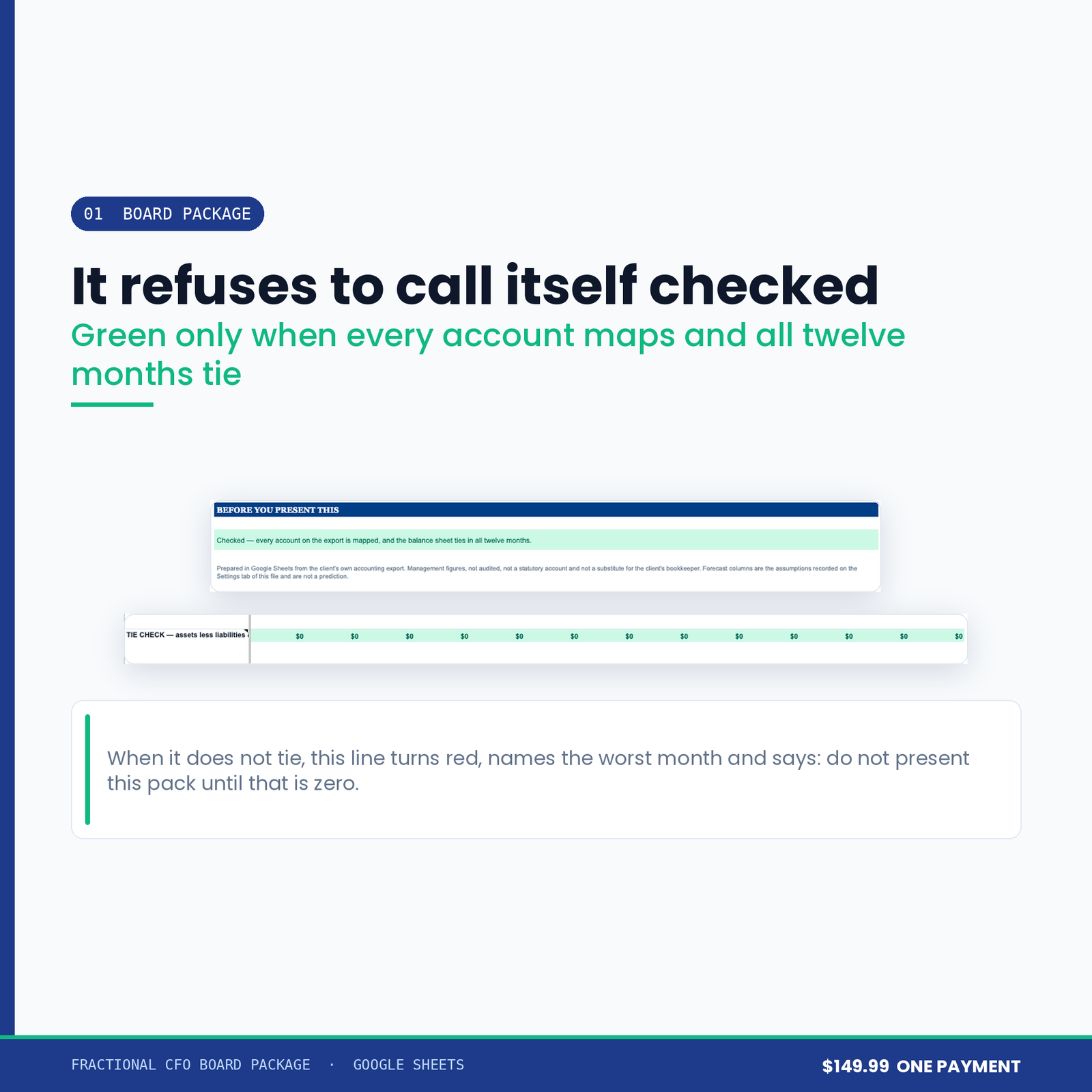
Wire those four and the balance sheet ties by construction rather than by luck. There is a TIE CHECK row that must read zero in every one of the twelve months, and the board package refuses to call itself checked until it does. When it does not tie, the page prints the worst month and the words “Do not present this pack until that is zero” — in red, at the bottom of the page you were about to present.
A tie check does not mean the numbers are right. It means the balance sheet is internally consistent with the export you pasted. A wrong export ties perfectly. What it catches is the thing that actually goes wrong at eleven o’clock the night before a board meeting: a pack that has quietly stopped adding up.
An account name the mapping table has never seen goes to UNMAPPED. It is counted, and the board package names the count until you map it. It is never silently skipped.
This matters more than it sounds. A pack that is short by one account and says nothing is worse than no pack — you will present it, and the number that is missing will be the one somebody asks about.
A client who made money this month has no burn. A business with no burn has no runway to run out of. Both of those cells show an em dash and a sentence — cash positive — no runway to run out of — rather than 0.0 months.
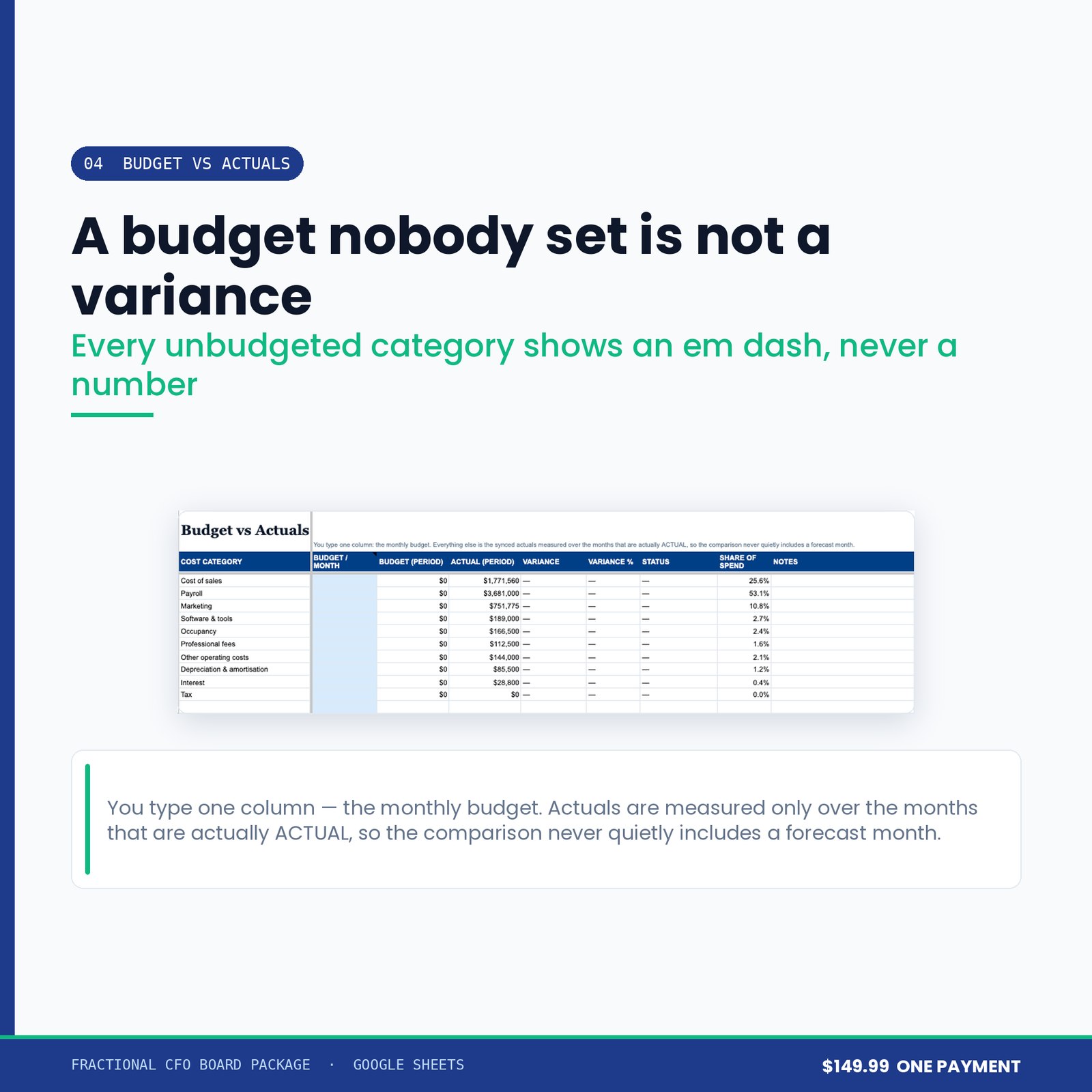
Nought is a real, meaningful and completely wrong answer to put in front of a board. Every division in this workbook that has no answer returns a dash and says why in words underneath.
Build the board package and you get an A4 landscape PDF saved to a folder in your own Google Drive, and a Gmail draft with it attached — addressed, subject written, sitting in your drafts for you to read before anybody else does.
The script does not request a Gmail send permission at all. Not “it is coded not to send” — it has no send scope, so it could not send if a future version tried. The permissions it does ask for are listed in the setup manual with a written reason for each one.
Plus a forecast-lever sidebar, a one-click PDF, and an optional Zapier or Make webhook that fires once when cash runway crosses below your threshold — on the crossing, not on every edit, because “runway is 2.8 months” stays true and a tool that says so on every keystroke is a tool you mute.
Nine months of an invented client is included, so you can see every part of it working before you point it at anything real.
Jirav starts at $50 and $150 a month. Clockwork runs $149 to $999 a month per company on annual billing, and $699 to $3,499 a month for a firm plan covering ten to eighty client files. Those figures were read from each vendor’s own pricing page on 30 August 2026.
This is $149.99, once.
Those tools do things this file does not: they connect to the ledger directly, they consolidate entities, and they carry a support contract. If you need those, buy those. This is for the CFO who wants one client’s board pack out of one spreadsheet, without a per-seat line on the invoice.
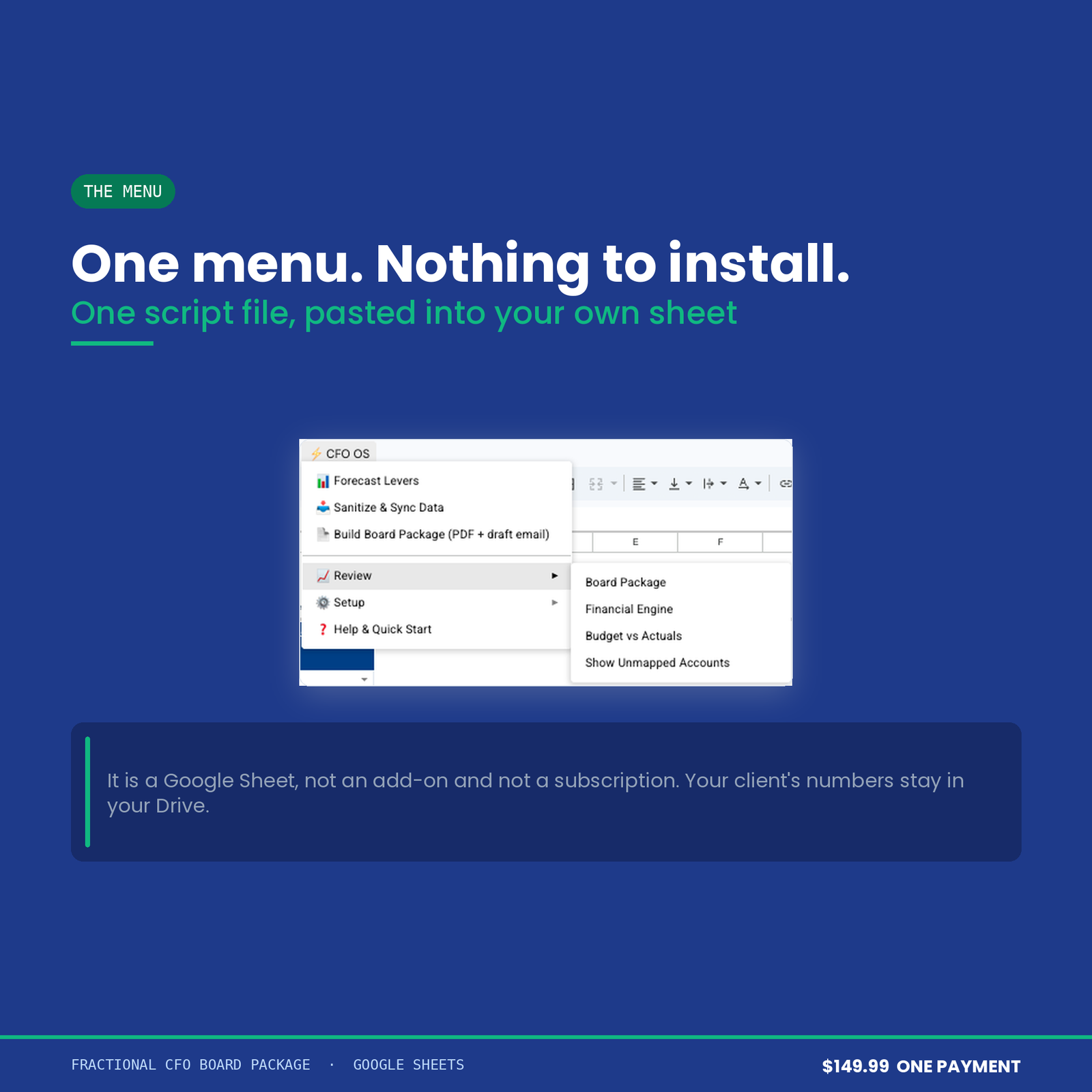
A Google account. That is the whole list. You paste one script file into the sheet’s own Apps Script editor, add two HTML files, and run Build. The setup manual walks it in about four minutes, with a screenshot at each step and a written reason for every permission Google asks for.
It is a Google Sheet, not an Excel workbook and not an add-on. There is no login, no seat, and no subscription. Your client’s numbers stay in your Drive.
This workbook produces management figures, not statutory accounts. It applies no accounting standard, offers no assurance, and is not a substitute for a qualified accountant or for the client’s own bookkeeping. Every figure it shows is arithmetic on the export you pasted into it — if that export is wrong, so is the pack. Nothing in it is financial, investment, tax or legal advice.
It does not connect to Xero or QuickBooks. You paste an export. That is a deliberate choice — it is what keeps it a one-off purchase with no login and nothing to revoke — but if you want a live connection, this is not the product for you.
Digital download, delivered instantly. Please read the two paragraphs above before buying rather than after. ApexDevz is not a firm of accountants and provides no accounting, audit, tax or investment advice; nothing on this page is a statement about your professional obligations to a client. ApexDevz is not affiliated with, endorsed by, or partnered with any company named on this page. Product names are the trademarks of their owners and are used only to identify the products being referred to.
One purchase, one spreadsheet in your own Drive. No subscription, no account to keep, no monthly fee.
Copy the file, reload it once, run a single menu command. Nothing to configure and no setup wizard.
Every figure that changes your plan shows how it got there, in the sheet, before anything is rewritten.
The script reads and edits that one spreadsheet. No email, no other Drive files, and nothing is collected by us.
Google Sheets only. Excel cannot run the automation. Menu commands need a desktop browser, and day to day use works on mobile.
Immediately, as a link to the workbook and a setup manual. You copy the file into your own Google Drive and it is yours from that point.
No. The automation is Google Apps Script, which only runs inside Google Sheets. Opening the file in Excel gives you a spreadsheet with no menu and formulas that will not resolve.
Reload the file first, because the menu only appears after the first reload. If that does not fix it, support goes to a person and you get a reply rather than a ticket number.
Within 14 days, if the workbook will not build or does not do what this page says it does. The one exclusion is buying it for Excel, which is stated here, in the terms, and on How it works.