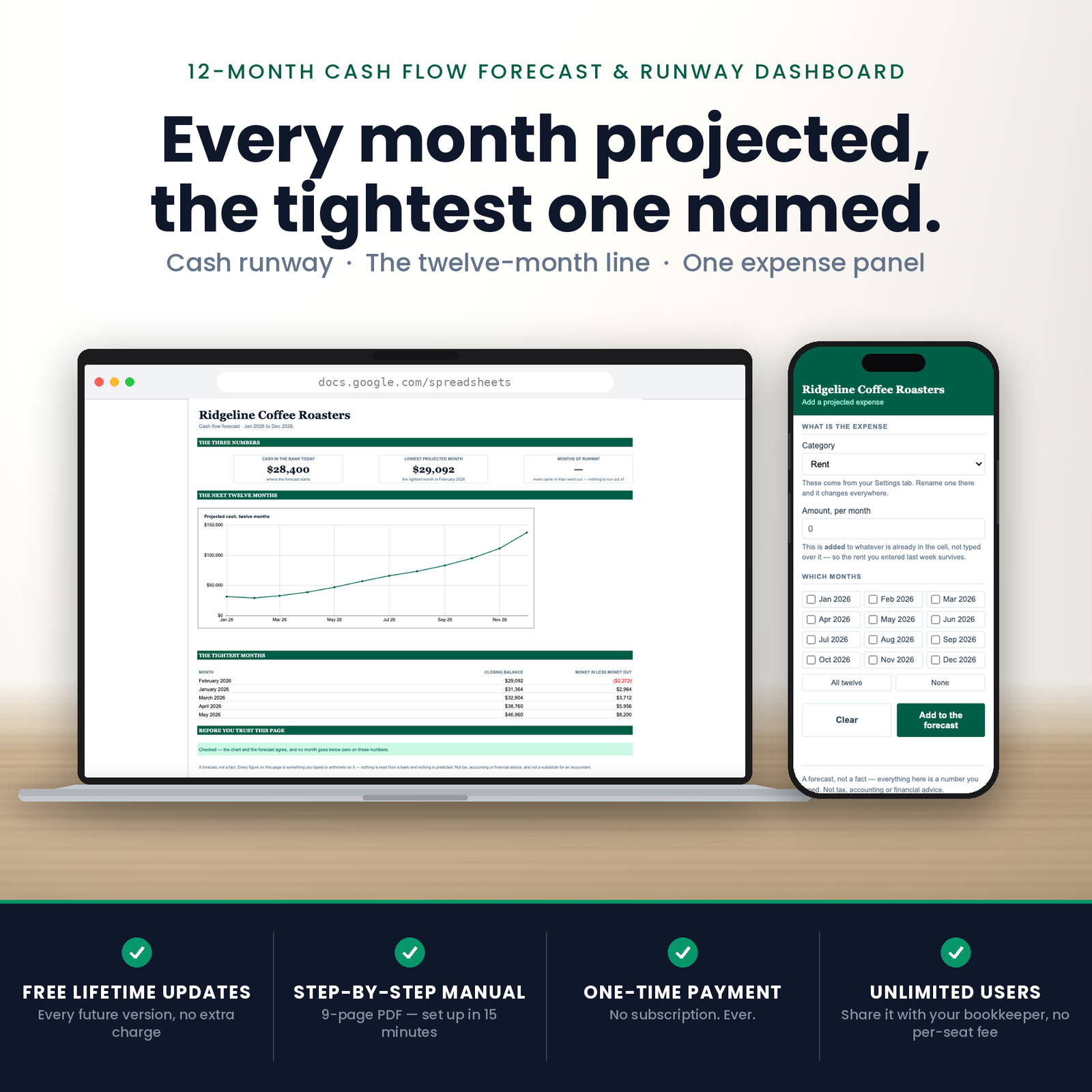
This is a cash flow forecast Google Sheets template that answers one question properly: will I run out, and when?
What you are buying
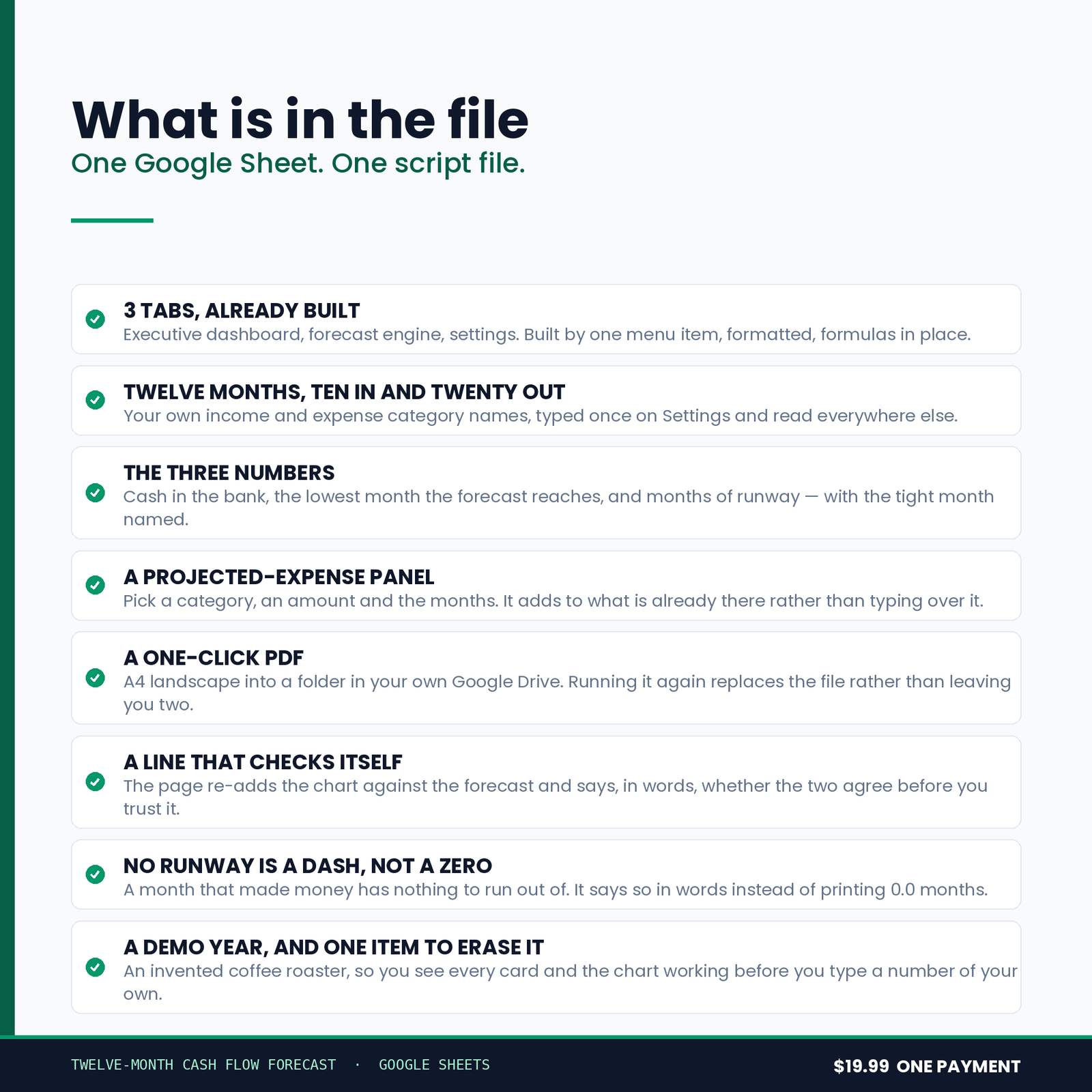
One Google Sheet and one script file. Three tabs, built for you in a single run, with a chart and a one-click Monthly Cash Forecast PDF into your own Drive.
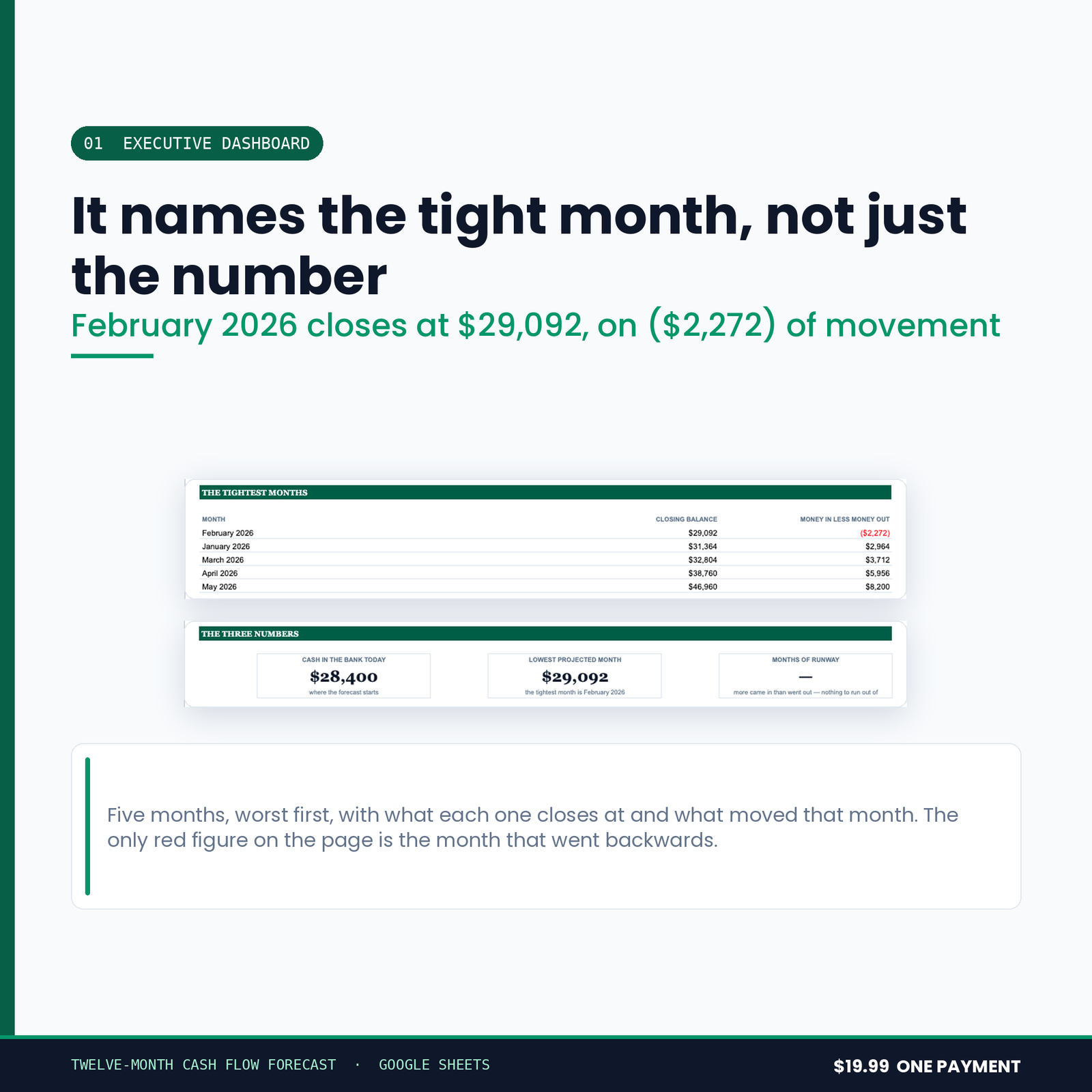
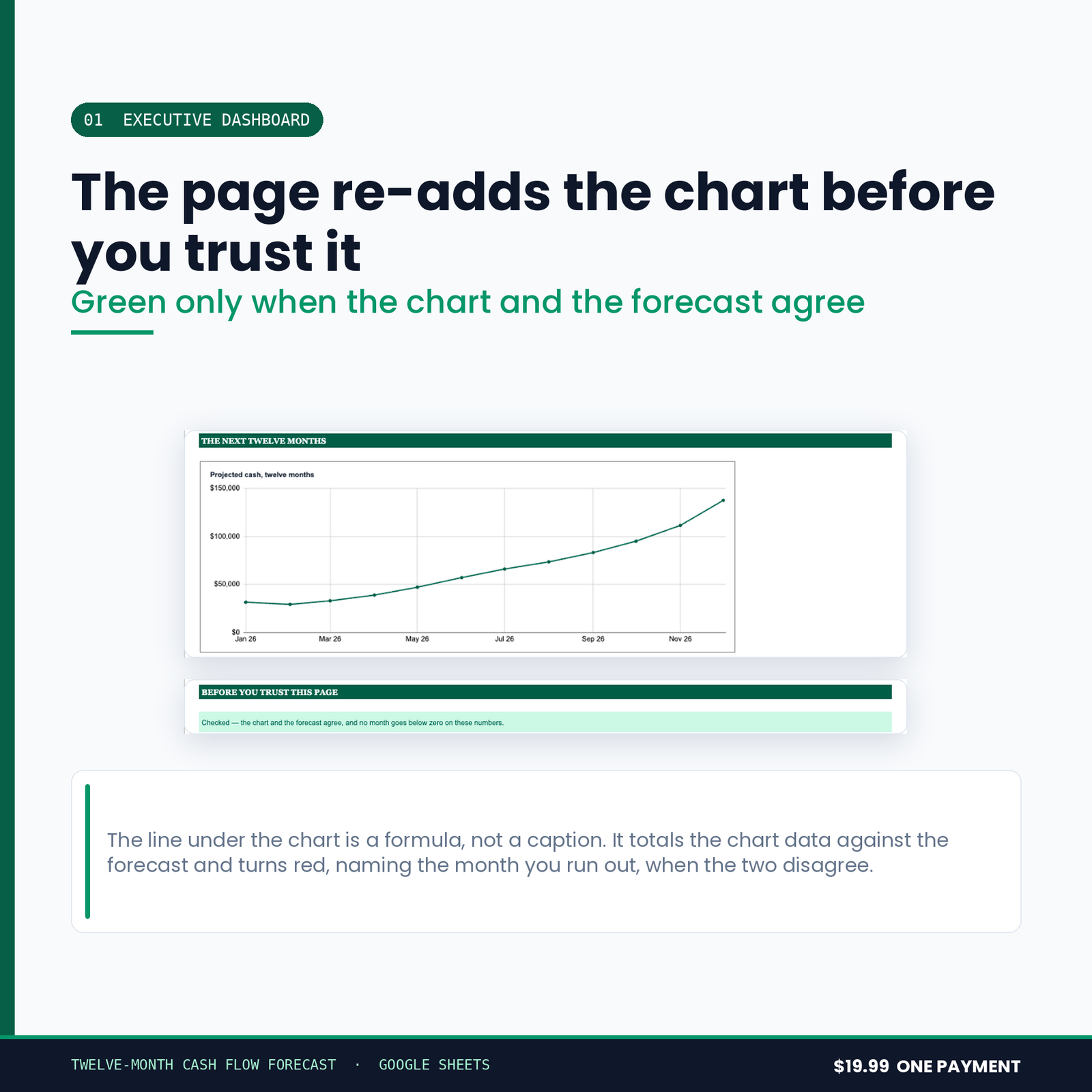
- 01 Executive Dashboard — three numbers, a twelve-month cash line, and a sentence saying whether the page adds up
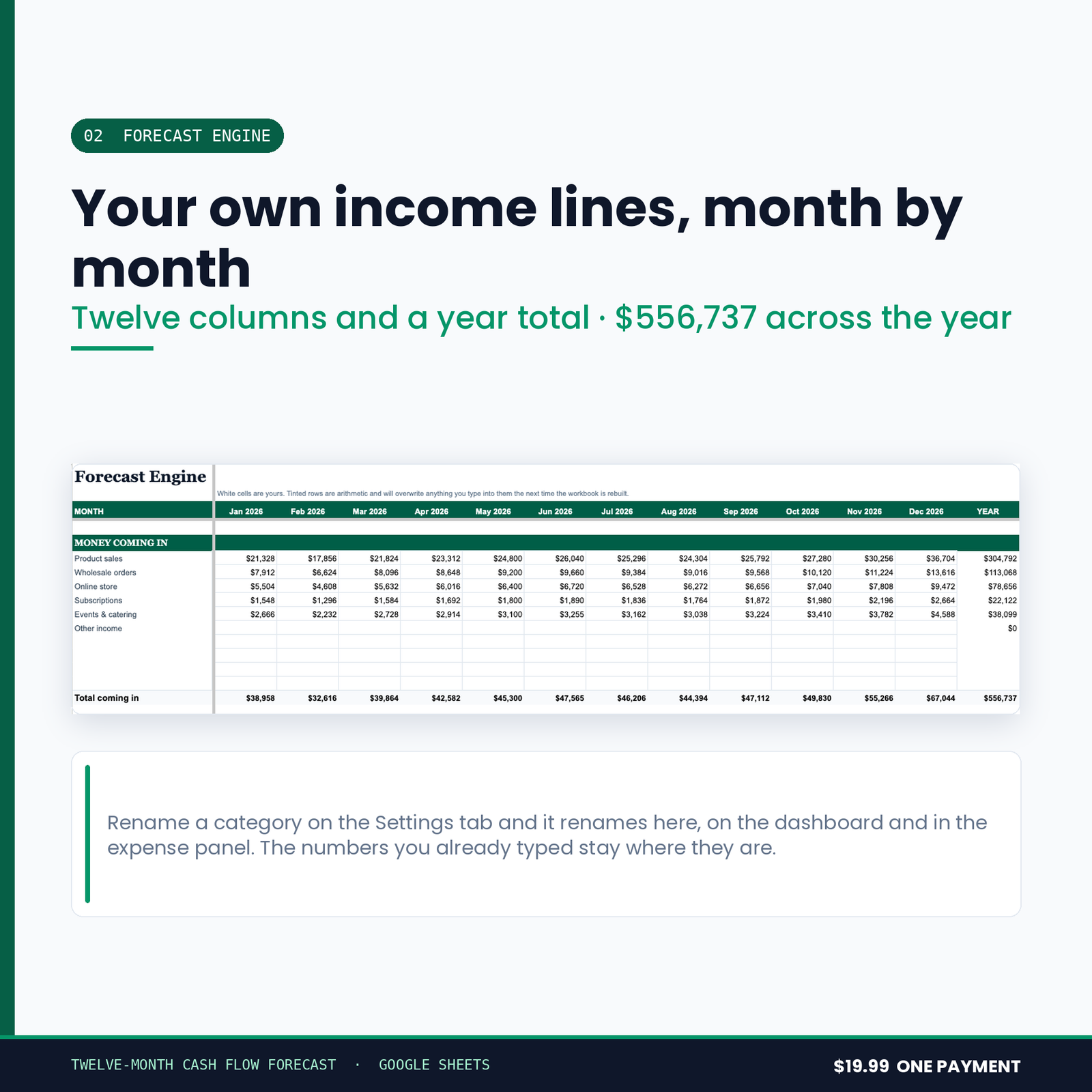
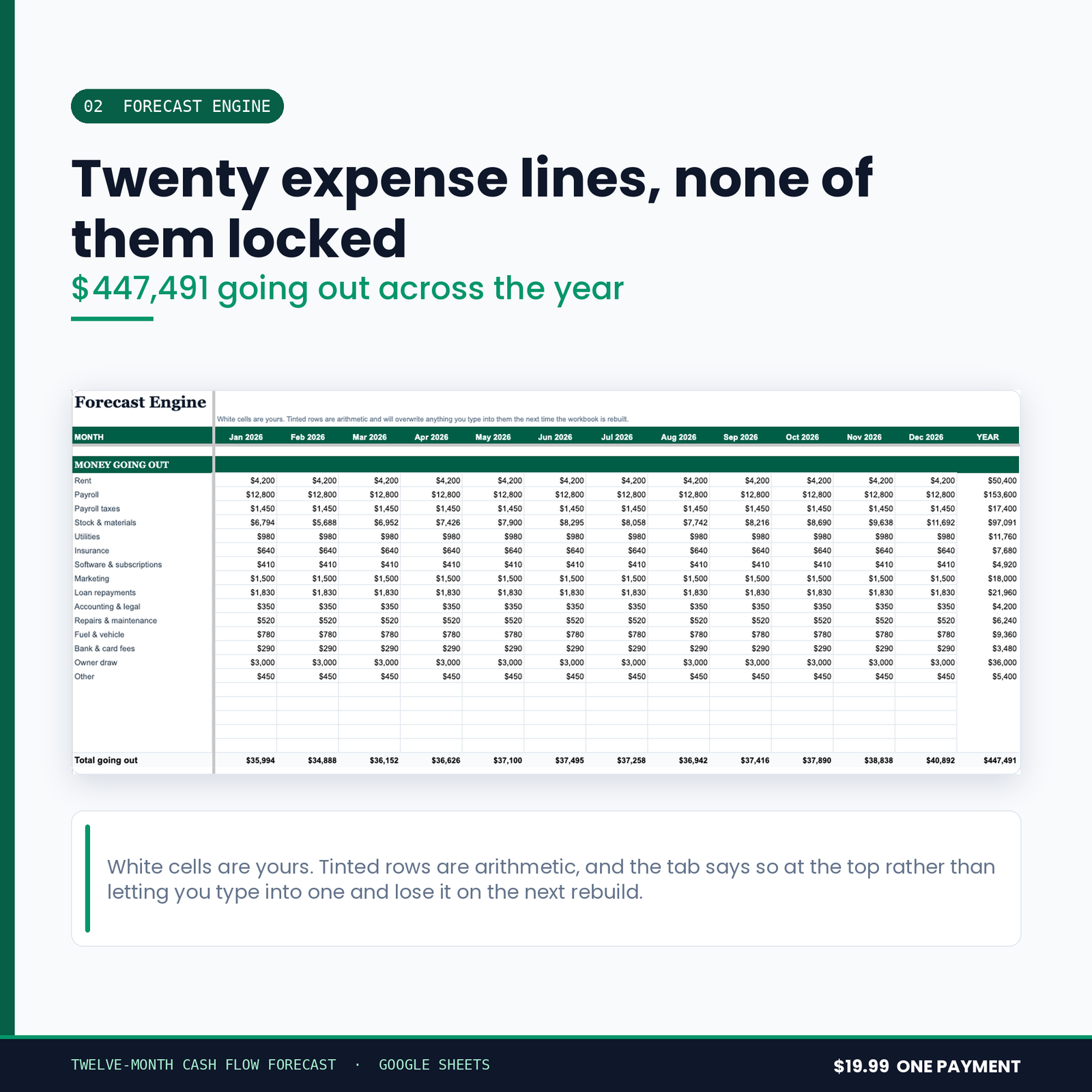
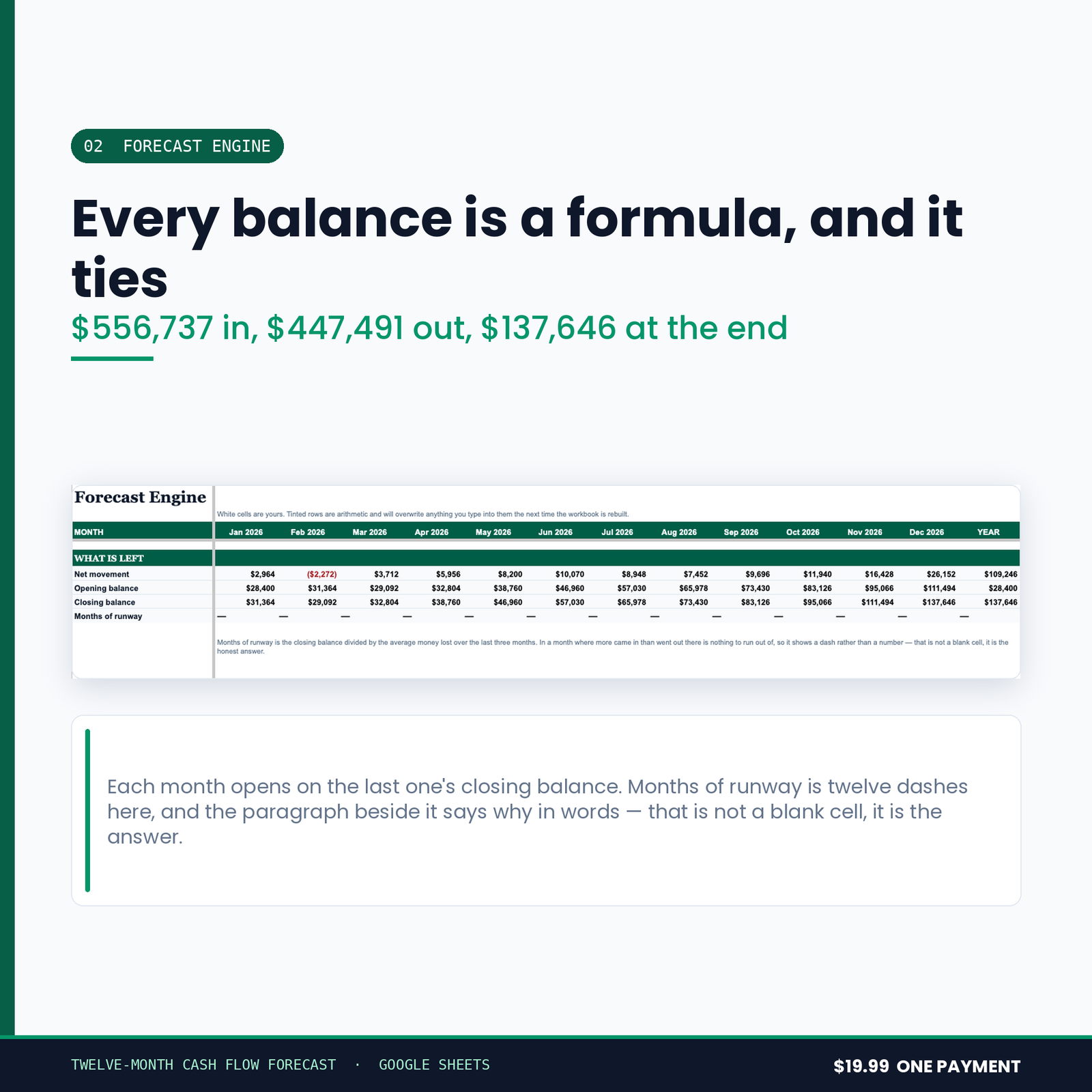
- 02 Forecast Engine — twelve months of money in, money out and closing balance, each month built from the one before it
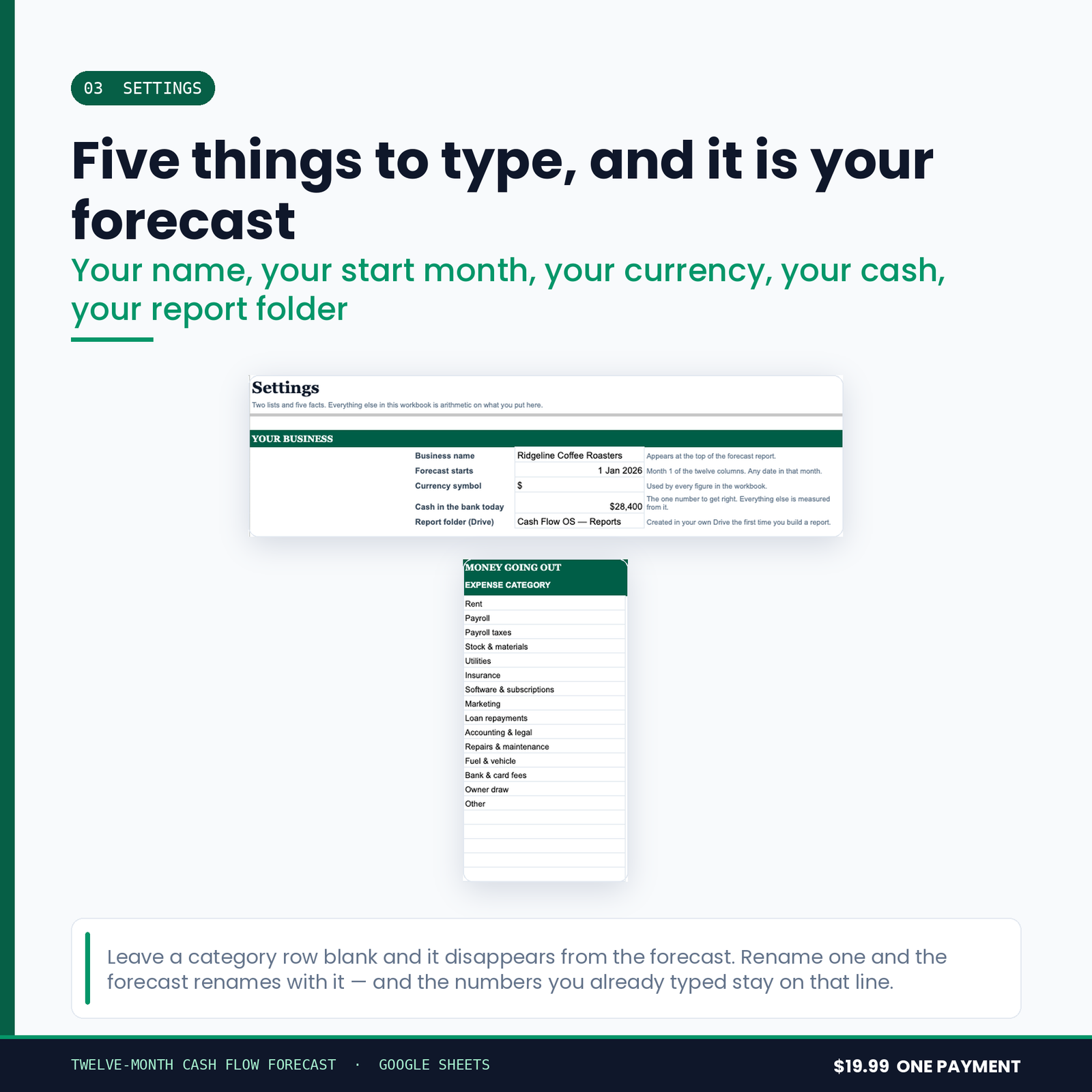
- 03 Settings — your business, your opening balance, your recurring lines
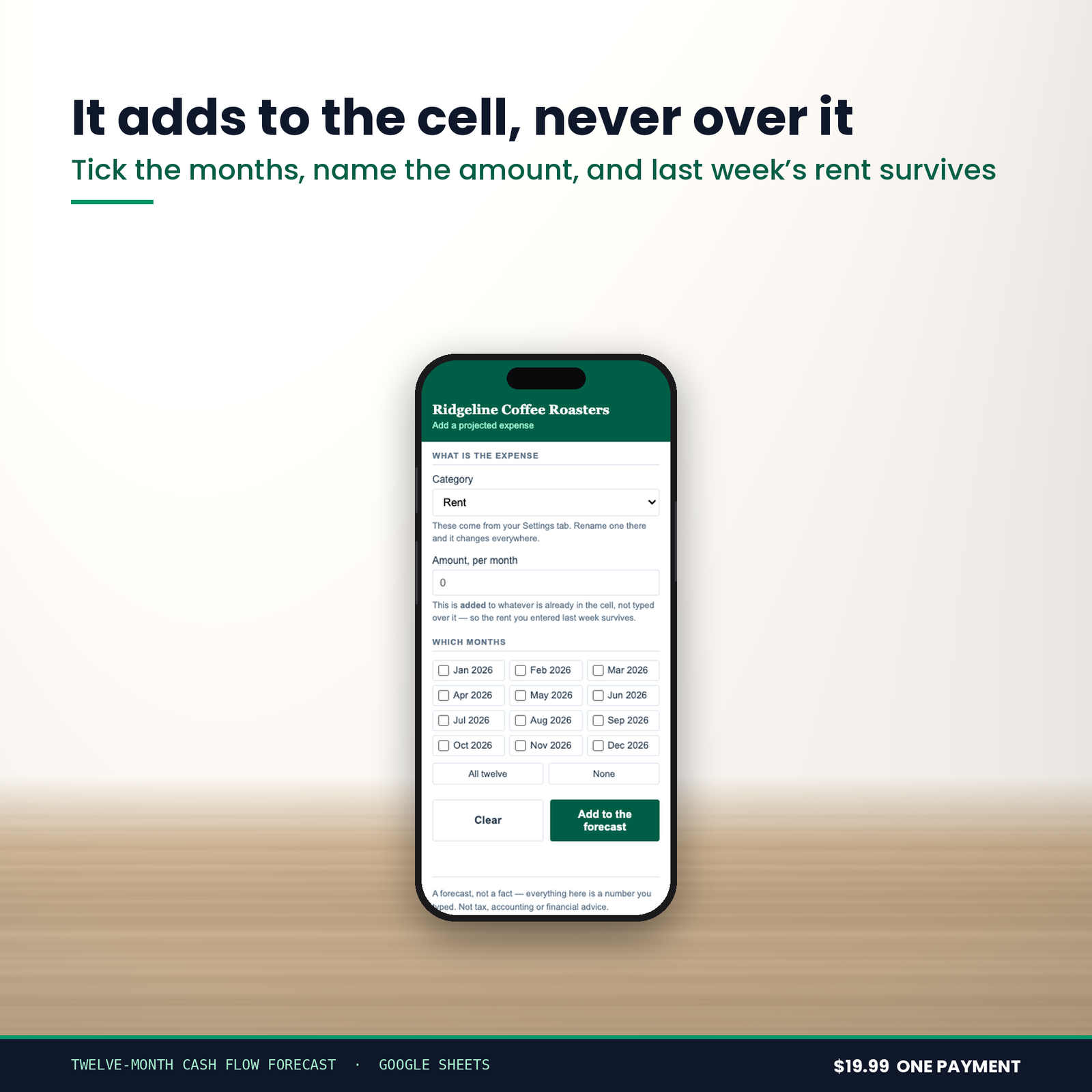
Plus a Add a Projected Expense panel built into the workbook itself.
The chart:
- Projected cash, twelve months — a line chart, so the month you dip below zero is a place on a page rather than a number in a column.
What it refuses to do
Anyone can add up a column. This is the list that took the time.
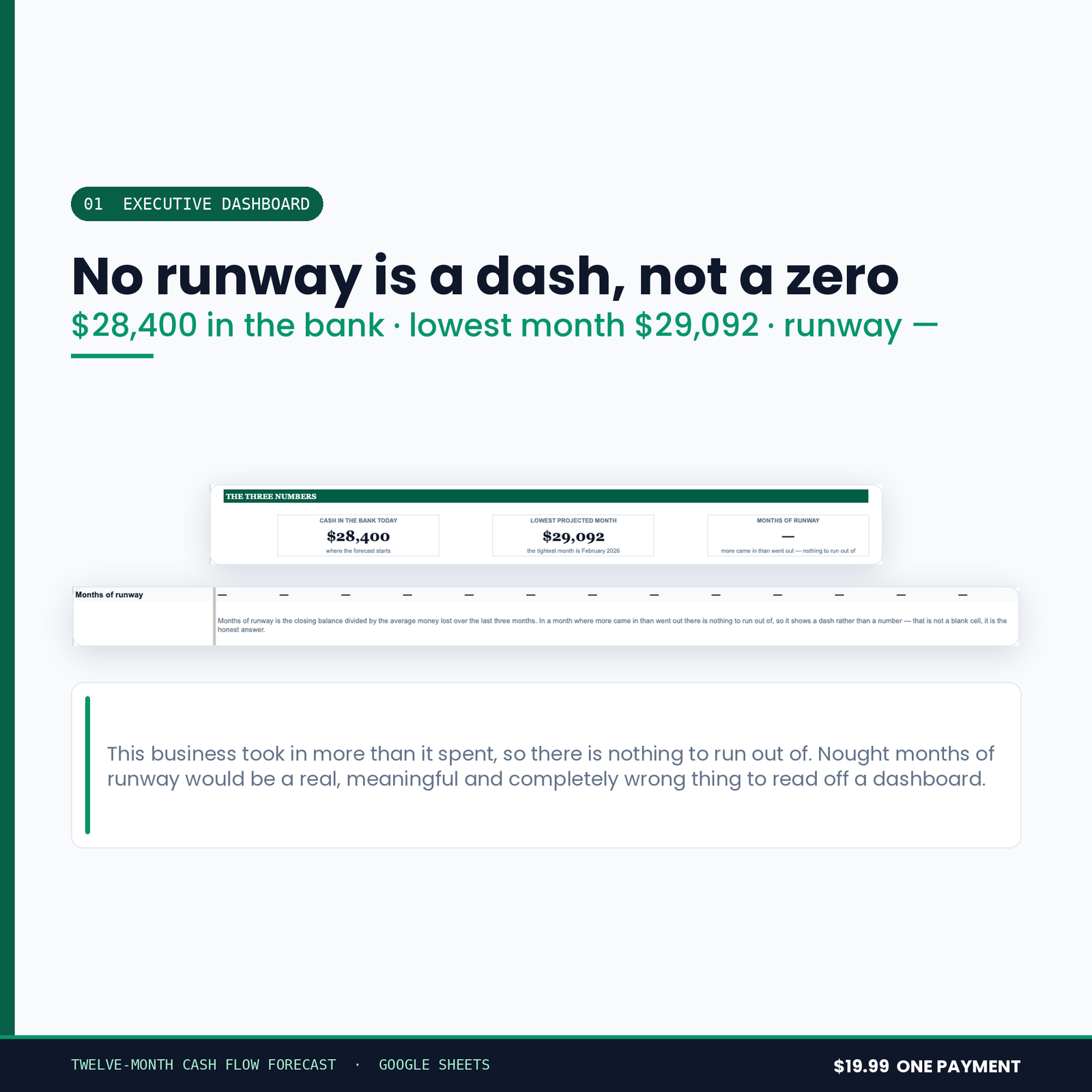
It will not tell a profitable business it has zero months of runway.
A business that is making money has no runway to run out of. That cell shows an em dash and says so in words. Nought months is a real, meaningful and completely wrong thing to read off a dashboard at eight in the morning.
The year column is a year, not the last month.
It would be easy to put the December closing balance in the total column and call it the year. It is not the year. Money in and money out are summed across all twelve; closing is the balance you end on. Those are different questions and they get different cells.
The sidebar adds to a cell. It never types over it.
Enter a projected expense against a month that already has one and it is added to what is there. A panel that silently replaced the figure would lose the entry you made last week, and you would not find out until the forecast was wrong.
Nothing in this suite can email anyone
Not one of these five tools requests a Gmail permission of any kind. That is a stronger promise than a line in a description saying it would never do such a thing: it could not email your customer, your supplier or your accountant if a future version tried, because the permission to do it was never asked for.
Drive access is drive.file — only files the script itself creates. It cannot see the rest of your Drive. Your figures stay in your own Google account.
From purchase to working, in about fifteen minutes
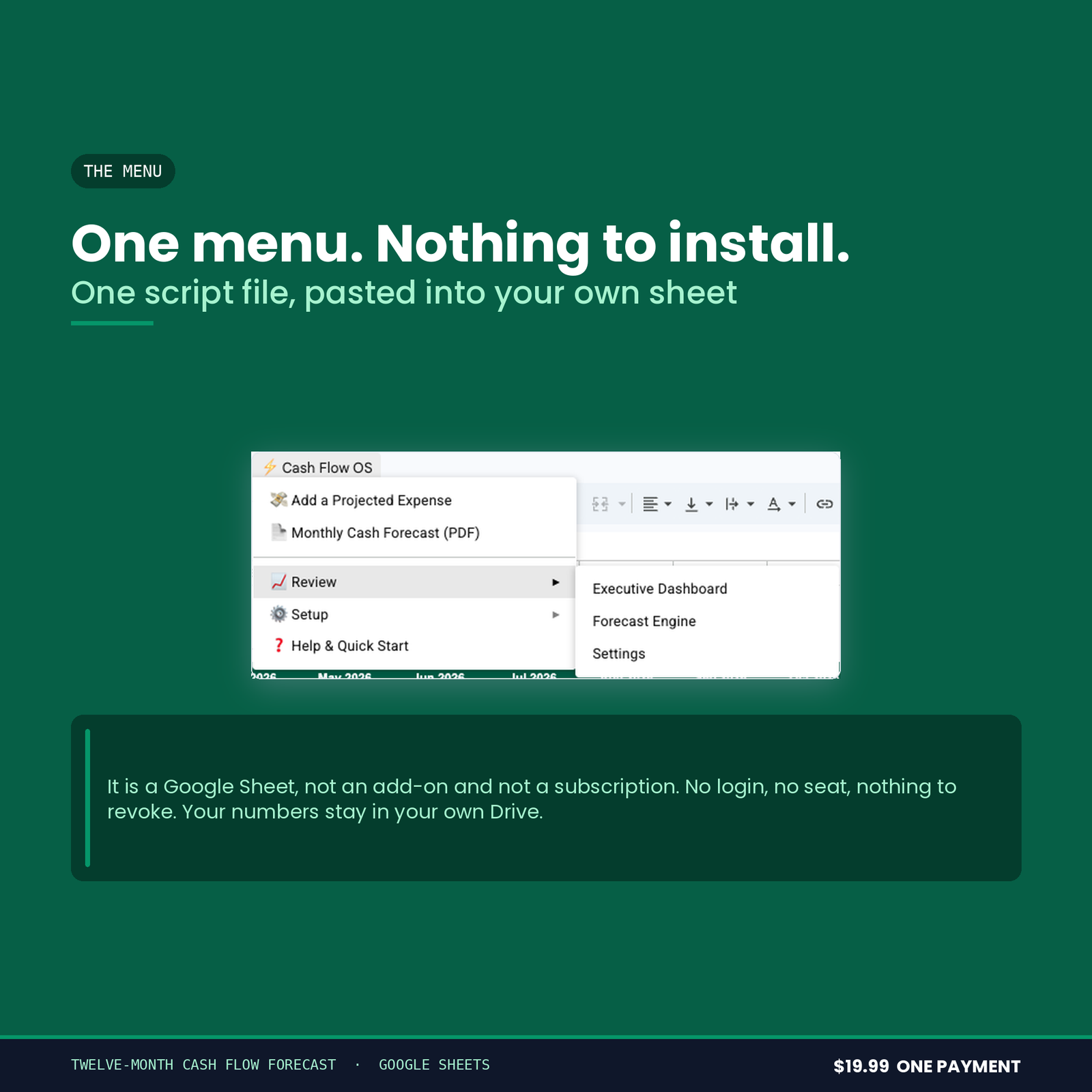
You get a link and a 9-page PDF setup manual. Press the link, and Google makes you your own copy of the workbook — there is no account to create, no add-on to install and nothing to paste into a script editor.
Open your copy, run ⚡ Cash Flow OS → Setup → 1. Build / Rebuild Workbook, and it constructs every tab, formula, border and the chart itself. You format nothing. Then run Setup → Load Demo Forecast and look at it working on an invented business before you type a figure of your own — one menu item erases the demo again and leaves every formula in place.
Most of the fifteen minutes is you deciding what your own income and expense categories are called. The manual walks all of it, and lists the permissions Google will ask for with a written reason for each one.
What you need
A free Google account. It runs on Google Apps Script, so it will not work in Excel, Numbers or LibreOffice — said here rather than in a refund email.
Buying more than one
All five tools in this range are sold together as the Small Business Financial Control Suite for $49.99. Bought separately the five come to $104.95.
Before you buy
This is a spreadsheet, not an accountant. It applies no accounting standard, offers no assurance, and is not a substitute for a qualified accountant or bookkeeper. Nothing in it is tax, financial or legal advice, and nothing it produces has been approved by any authority. Every figure it shows is arithmetic on what you typed into it.