Instant digital delivery. One purchase, one file, no subscription. Full refund within 14 days if it does not do what this page says it does.
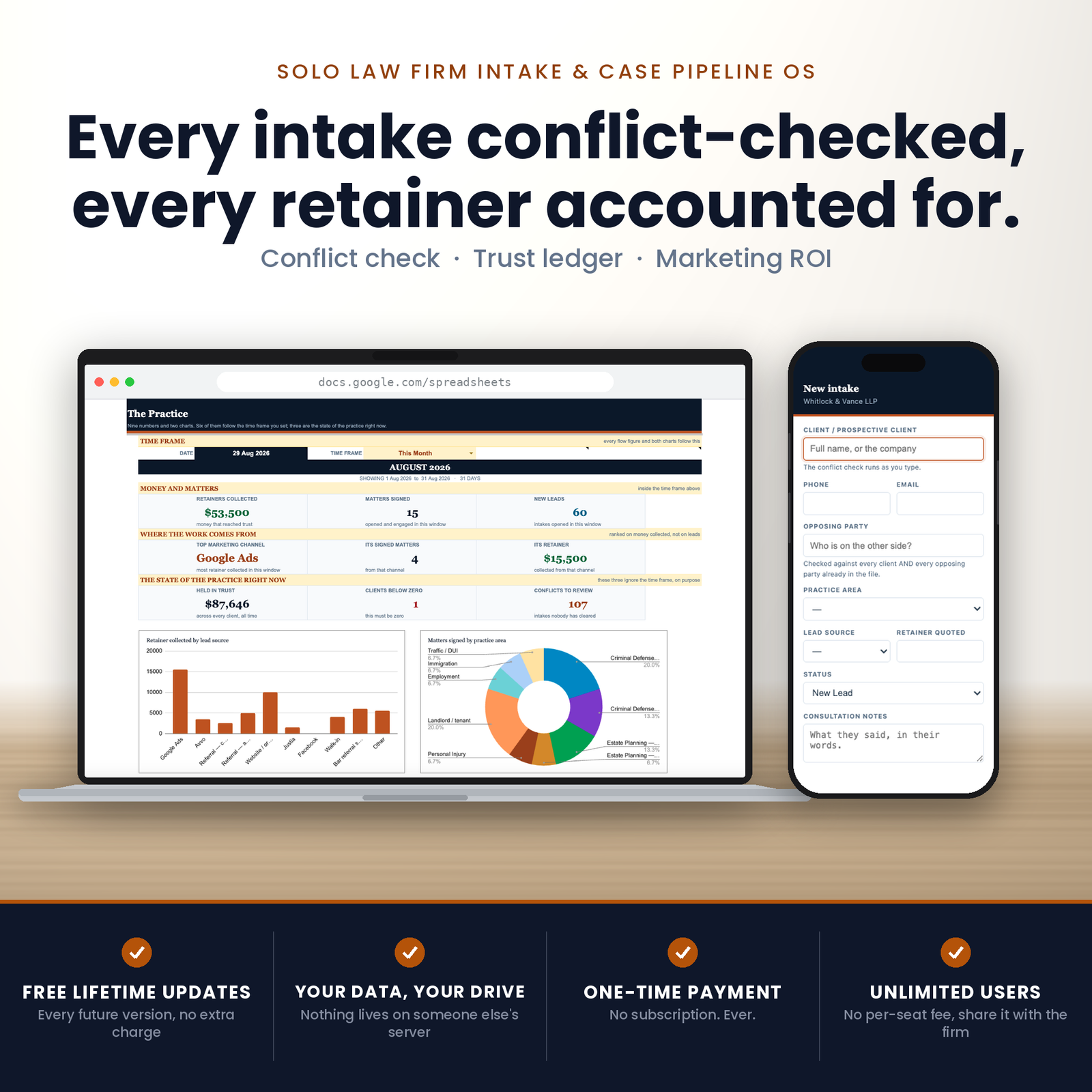
This is a law firm case management spreadsheet that runs the conflict check while the caller is still on the phone — before the name is in the file — and keeps client trust as a live balance per client rather than a running total down the page.
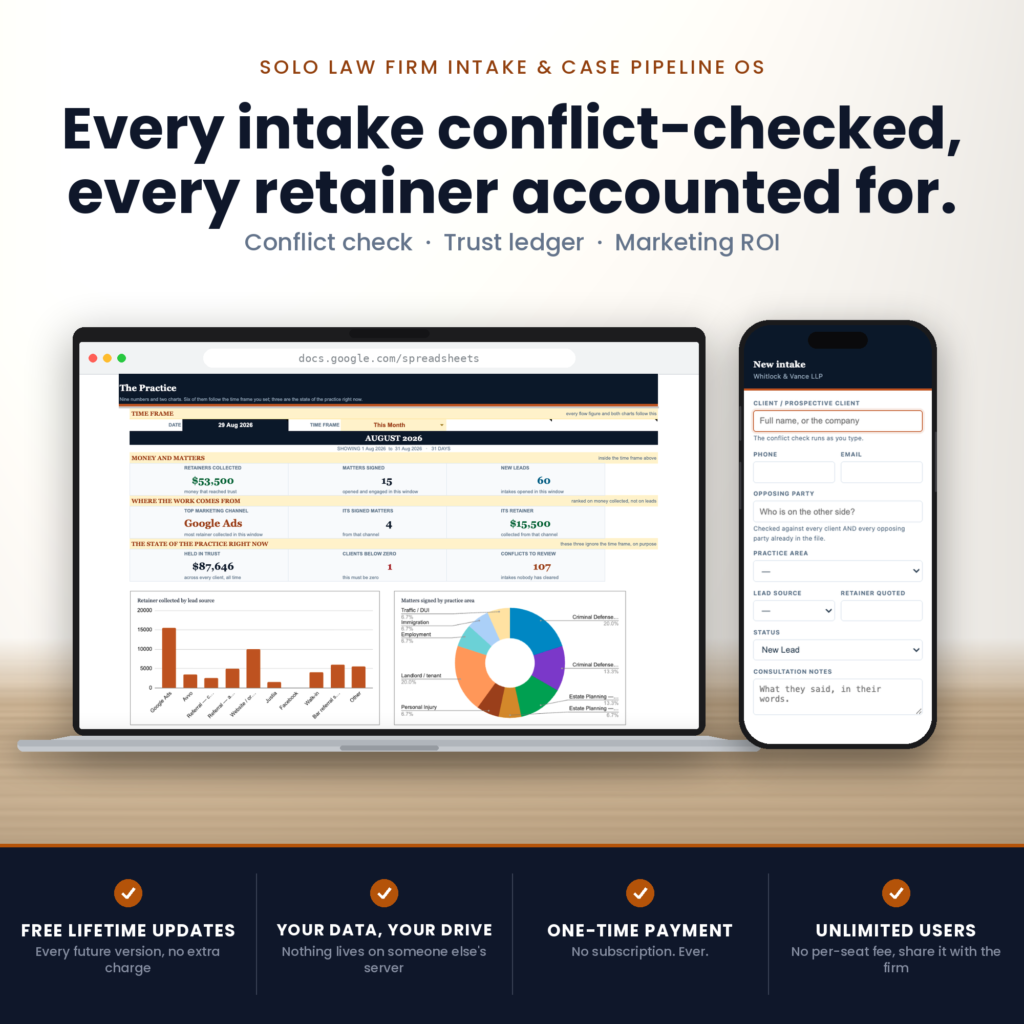
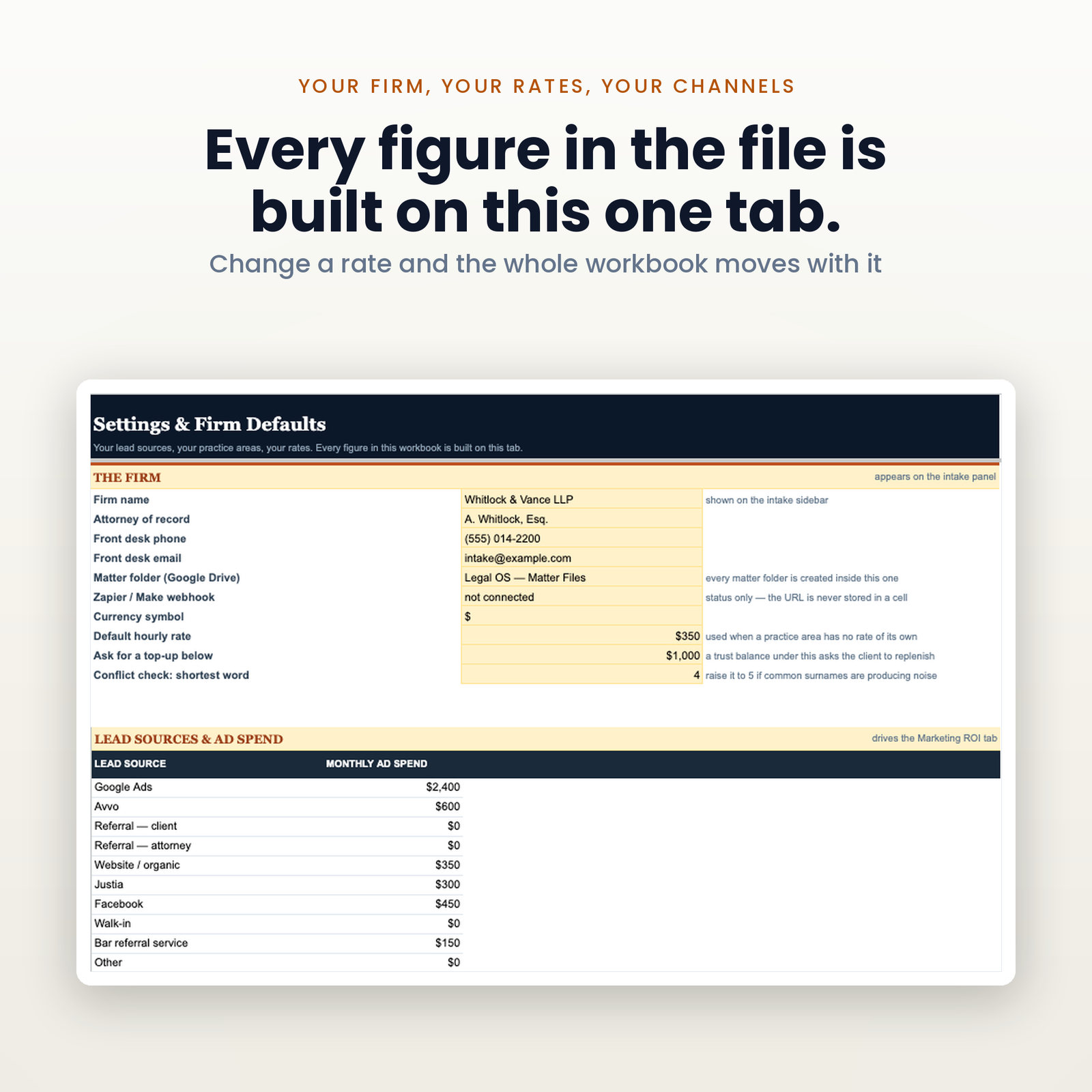
Five tabs in one Google Sheet, built by a script in a single run: a dashboard with a time frame that actually moves, a pipeline holding 1,000 matters from first call to signed engagement, a client trust ledger holding 2,000 entries, a marketing ROI tab for any date range you set, and a settings tab holding your firm, your lead sources and your practice areas. Plus three custom panels — a keyboard-first intake, a trust entry dialog, and the quick start, built into the workbook itself.
It runs in your own Google account. One payment, no seats, no per-user fee, and your client list is not sitting on somebody else’s server waiting for a pricing change.
Most intake sheets check for conflicts the way a smoke alarm checks for fire after the house is out. The name is typed, the row is saved, somebody runs a search later, and the awkward call happens on Thursday.
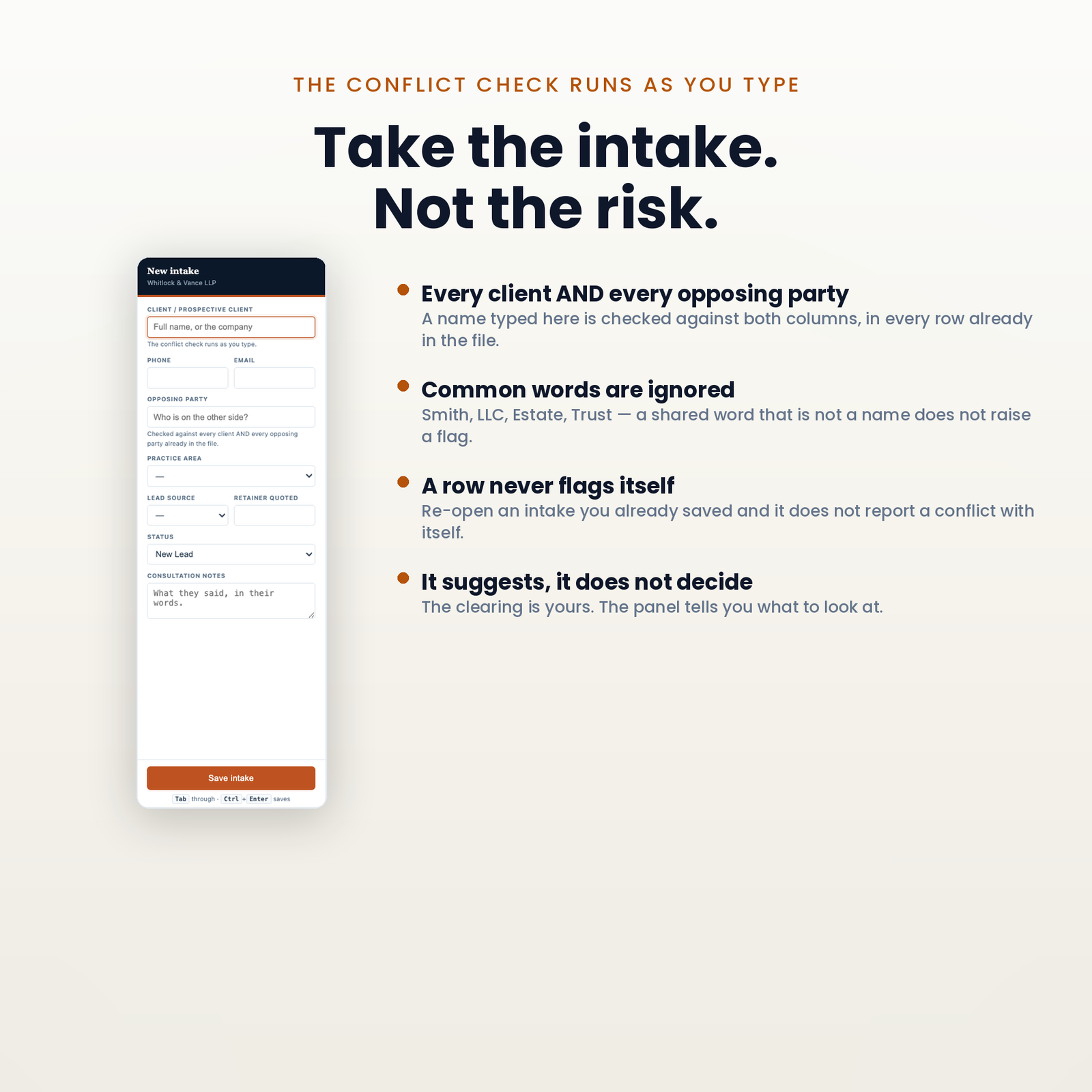
The valuable moment is the phone call, so that is where the check runs. Open New Intake, start typing, and the panel searches every client name and every opposing party already in the file, live, before a row exists. If it collides with something it says so on the panel, with the matter it collided with, while you are still talking. Nothing has been written down and nothing has to be undone.
It searches opposing parties, not just clients. That is the whole reason the column is there. The commonest real conflict in a small practice is not a former client walking back in — it is a prospective client who is the opposing party in a matter you are already acting in. A search that only reads your client list cannot see that one, which is the one that matters.
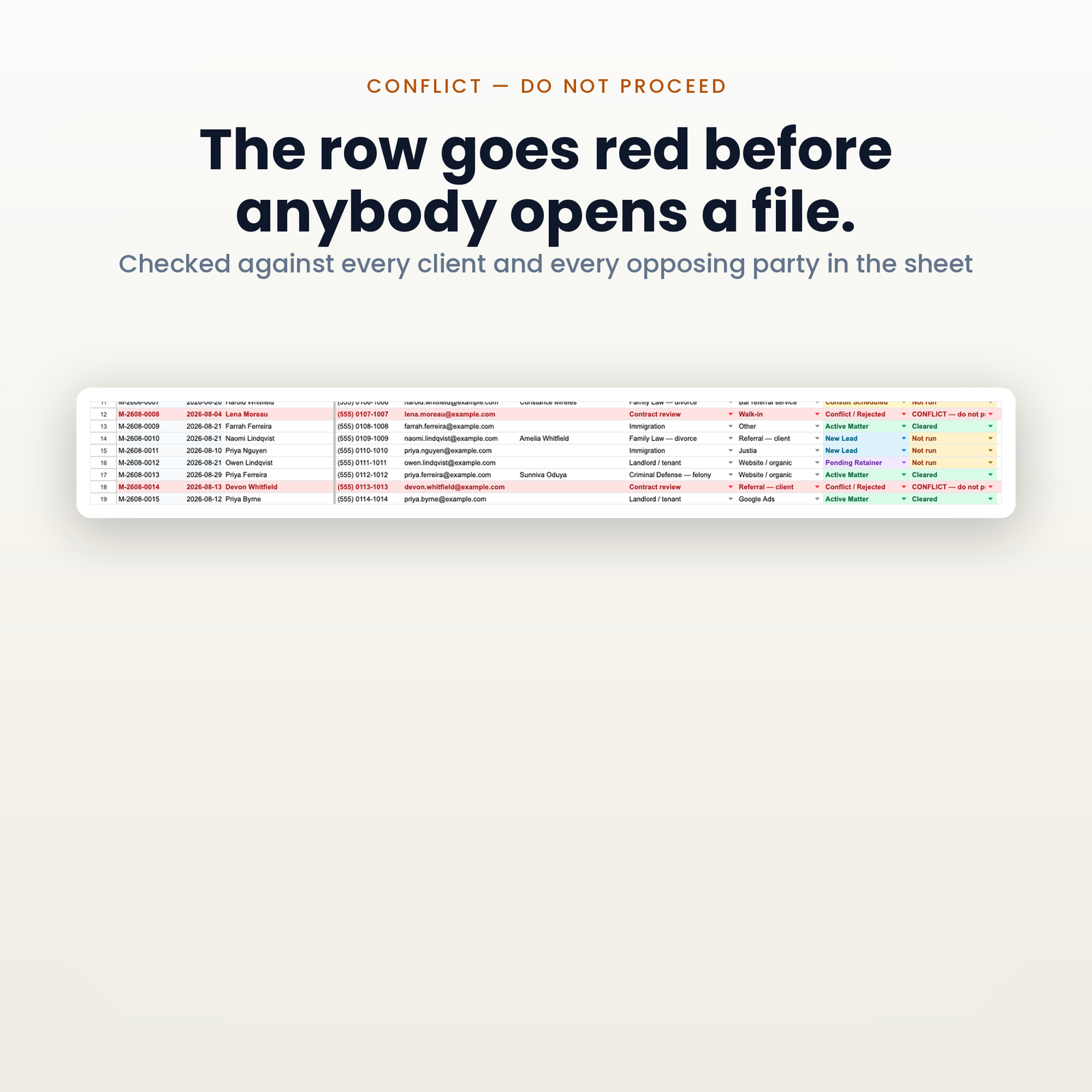
The column has three states rather than two: Not run, Cleared, and CONFLICT — do not proceed. A checkbox has two, and an unticked box cannot tell “we checked and it was clean” from “nobody has looked at this yet” — which on a compliance artefact are exactly the two states you need to tell apart. Every new row writes Not run by itself, so a blank never reads as cleared, and the dashboard counts how many are still outstanding.
What it is not. It searches the names in this file and nothing else. It is a name search, not a legal opinion and not a conflicts database — a conflict that is not in your file cannot be found by anything that reads your file.
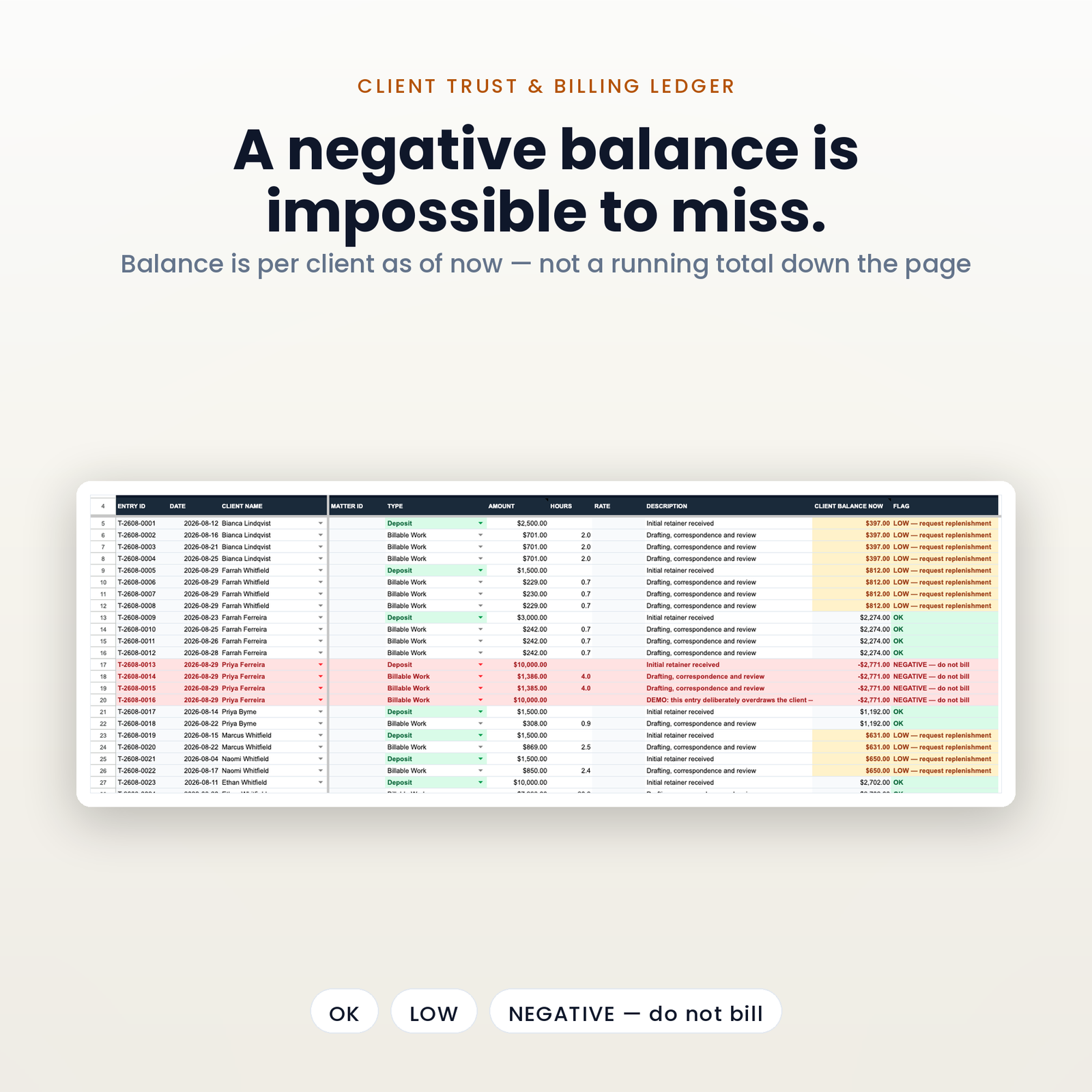
Most trust sheets keep a running balance down the page. It looks correct, and it is wrong the moment somebody enters a deposit out of order — quietly, in a column nobody re-reads, usually for weeks.
This ledger has no running balance. Every row shows that client’s balance as of now, from one formula that adds up every entry carrying their name. Type a backdated deposit at the bottom of the sheet and every row for that client corrects itself. There is no order to get wrong.
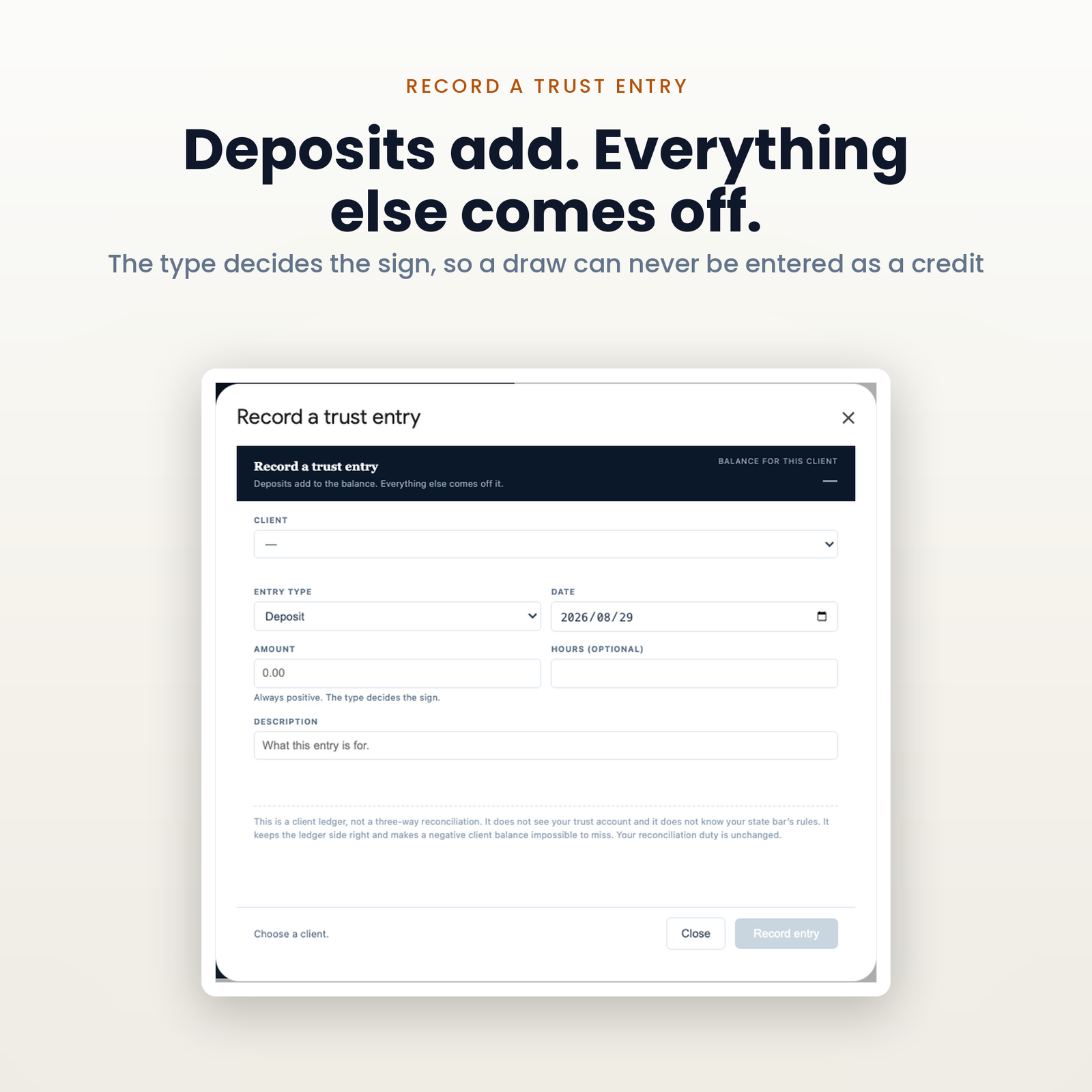
The amount is always positive and the type decides the sign — Deposit, Billable Work, Expense / Filing Fee, Refund to Client, Transfer to Operating. You never type a minus, because a ledger that accepts a negative deposit will eventually contain one, and it will be the entry nobody ever finds.
One client’s money can never rescue another’s. The balance is per client, so a firm-wide total that looks healthy cannot hide a single account below zero. If one goes under, the row turns red, the dashboard counts it, the flag reads NEGATIVE — do not bill, and a check that runs before you open the file in the morning writes it into the audit log. Set your own top-up threshold on Settings and the ledger asks for a replenishment before a client runs dry rather than after.
And what this is not, in writing. It is a client ledger. It does not see your trust account, so it cannot compare itself to a bank statement, and it does not know your state bar’s rules. What it does is keep the ledger side accurate and make the one unforgivable condition impossible to miss. Everything else about your trust obligations is unchanged by owning this file.
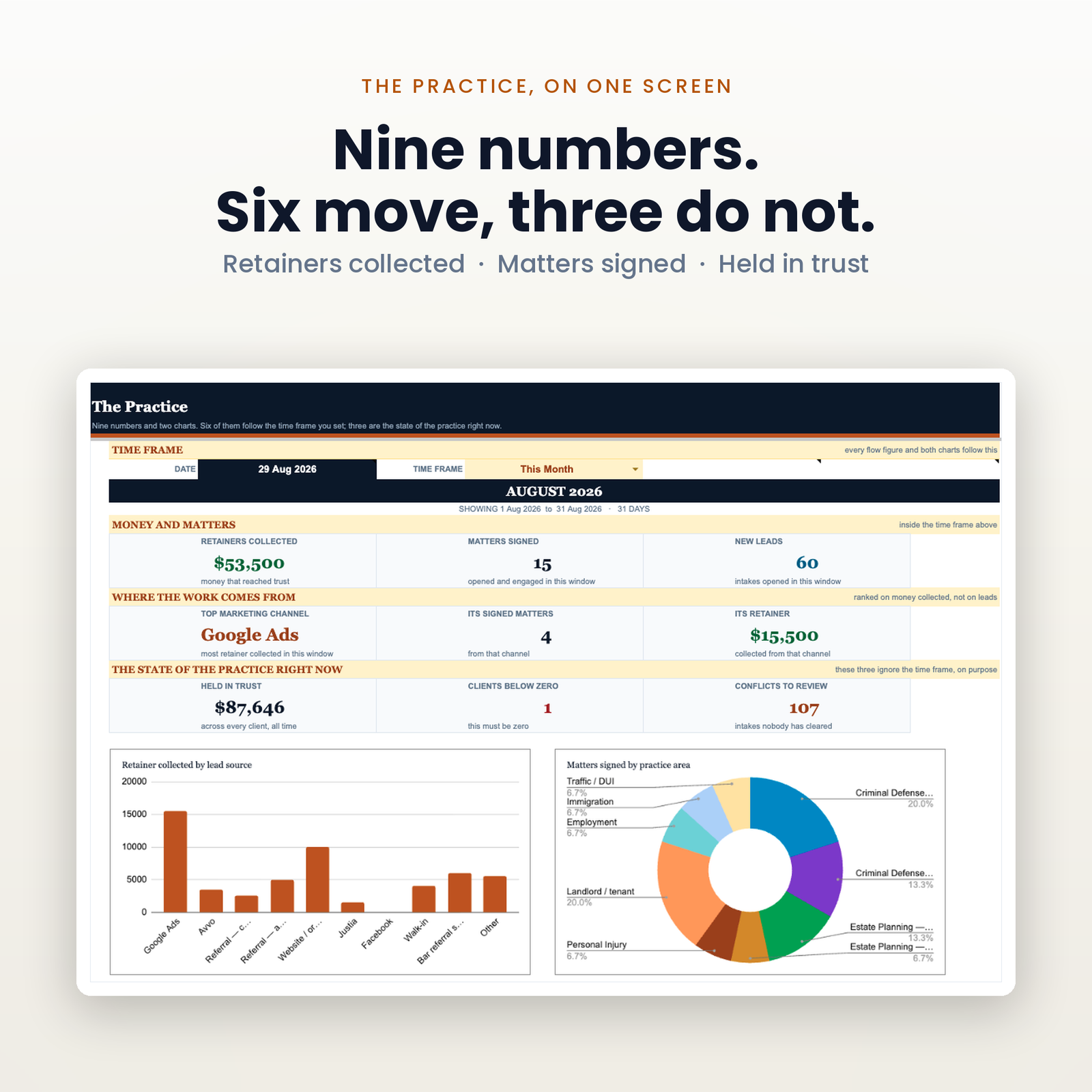
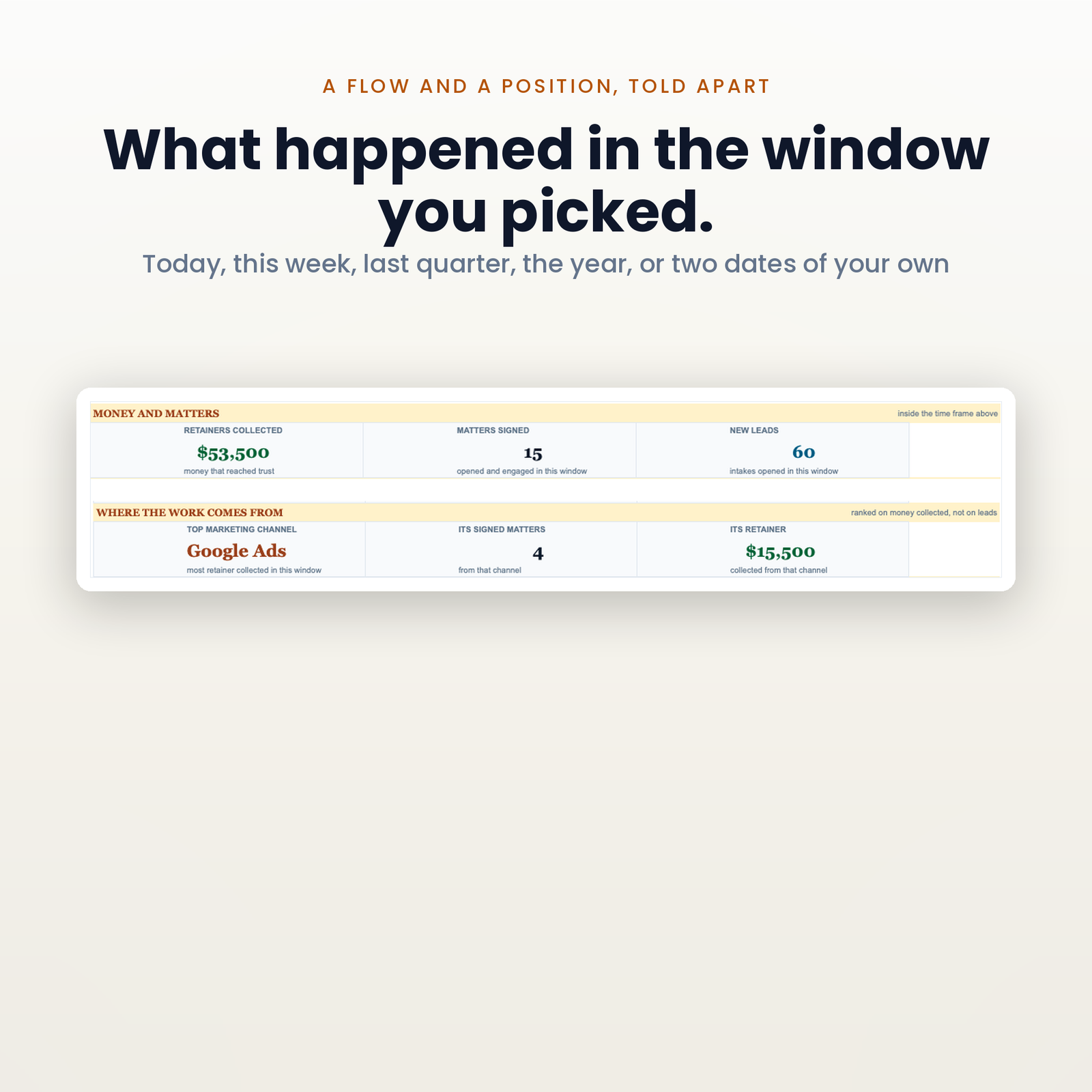
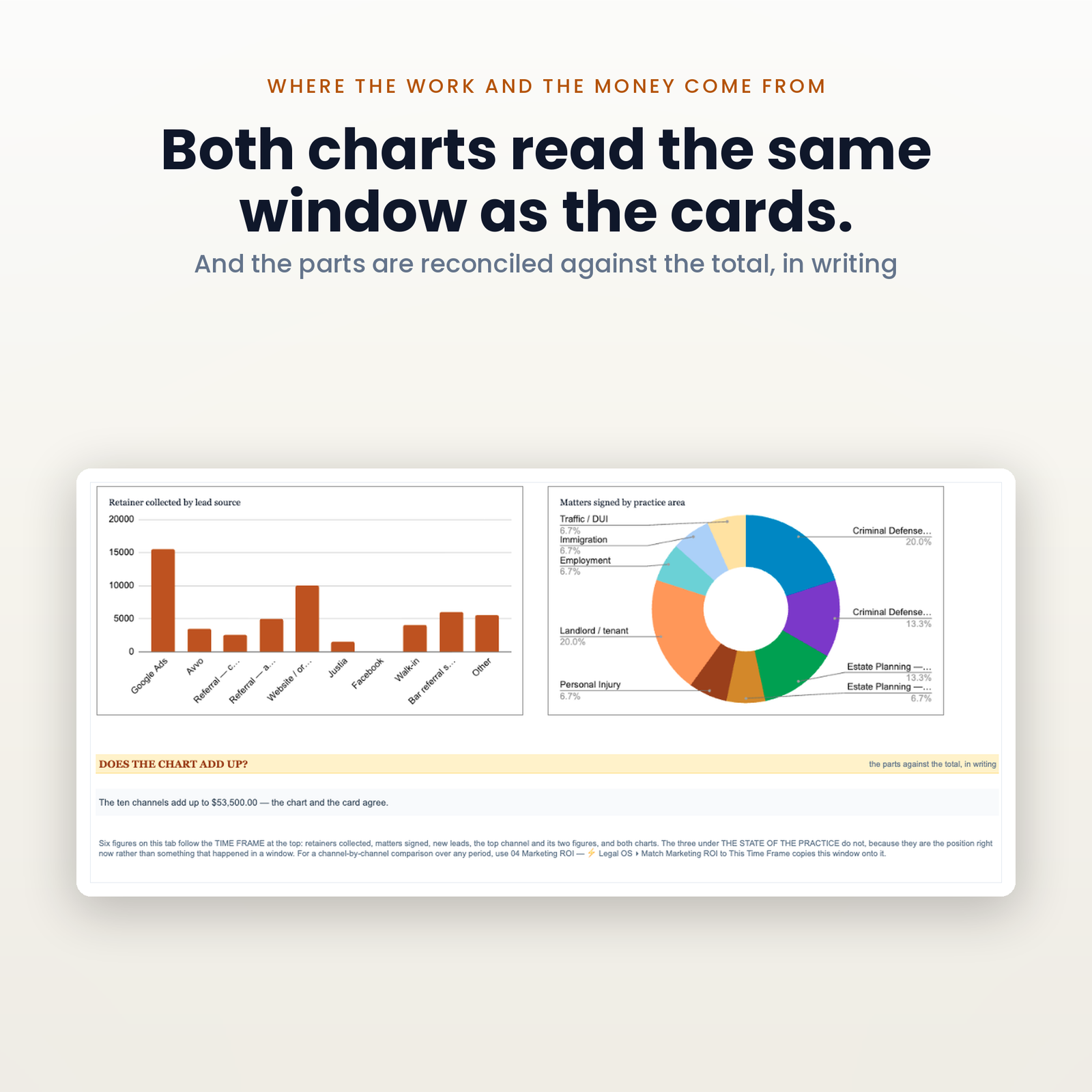
Type any date at the top, pick a window beside it — today, this week, last month, last quarter, the year, all time, or two dates of your own — and the period figures move together: retainers collected, matters signed, new leads, and your top marketing channel with what it signed and what it collected.
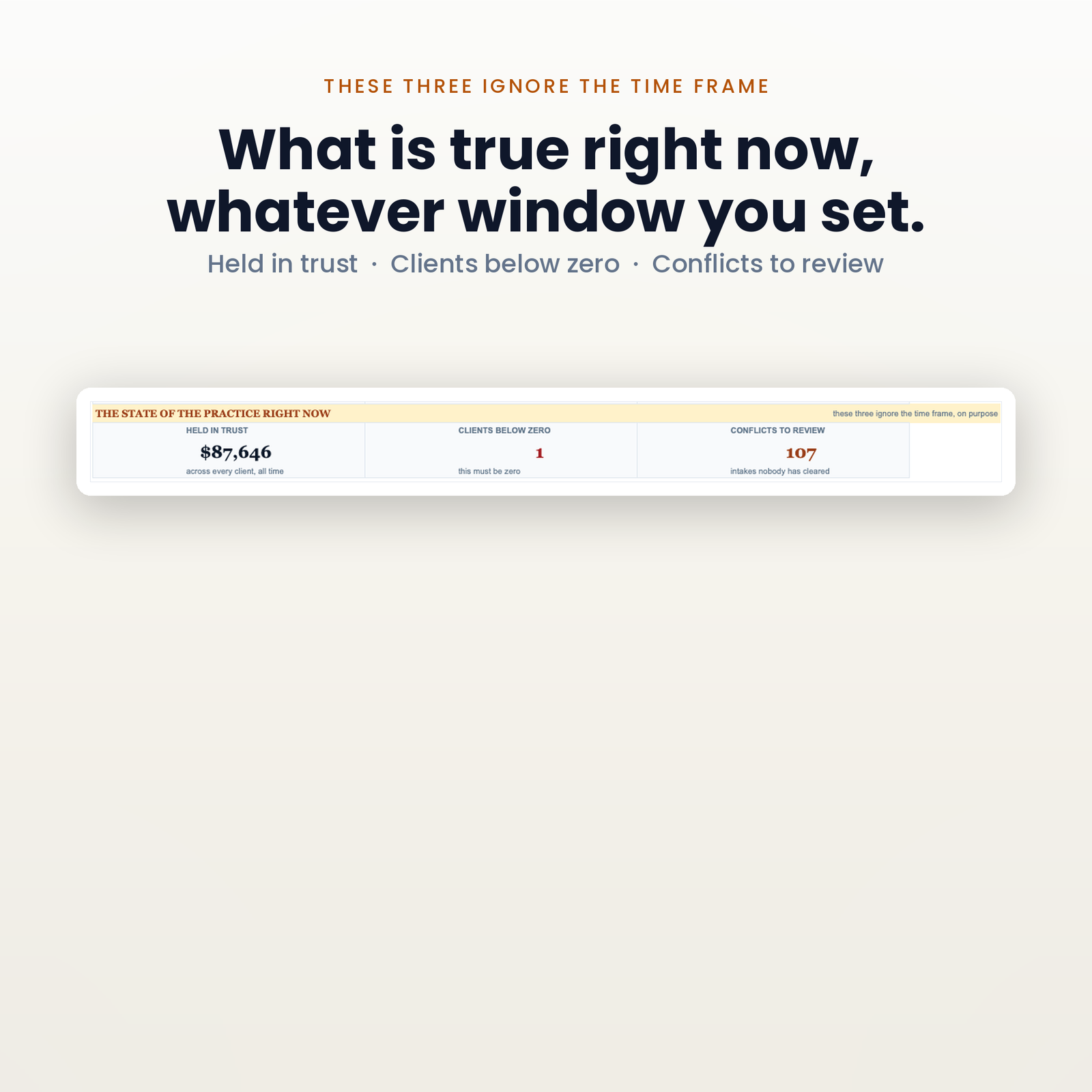
Three cards deliberately stay put: held in trust, clients below zero, and conflict checks still to run. Those are positions, not rates. Both charts read the same window as the cards, because the window is resolved once in one place and everything else reads those cells. Underneath, a line that adds the ten channels behind the bar chart and compares them against the collected figure above, in writing, naming the cause when they disagree. A table showing a total and its parts has to visibly agree, or say that it does not.
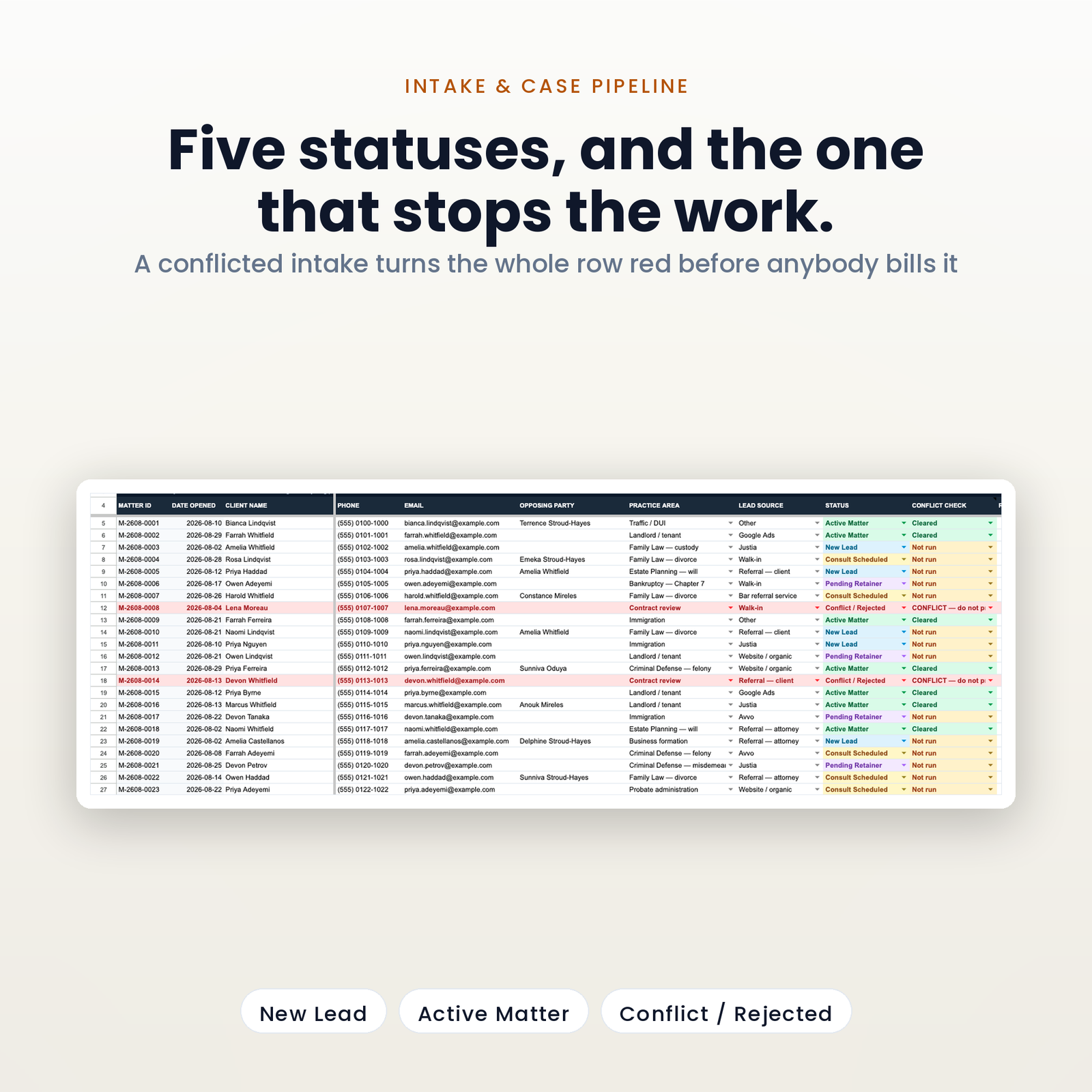
1,000 matters. Columns A to N are yours: client, phone, email, opposing party, practice area, lead source, status, conflict check, retainer quoted, notes. Retainer collected and trust balance calculate themselves from the ledger. Five ARRAYFORMULAs cover all 1,000 rows rather than five thousand copied ones, which is why the tab repaints instantly at full size. Status badges run in pipeline order, conflict badges paint over the top of them, and any client below zero turns the row red.
Client, matter, type, amount, hours, description, then the balance and the flag. The client list is a live dropdown off the pipeline, so a trust entry cannot be filed against a name that does not exist, and the matter ID fills itself in.
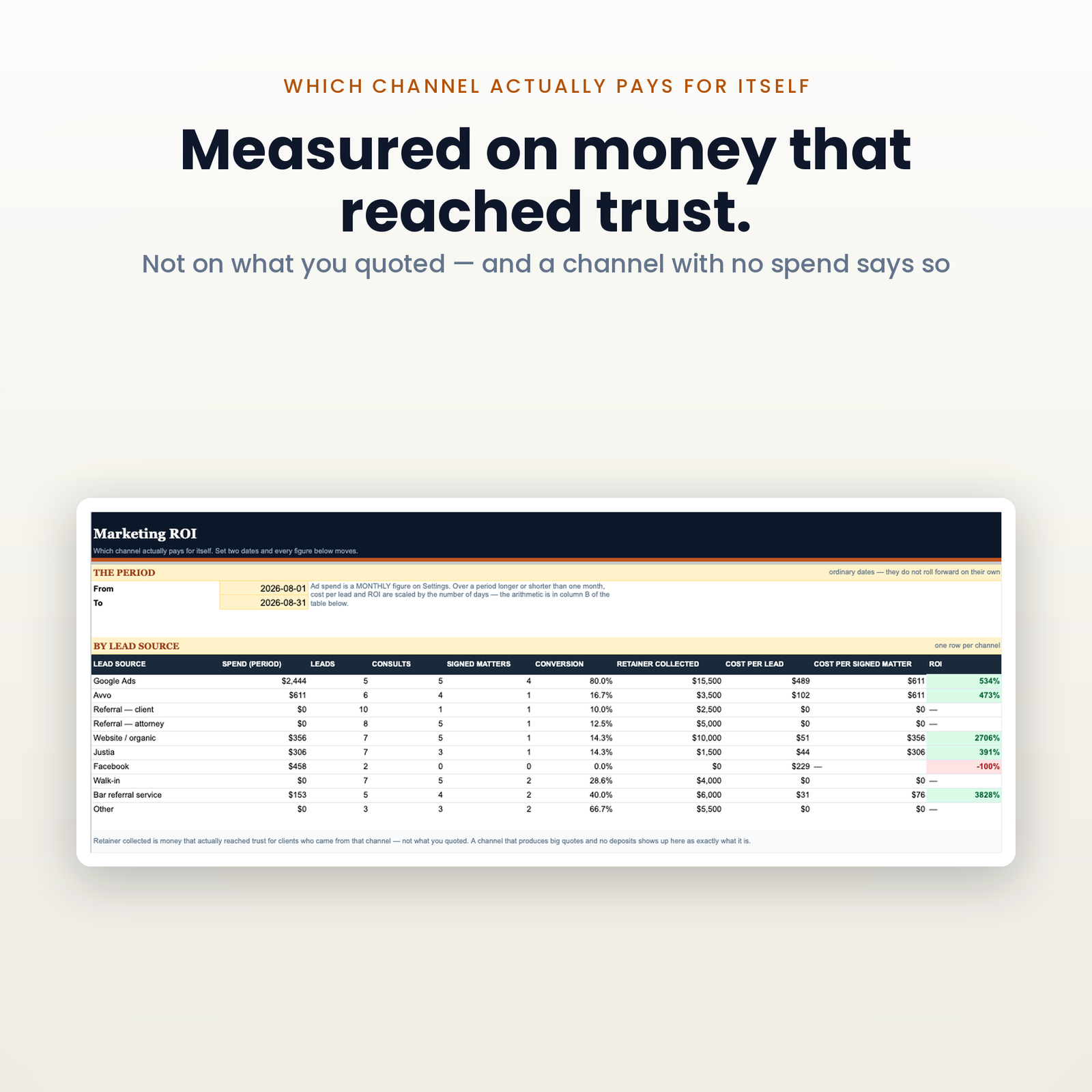
Set two dates on the marketing tab and every figure moves: 10 lead sources, each with spend for that window, leads, consults, signed matters, conversion, retainer collected, cost per lead, cost per signed matter and ROI. One menu item points those dates at whatever time frame the dashboard is showing.
The conversion denominator is leads, not consults. Signed divided by consults flatters every channel that only sends you people who were going to sign anyway — which is precisely the comparison you are trying to make. And a channel you have never spent a penny on shows a dash rather than 0%, because a zero there is a real, meaningful, wrong answer: it says referrals returned nothing when referrals cost nothing and signed four matters.
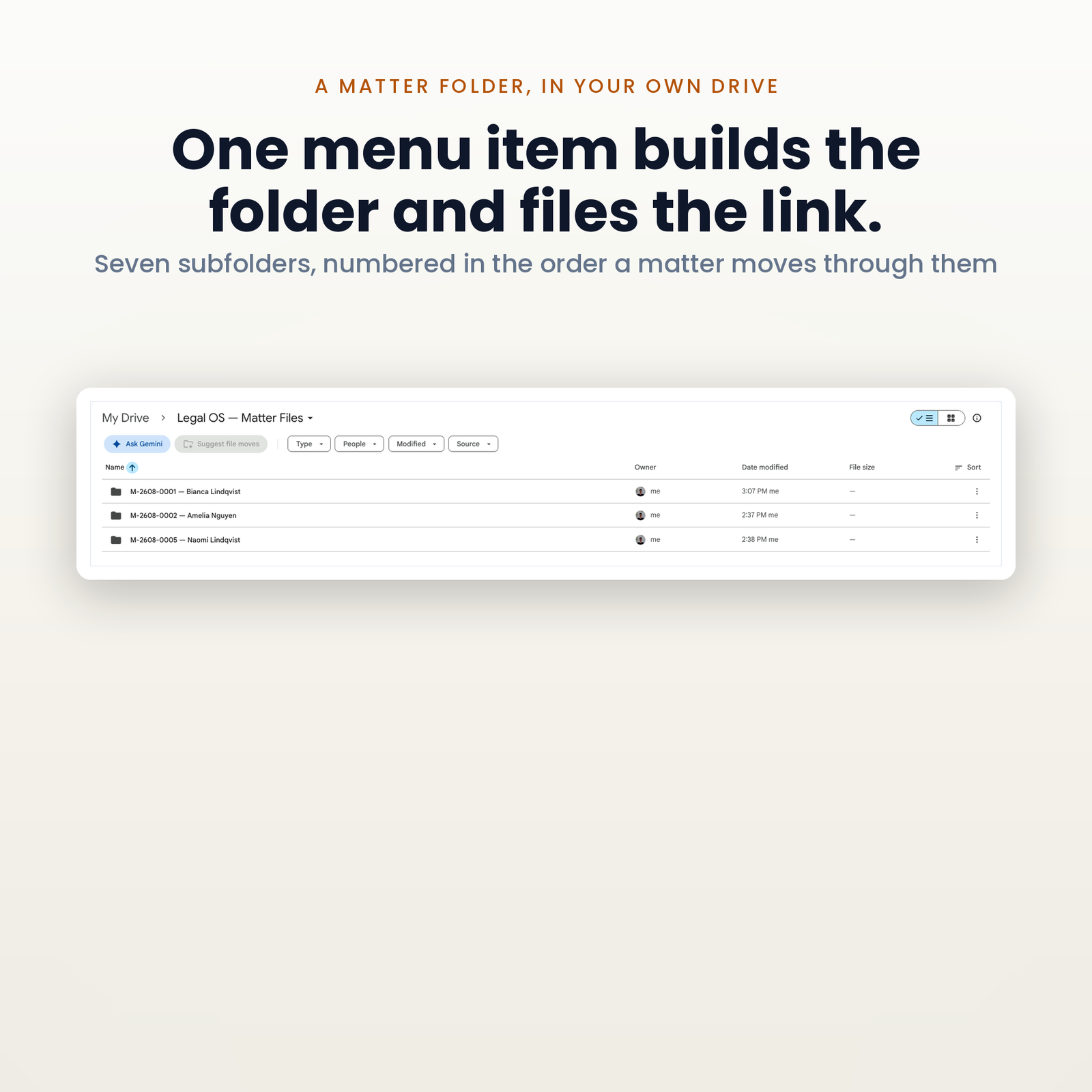
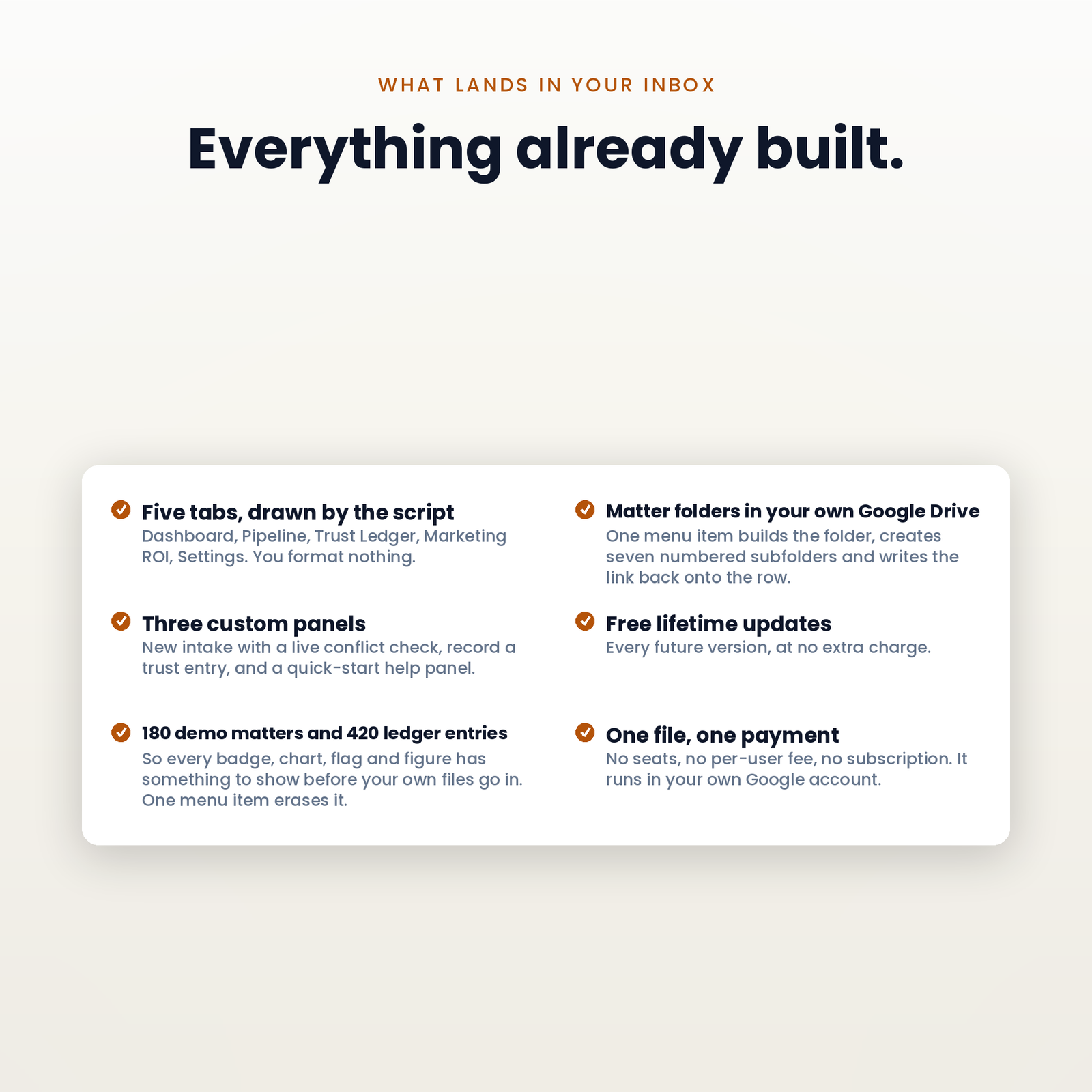
Generate Matter Folder builds the filing structure for a matter in your own Google Drive — seven numbered subfolders in the order a matter actually moves: engagement and retainer, correspondence, pleadings and filings, discovery, evidence and exhibits, billing and trust, notes and research. The link lands back in the row, and a cover sheet PDF of everything the workbook knows about that matter goes into folder 1. Run it again on a matter that already has a folder and the cover sheet is refreshed in place rather than filed a second time.
The folders arrive empty, and that is the design. This is a filing cabinet, not a report: what goes in it is signed paperwork, filings, exhibits and invoices, and none of those exist inside a spreadsheet.
Intake is keyboard-first from the top of the phone call, with the conflict result appearing under the name field as you type; Enter writes the row, stamps the matter ID and the date, and clears itself for the next call. The trust dialog shows you the balance the entry will produce before it writes anything, refuses a negative, and only proceeds if you tick to say you meant it — because the interesting number is the one after the entry, and a dialog that shows you the balance before is showing you the wrong number.
Move a row to Active Matter and, if you have connected one, the matter is POSTed to your Zapier or Make webhook — client, practice area, lead source, retainer, folder link. What happens next is yours to build; this file does not send the welcome email itself and does not pretend to. A row stamped more than 60 minutes ago is recorded and not sent, because an edit trigger cannot tell a matter signed this second from an undo, a restore, or a paste of last year’s closed files — and without that guard, importing your history fires an onboarding email at every former client you have ever had. It is off until you switch it on, https only, and the address lives in the file’s own properties rather than a cell, because this workbook gets shared with a paralegal and screenshotted for support.
Read from each vendor’s own pricing page on 29 August 2026, for one user — a solo. Not from a comparison site, because those publish estimates and an estimate is not a price. Every link below goes to the page the figure was read from, so you can check it rather than take my word for it.
| Plan | What its own page says | A year, one user |
|---|---|---|
| Clio Starter | starting at $49 per user per month | $588 |
| MyCase Basic | $50 per user per month | $600 |
| MyCase Pro | $100 per user per month | $1,200 |
| MyCase Advanced | $130 per user per month | $1,560 |
| PracticePanther Solo | $49 per user per month | $588 |
| PracticePanther Business Pro | $114 per user per month | $1,368 |
| This file | $129.99, once | $129.99 |
Three notes, because a comparison that leaves them out is not honest. Every figure above is the annual-billing price — the cheaper of the two each page shows, and therefore the one that flatters the competitor; month to month the same plans run $59 to $150. Clio’s $49 is a “starting at” number on its entry tier, and its other three tiers publish nothing at all, so nothing is claimed about them here.
Smokeball is named in this category and is deliberately absent from that table. It publishes no price on its own website; every tier ends in a quote request. Putting an estimate beside its name to make ours look better would be inventing a number.
None of these is the same kind of thing as this file. They are practice management platforms with billing, document assembly, client portals, e-signature and court-rule calendaring. This is a spreadsheet that runs your intake, your pipeline and your client ledger. The comparison is on the line item a solo actually feels — what leaves the account every month — and a firm that needs those platforms should buy one.
There is no account to create and nothing to install. About fifteen minutes.
A solo attorney or a two-to-three person firm where intake lives in a notebook, the pipeline lives in somebody’s head, and client trust lives in a spreadsheet nobody entirely trusts. If you run a different kind of business, the rest of the Industry Dashboards range is built the same way.
It is not for you if you need billing and invoicing, court-rule calendaring, document assembly, e-signature or a client portal. Those are real needs and this does not meet them.
No, and any seller who tells you otherwise is guessing on your behalf about rules that differ in every jurisdiction. This is a client ledger. It does not see your trust account, it cannot reconcile itself against a bank statement, and it does not know your state bar’s rules. What it does is keep the ledger side accurate and make a negative client balance impossible to miss. Your reconciliation obligations are exactly what they were before you bought it. A spreadsheet seller certifying your trust account would be practising law at you through a template.
It searches every client name and every opposing party in this file, as you type, before the row exists. It cannot search what is not in the file — a matter you handled at a previous firm, a name spelled differently, a corporate parent nobody wrote down. It is a name search that runs at the useful moment, not a conflicts database and not a legal opinion.
No, and it never will. It holds no client-facing legal documents of any kind — no engagement letter, no retainer agreement, no fee schedule. Those are instruments drafted for a jurisdiction, a practice area and a client, and a template seller writing them would be practising law at people. This file tracks the matter; your paperwork stays yours.
No, and I would rather say so here than in a refund email. It runs on Google Apps Script. You need a free Google account. It will not work in Excel, Numbers or LibreOffice.
It lives in your Google account and nothing is transmitted to us, ever. The only thing that can leave is the signed-matter webhook, which is off until you switch it on and goes only to the address you paste in. If you would rather not hold client names in a spreadsheet at all, it works perfectly well with initials and your own matter numbers.
1,000 matters, 2,000 trust entries, 10 lead sources and 15 practice areas. Every one of those ceilings is a one-line change in the script.
Once, on first run. That warning appears for every script Google has not paid to review. It is your copy, in your account, on your data — Help & Quick Start walks you through the two clicks.
Instant download. 14-day refund, no questions and no form. ApexDevz is not a law firm and provides no legal advice; nothing on this page is a statement about your professional obligations. ApexDevz is not affiliated with, endorsed by, or partnered with any company named on this page. Product names are the trademarks of their owners and are used only to identify the products being referred to.
One purchase, one spreadsheet in your own Drive. No subscription, no account to keep, no monthly fee.
Copy the file, reload it once, run a single menu command. Nothing to configure and no setup wizard.
Every figure that changes your plan shows how it got there, in the sheet, before anything is rewritten.
The script reads and edits that one spreadsheet. No email, no other Drive files, and nothing is collected by us.
Google Sheets only. Excel cannot run the automation. Menu commands need a desktop browser, and day to day use works on mobile.
Immediately, as a link to the workbook and a setup manual. You copy the file into your own Google Drive and it is yours from that point.
No. The automation is Google Apps Script, which only runs inside Google Sheets. Opening the file in Excel gives you a spreadsheet with no menu and formulas that will not resolve.
Reload the file first, because the menu only appears after the first reload. If that does not fix it, support goes to a person and you get a reply rather than a ticket number.
Within 14 days, if the workbook will not build or does not do what this page says it does. The one exclusion is buying it for Excel, which is stated here, in the terms, and on How it works.