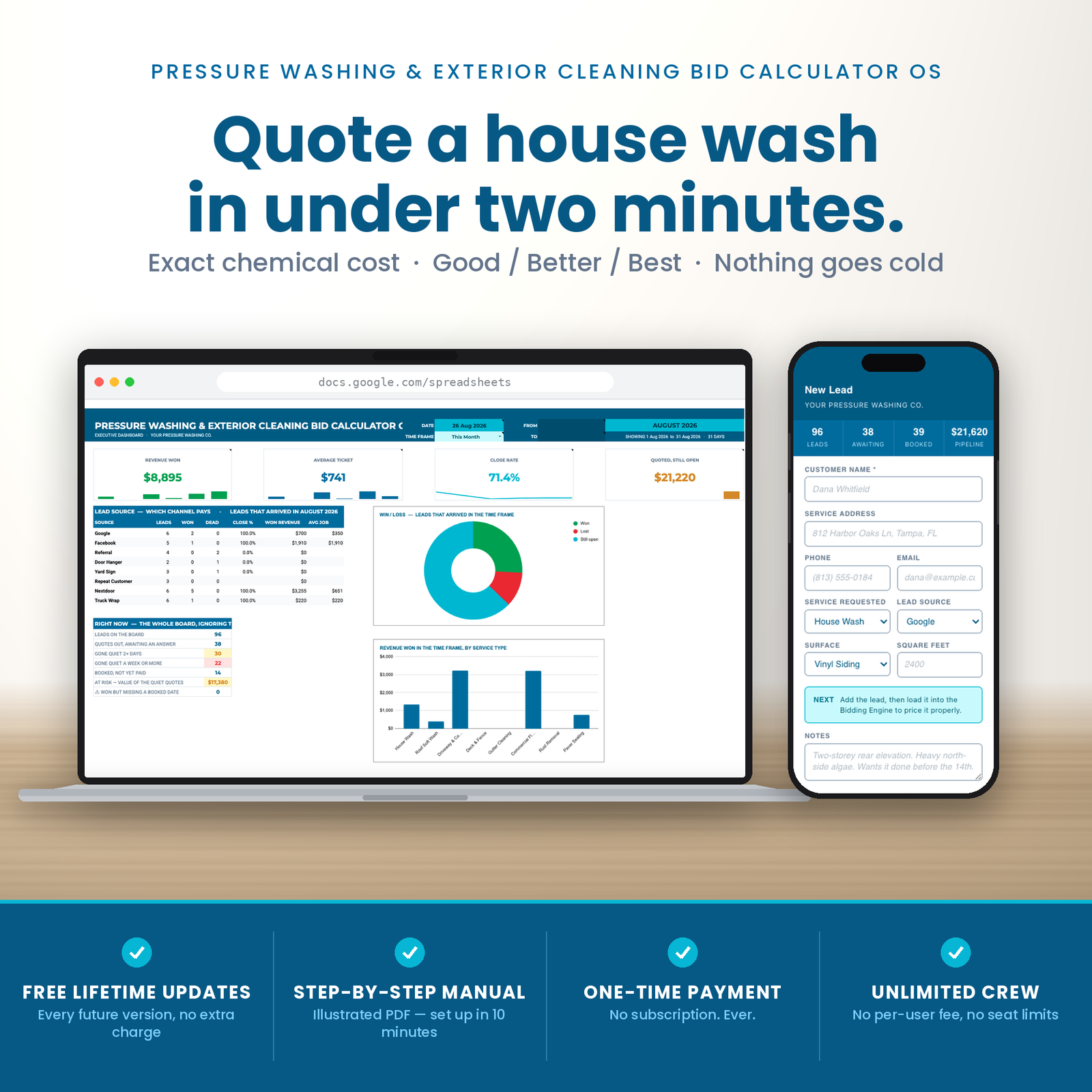
Instant digital delivery. One purchase, one file, no subscription. Full refund within 14 days if it does not do what this page says it does.
This is a pressure washing estimate template that replaces software costing $229 a month. 5 tabs, built for pressure washing contractors who are past the whiteboard and not willing to pay per seat for the privilege.
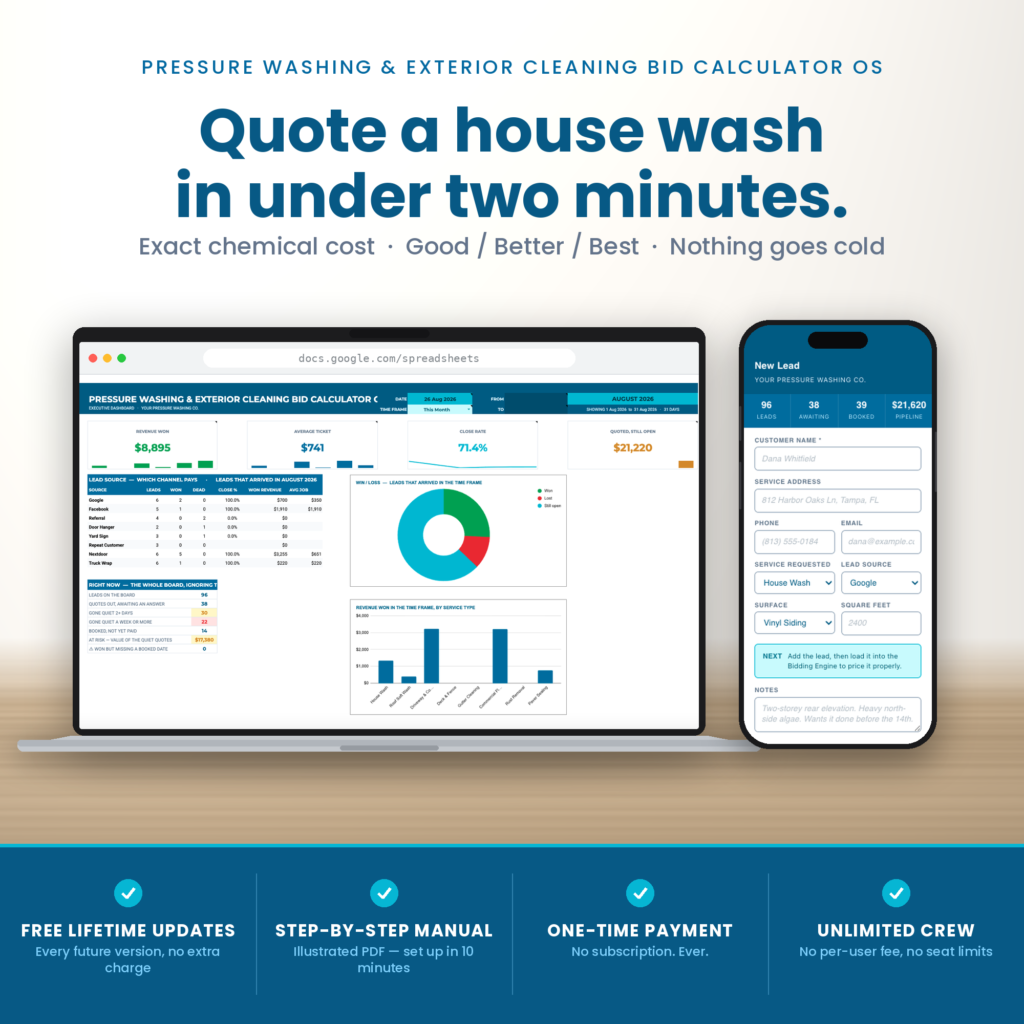
Five tabs, 733 formulas, built by a script in one run. The chemistry engine is the part nobody else has, and it is the part a competitor cannot copy by Friday.
Nobody in this trade prices badly on purpose. They price from a number that felt about right last summer, and by the time the season is over they genuinely cannot tell you which jobs made money.
It is not a discipline problem. It is an arithmetic problem, and it is the same arithmetic every single time:
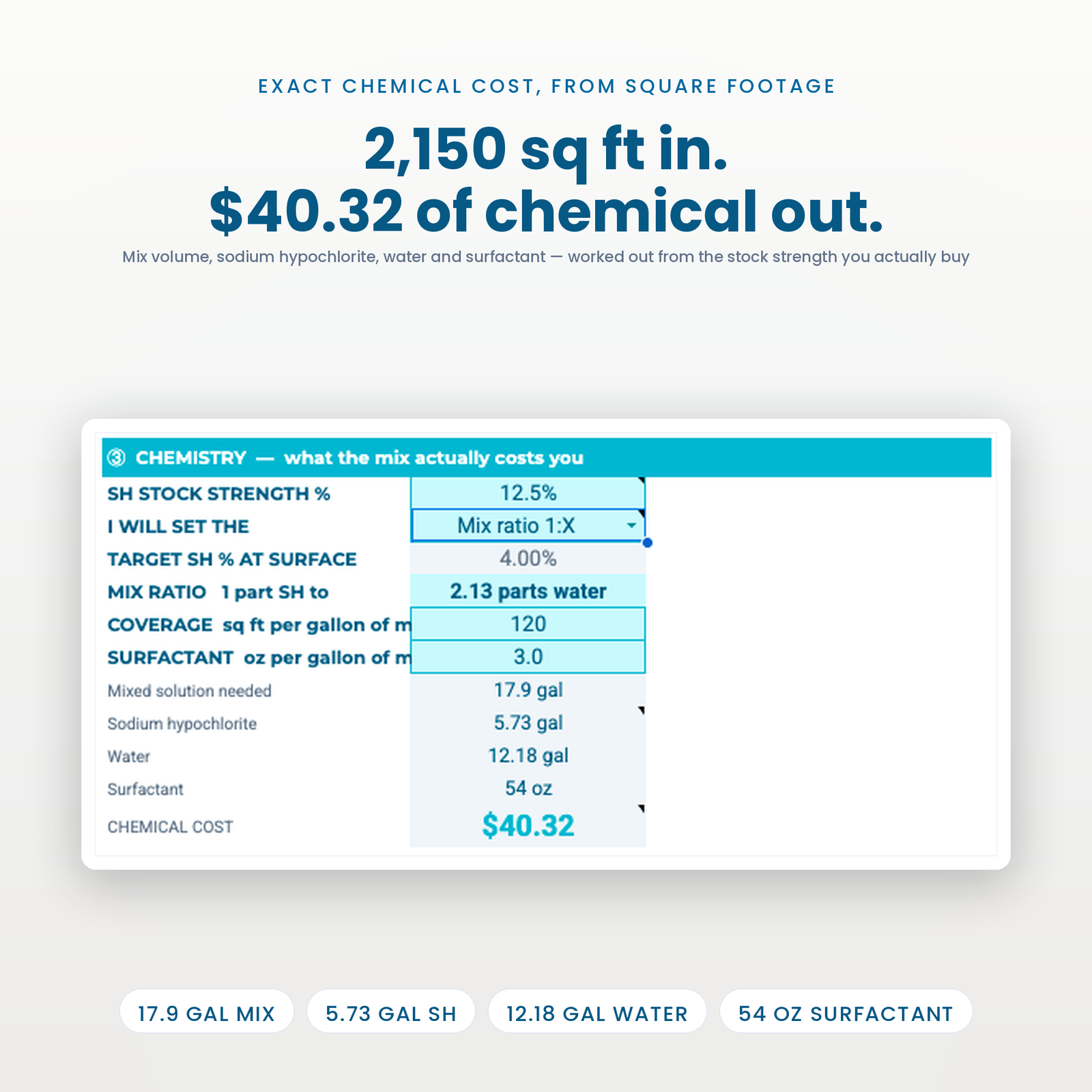
Square footage divided by coverage gives gallons of mix. Mix times target strength over stock strength gives gallons of sodium hypochlorite. SH times your cost, plus the surfactant you actually used, gives what the chemistry cost you.
Three lines. Done properly they take four minutes a quote and nobody does them, because doing them by hand on a driveway with wet gloves is not realistic.
The other half of the problem is quieter. You already paid for that lead — the ad spend, the drive-out, the fifteen minutes measuring a roof. Losing it to silence costs more than losing it on price.
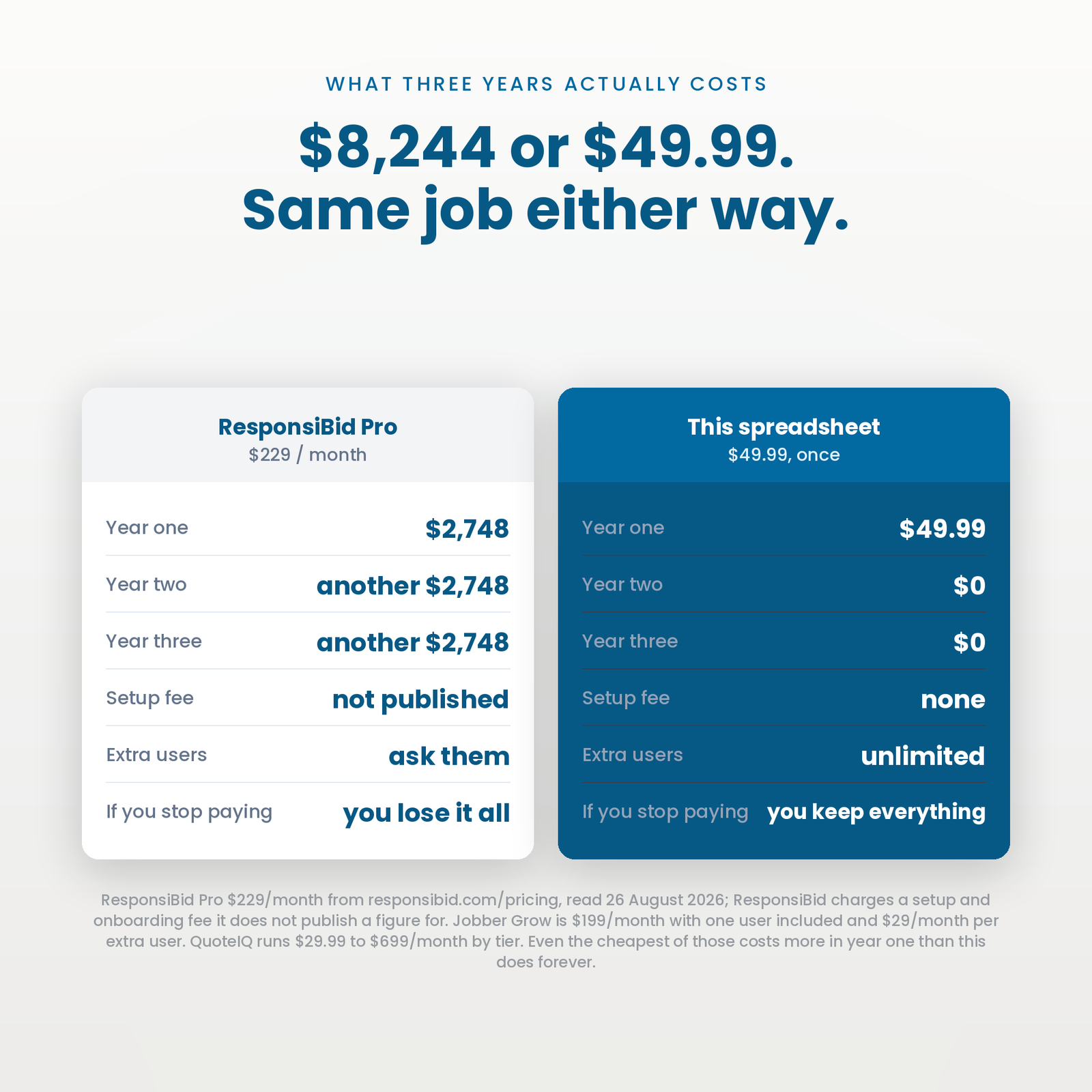
Published list prices, read from each vendor’s own pricing page on 27 August 2026. Month-to-month rates, because that is what you pay in month one — several of these vendors default their own pricing toggle to the cheaper annual-billed figure.
| Software | Plan | Per month | Year one | Seats |
|---|---|---|---|---|
| ResponsiBid | Pro (plus a setup fee ResponsiBid does not publish) | $229 | $2,748 | — |
| ResponsiBid | Scaling (plus a setup fee ResponsiBid does not publish) | $179 | $2,148 | — |
| QuoteIQ | Pro | $149.99 | $1,799.88 | 4 users |
| QuoteIQ | Essentials | $29.99 | $359.88 | 1 user |
| This spreadsheet | — | $49.99 once | $49.99 | Unlimited |
Year one on the cheapest paid option in that table is $359.88. This is $49.99, once. In year two the difference is the whole subscription again.
2,150 sq ft of asphalt shingle at 12.5% stock and 4% at the surface: 17.9 gallons of mix, 5.73 gallons of SH, 12.18 gallons of water, 54 oz of surfactant, $40.32 of chemistry. Every one of those figures recomputes from your own stock strength and your own chemical costs.
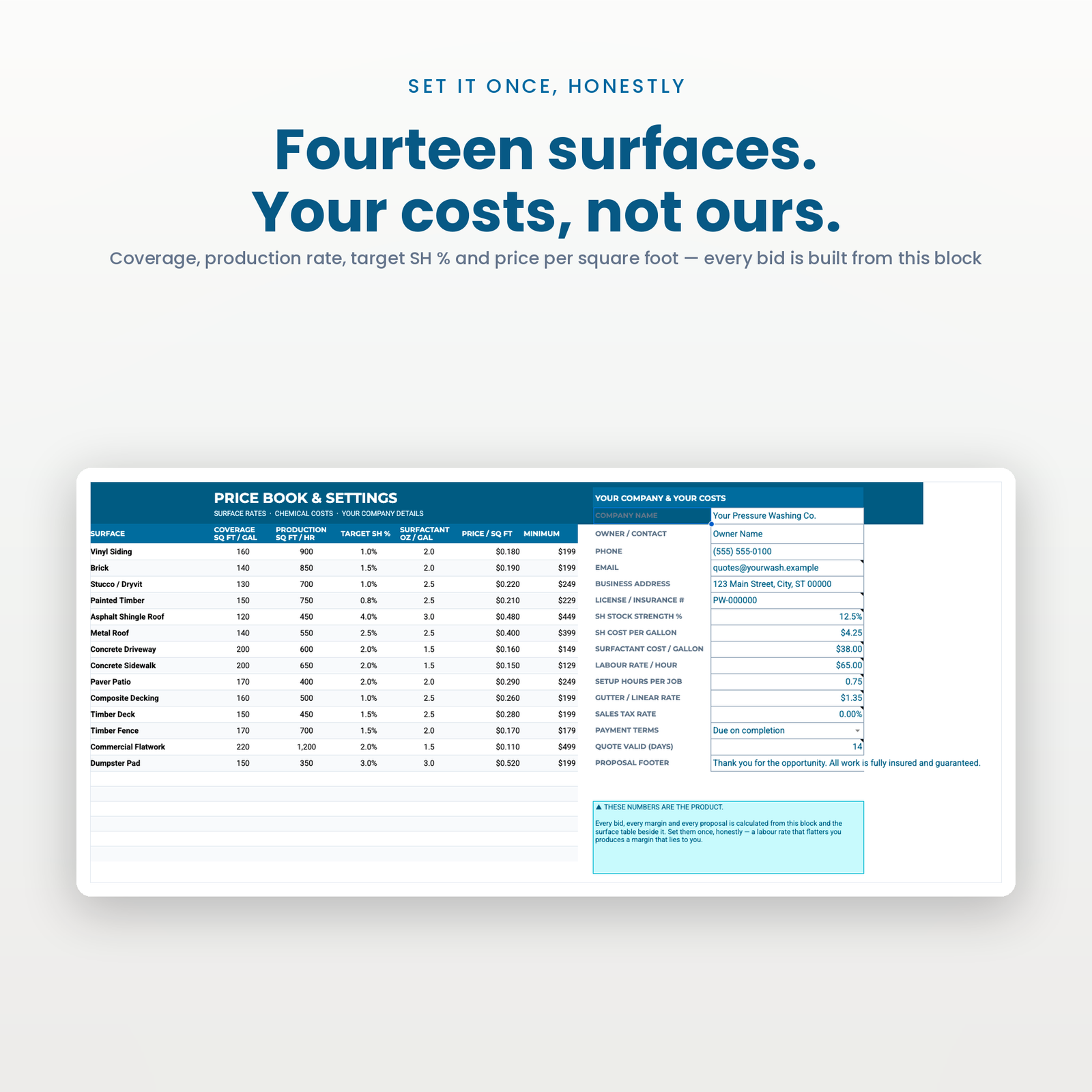
Pick the one you actually think in and the other is calculated, so the two can never contradict each other. Fourteen surfaces each carry their own coverage rate, production rate, target strength and surfactant dose.
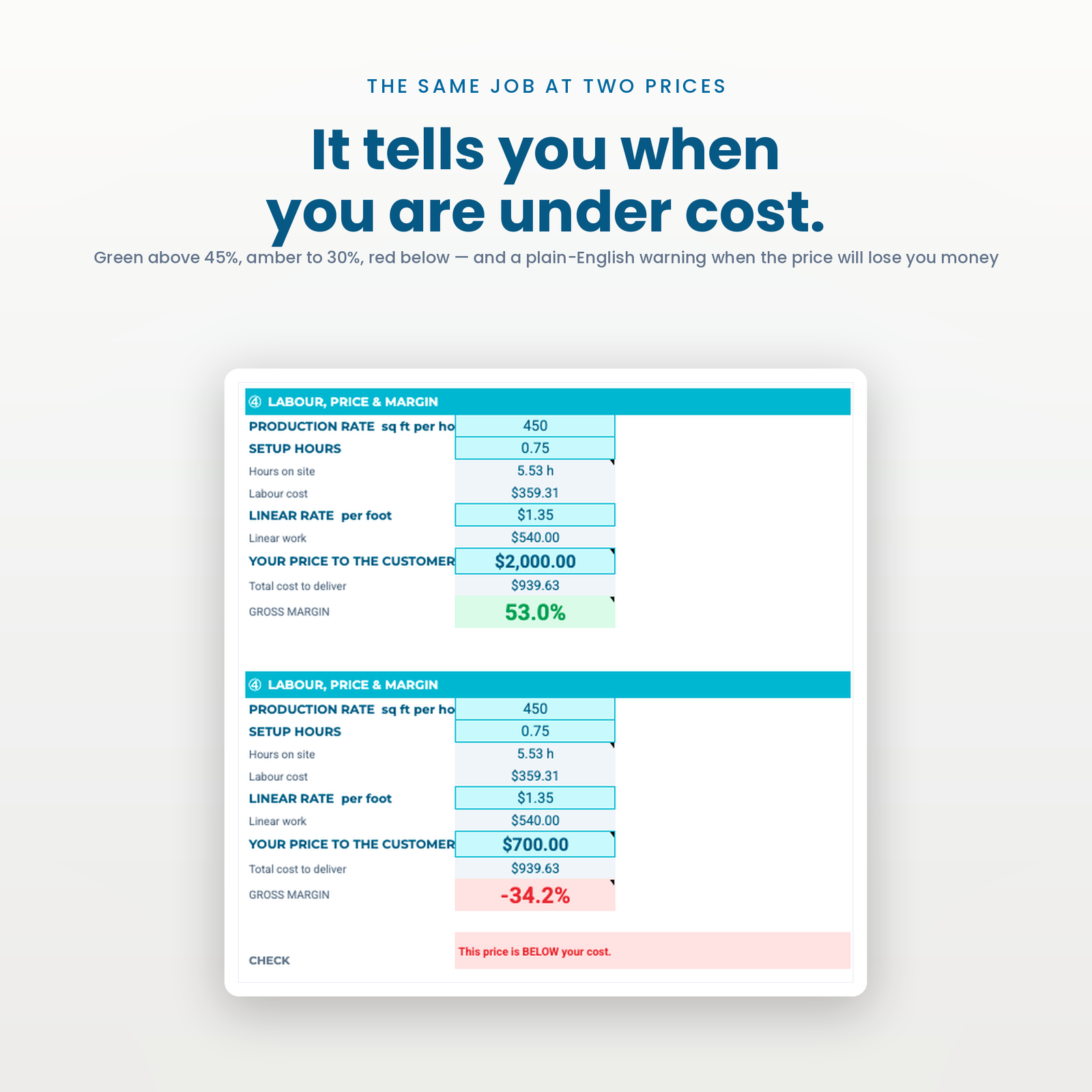
Labour at your real hourly cost, your linear footage, and a gross margin that goes green above 45% and red the moment the price you typed is below what the job costs you to deliver. It says so in words, too.
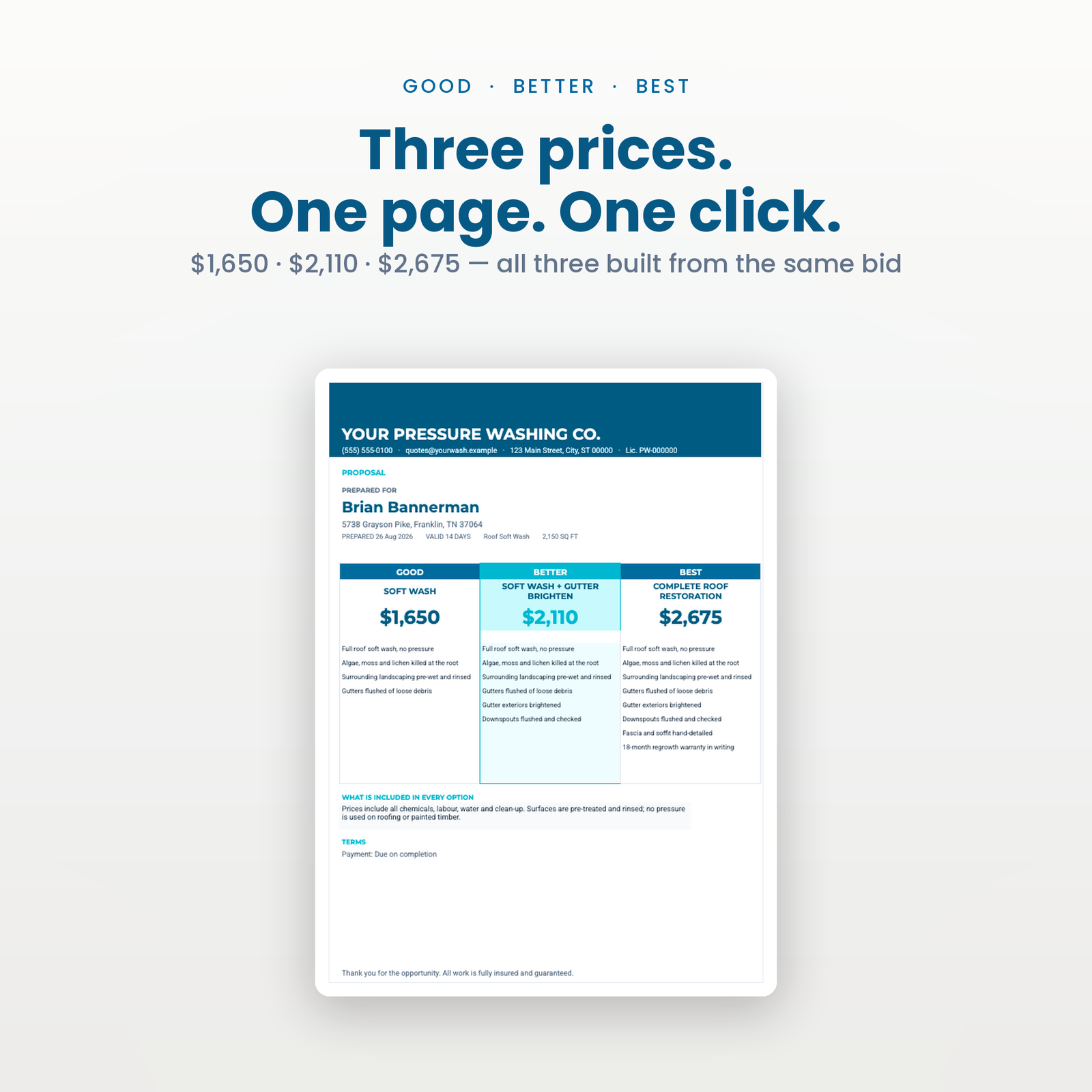
Three prices, your letterhead, your licence number, exported to PDF into your own Drive.
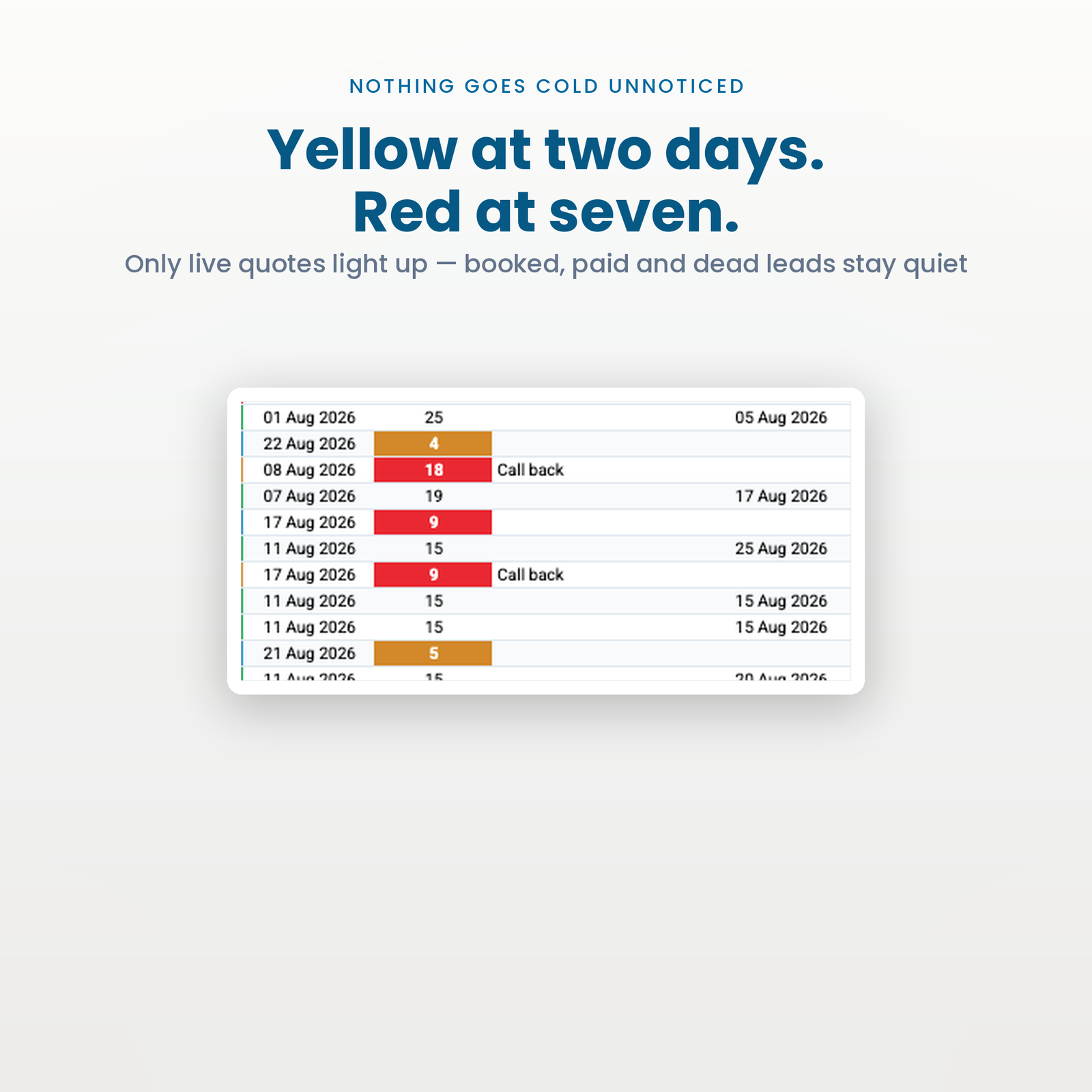
Days since quoted, yellow at 48 hours, red at a week — and only on live quotes, so booked and paid jobs never nag you. Run the cold-lead report and you get every quiet quote sorted by value, because a $2,400 roof quiet four days is worth calling before a $180 driveway quiet six.
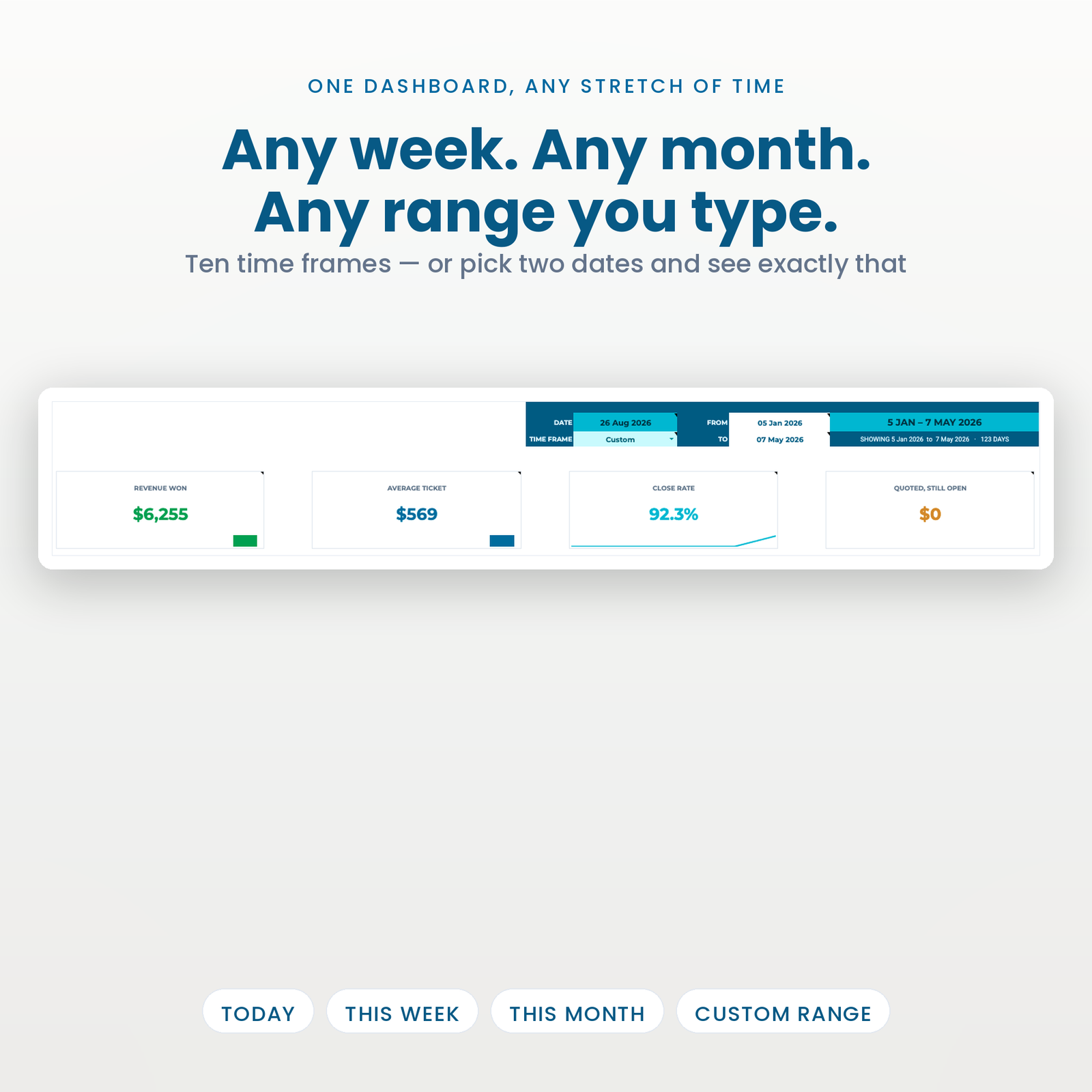
Revenue won, average ticket, close rate and open pipeline over today, the last four days, a quarter, or any two dates you type.
WashOS_Setup_Manual.pdf) with the link that copies the sheet into your own Google account.There is no account to create and nothing to install. The whole setup is three steps and about ten minutes.
It ships with 96 demo leads over six months, so every button and every report can be tried before a single real job goes in. One menu item erases it.
It is built for an owner-operator or a small shop — roughly one to eight crews — who has outgrown a notebook, does not want a per-seat subscription, and is comfortable typing into a spreadsheet.
It is not for you if you need a mobile app your crews log into, live GPS tracking, integrated card payments, or a platform that files your paperwork for you. Those are real needs and this does not meet them. If that is your shopping list, buy the subscription — it will be cheaper than buying this and then buying that anyway.
It is the standard dilution identity, and you can check it inside your own copy in thirty seconds against a mix you already know. It is only as good as your stock strength, though — pool-supply SH is usually 12.5%, big-box ‘bleach’ is nearer 6%. Enter yours honestly.
No. Google Sheets and Apps Script only. Free Google account required.
No. It prices jobs, produces proposals, and makes sure you follow them up. Every quote can fire a webhook to Zapier or Make if you want to build an SMS drip on the other end, but that part is yours to build.
Then this will tell you, in about a minute, which of your surfaces that price is quietly losing money on. That is usually the roofs.
Same engine, different trade — all in Industry Dashboards:
New here? The setup walkthrough shows what the first ten minutes look like, and the rest of the catalogue covers the other trades. Our refund policy is 14 days. If you have never copied a shared sheet before, Google explains how to make a copy of a file.
One purchase, one spreadsheet in your own Drive. No subscription, no account to keep, no monthly fee.
Copy the file, reload it once, run a single menu command. Nothing to configure and no setup wizard.
Every figure that changes your plan shows how it got there, in the sheet, before anything is rewritten.
The script reads and edits that one spreadsheet. No email, no other Drive files, and nothing is collected by us.
Google Sheets only. Excel cannot run the automation. Menu commands need a desktop browser, and day to day use works on mobile.
Immediately, as a link to the workbook and a setup manual. You copy the file into your own Google Drive and it is yours from that point.
No. The automation is Google Apps Script, which only runs inside Google Sheets. Opening the file in Excel gives you a spreadsheet with no menu and formulas that will not resolve.
Reload the file first, because the menu only appears after the first reload. If that does not fix it, support goes to a person and you get a reply rather than a ticket number.
Within 14 days, if the workbook will not build or does not do what this page says it does. The one exclusion is buying it for Excel, which is stated here, in the terms, and on How it works.