Instant digital delivery. One purchase, one file, no subscription. Full refund within 14 days if it does not do what this page says it does.
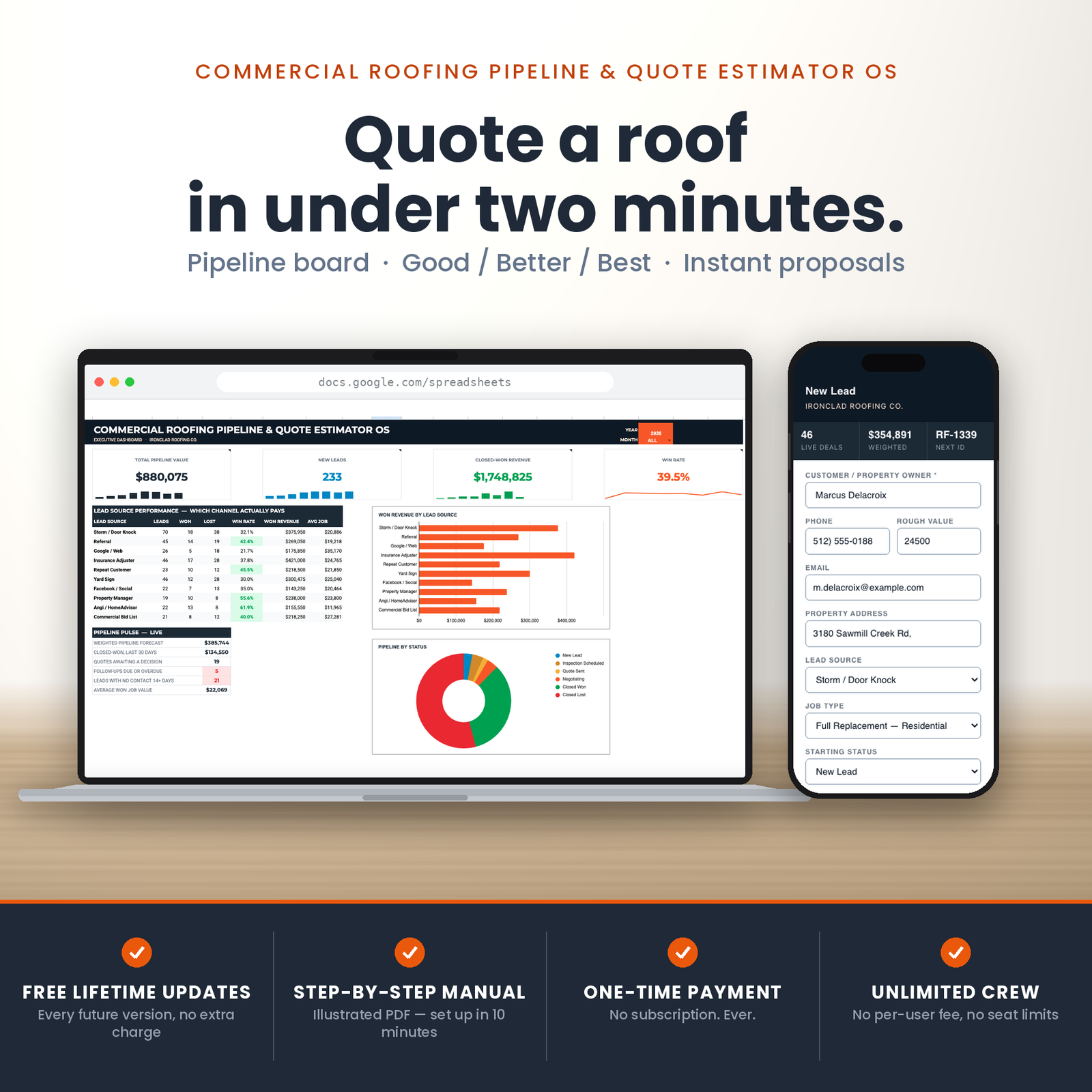
This is a roofing estimate template that replaces software costing $349 a month. 5 tabs, built for roofing contractors who are past the whiteboard and not willing to pay per seat for the privilege.
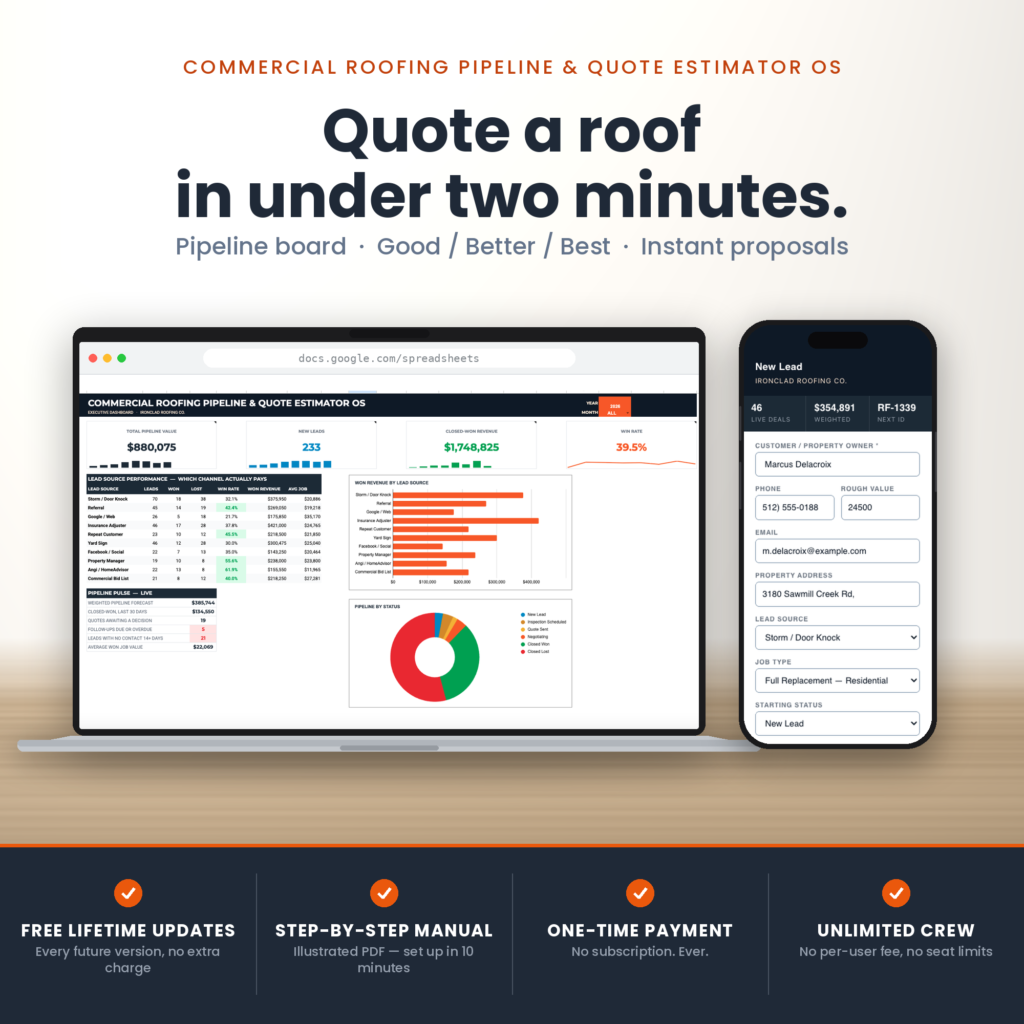
Five tabs, built by a script that constructs every formula, dropdown, badge and chart when you run it once. Roughly 2,000 formulas, already in place.
It lives in your Google account. No seats, no per-user fee, and your customer list is not sitting on somebody else’s server waiting for a pricing change.
Commercial roofing has a specific problem that residential trades do not.
The job is big enough that the customer wants to think about it, and slow enough that they will talk to two other roofers while they do. Whoever makes the decision easiest usually wins — and a single take-it-or-leave-it number is the hardest possible thing to say yes to.
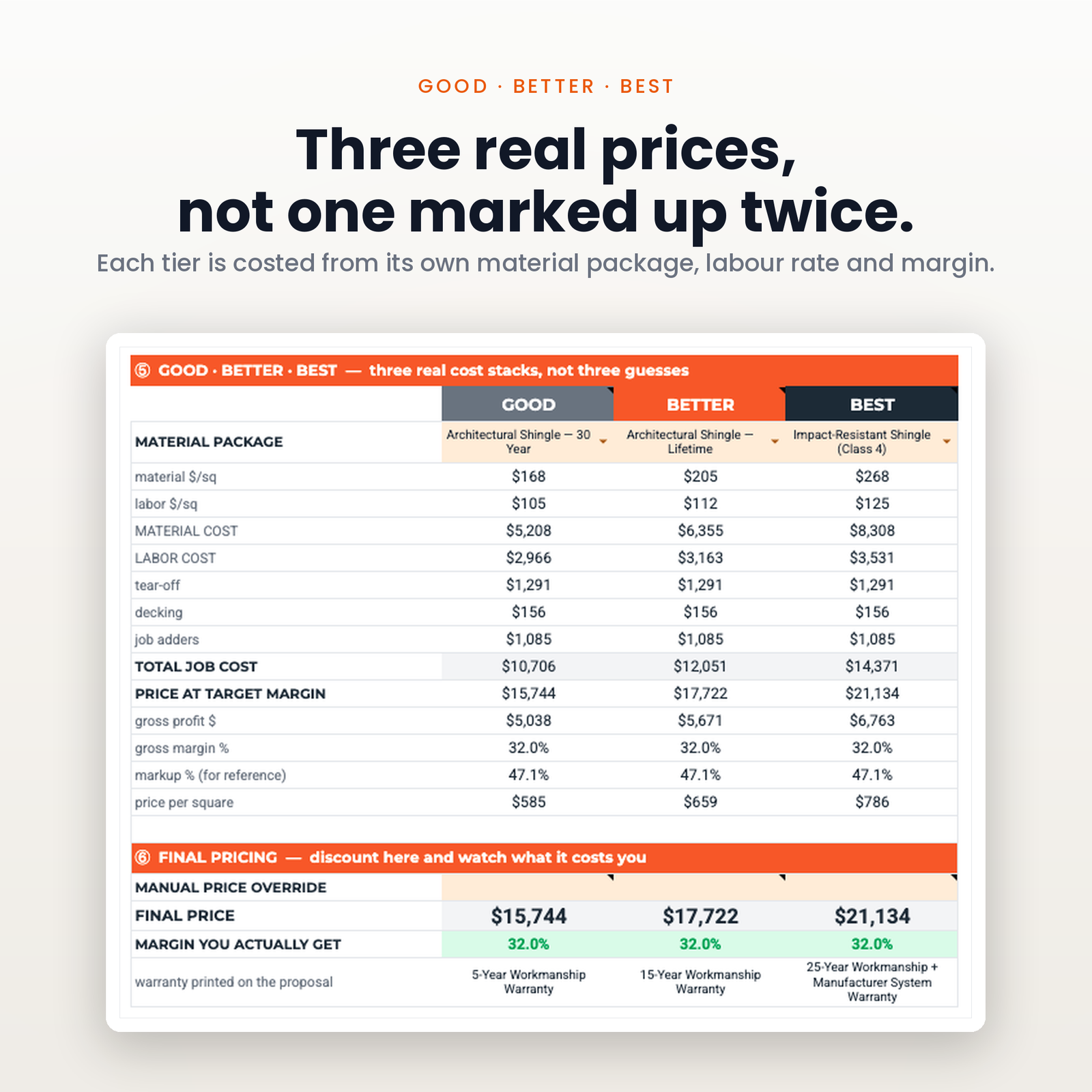
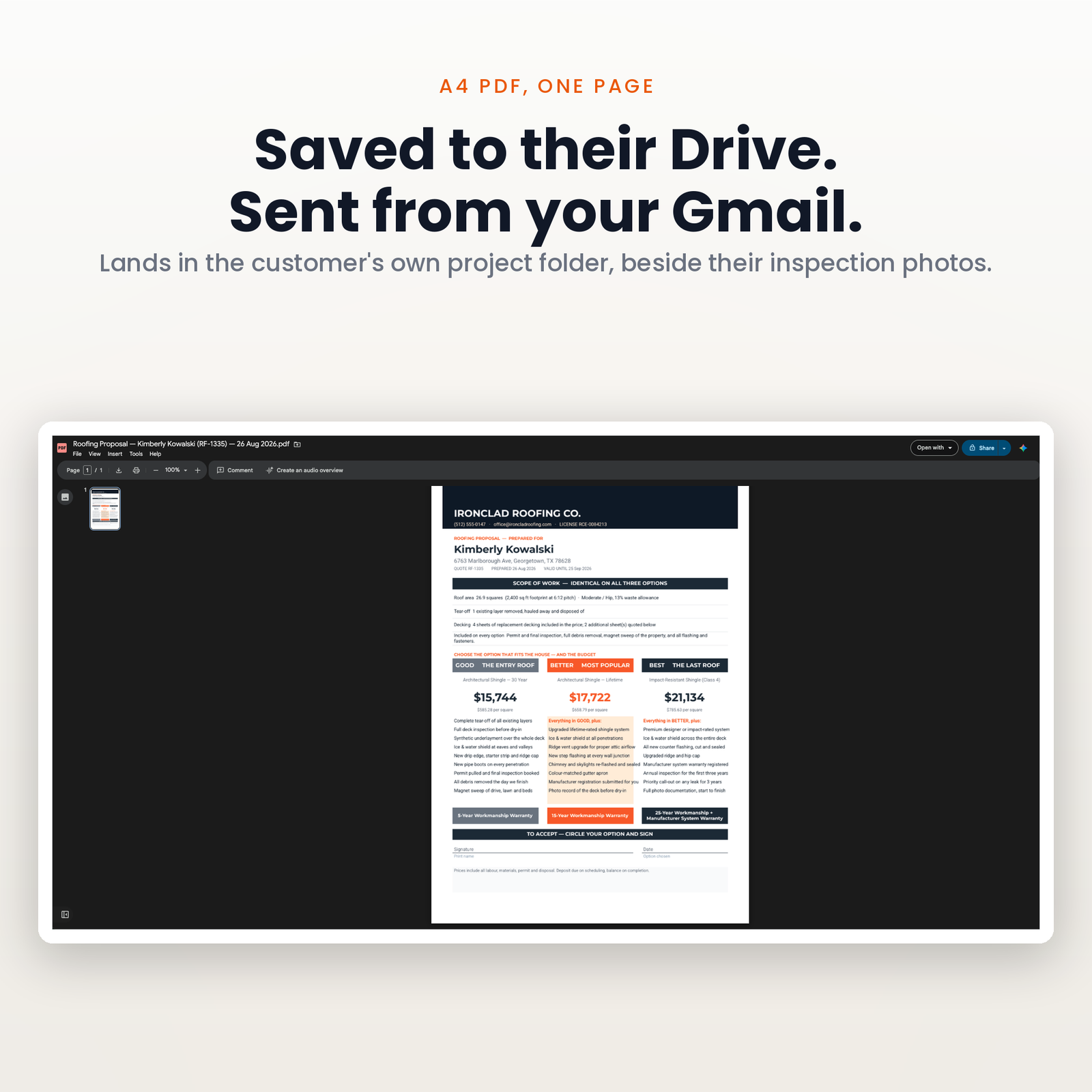
The fix is not a better closing line. It is three prices on one page: the economy option, the one you actually want them to buy, and the one that makes the middle look sensible. Every serious roofing platform charges a subscription for that feature. This is a spreadsheet that does it, and it belongs to you.
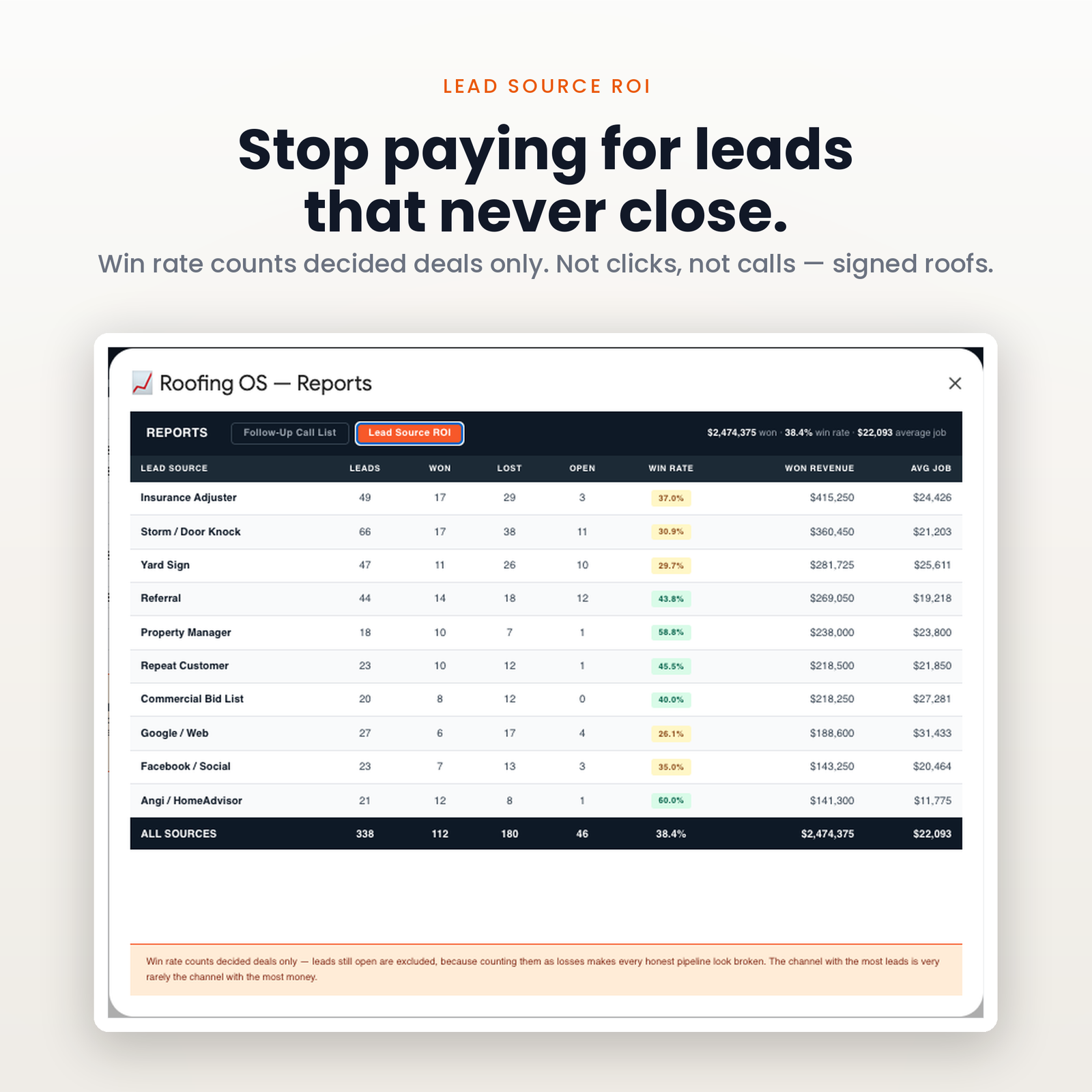
The second problem is quieter and costs more. Somebody quoted eleven roofs last month. How many came back? Which lead source produced them? Most shops genuinely cannot say, which means the ad spend decision is a guess every single month.
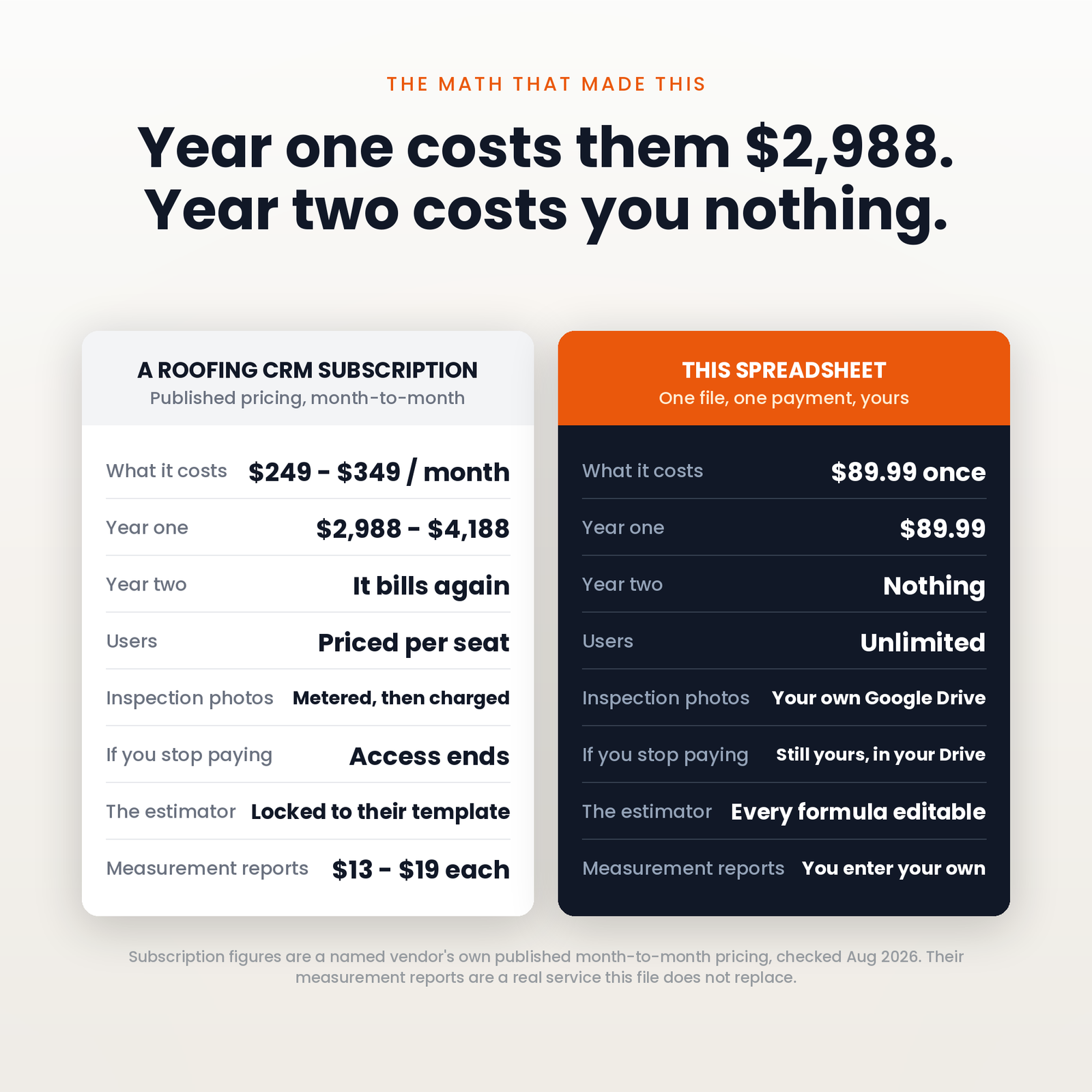
Published list prices, read from each vendor’s own pricing page on 27 August 2026. Month-to-month rates, because that is what you pay in month one — several of these vendors default their own pricing toggle to the cheaper annual-billed figure.
| Software | Plan | Per month | Year one | Seats |
|---|---|---|---|---|
| Roofr | Scale | $349 | $4,188 | unlimited users, no per-seat charge |
| Roofr | Essentials | $249 | $2,988 | unlimited users, no per-seat charge |
| SumoQuote | Heavy | $239 | $2,868 | 5 users, +$48/mo each |
| This spreadsheet | — | $89.99 once | $89.99 | Unlimited |
AccuLynx and JobNimbus do not publish pricing at all — both are quote-only, so there is no honest figure to put in that table. Their tiers are listed without numbers on their own sites.
Year one on the cheapest paid option in that table is $2,868. This is $89.99, once. In year two the difference is the whole subscription again.
Three tiers, three prices, your letterhead and your licence number, exported to PDF and filed in your Drive. This is the differentiator — a customer choosing between three of your options is not choosing between you and a competitor.
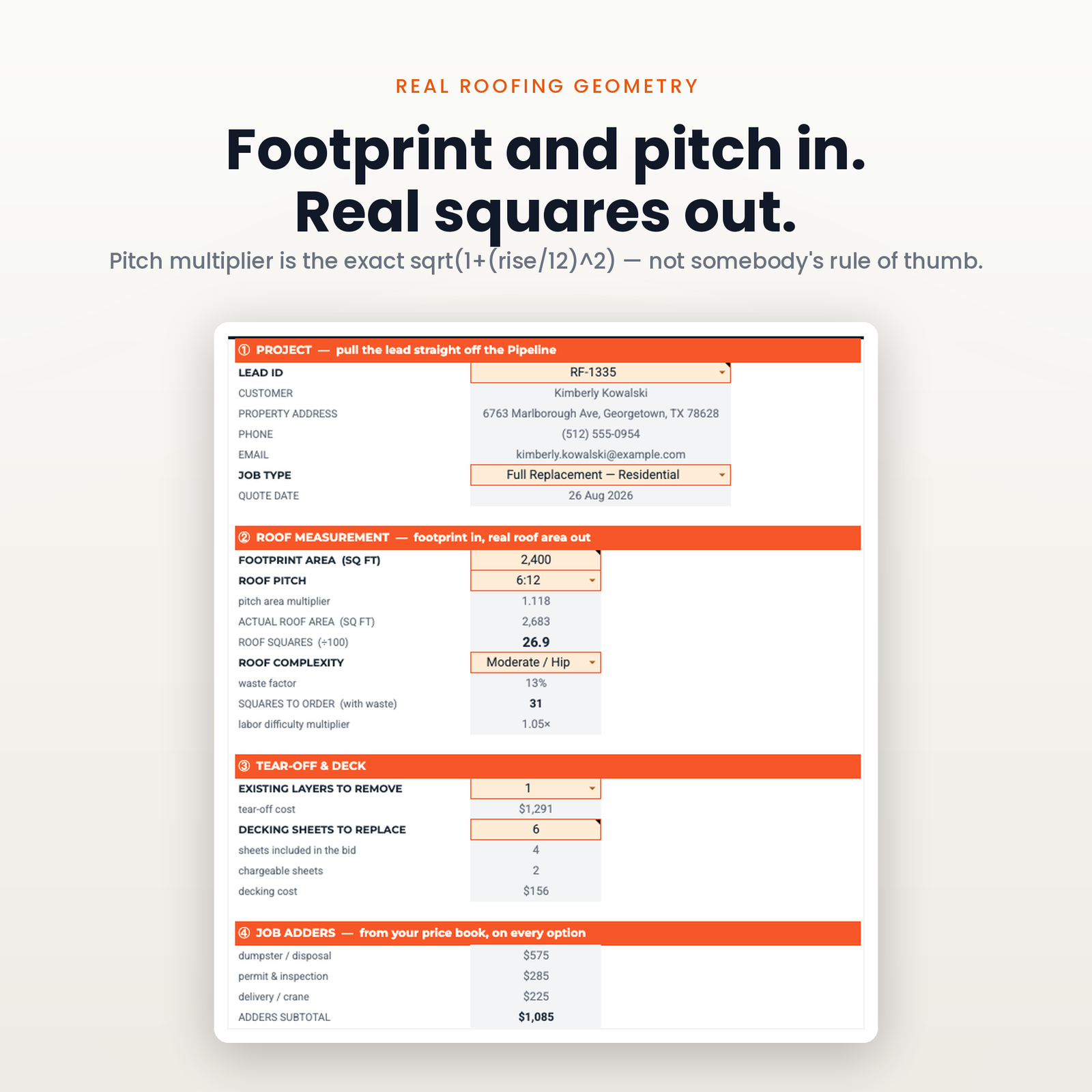
Squares, pitch, layers, tear-off, decking and waste, with a twelve-package material price book you edit once and then stop thinking about.
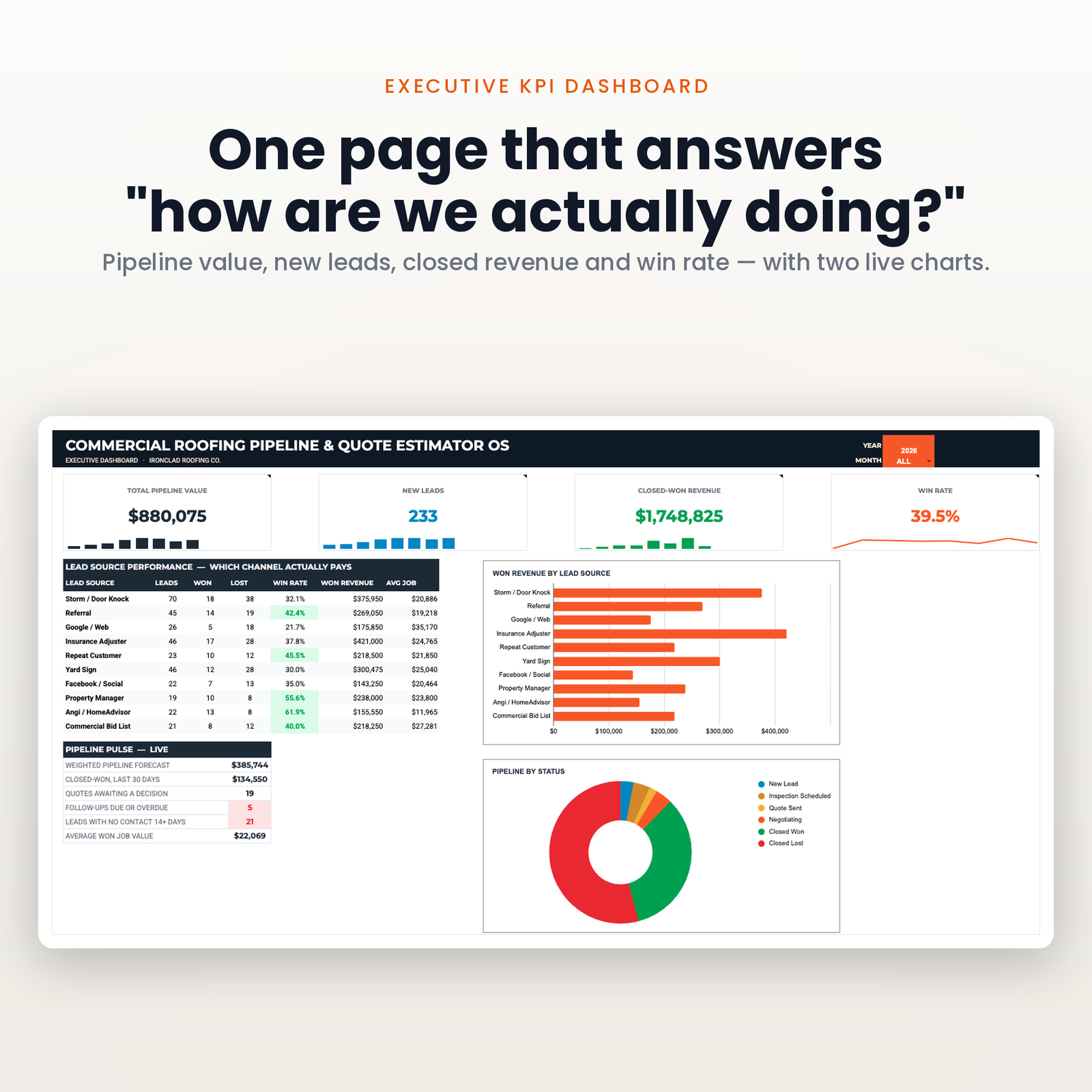
Leads, won, lost, win rate, won revenue and average job — per source, inside whatever time frame you pick. That is the table that tells you whether the storm-chasing spend is working or whether referrals are quietly carrying the whole company.
Pipeline value, new leads, closed-won revenue and win rate over today, this week, a quarter, or any two dates you type. Pipeline value deliberately ignores the window and says so — open work is open today, whatever period you are looking at.
Inspection, proposal, insurance, completion. Created automatically, unlimited, and yours. No storage tier, no upload cap.
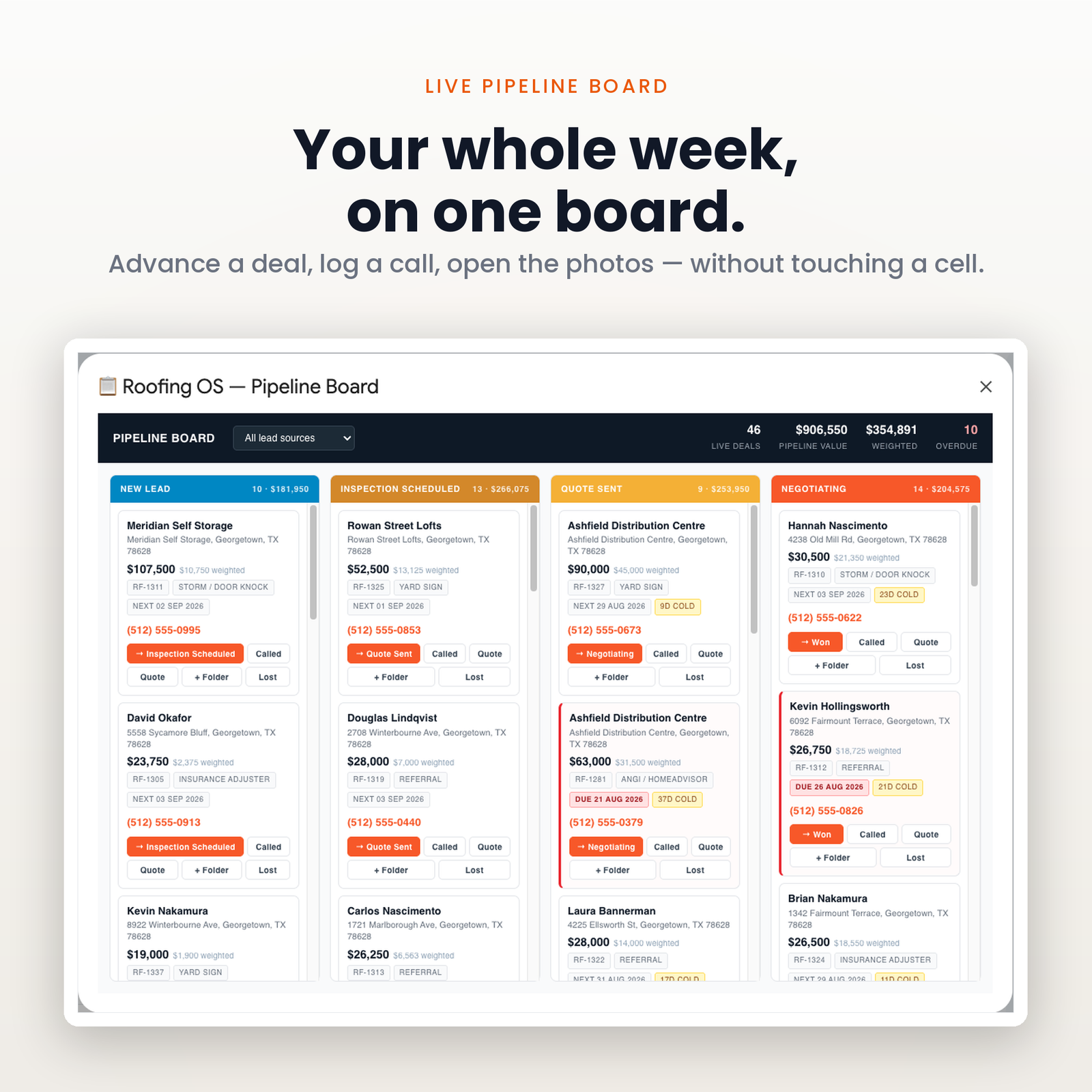
Every quote carries a days-since-sent clock and a status badge. Quotes going quiet surface before they go cold, which on a commercial roof is the difference between a signed contract and a competitor’s.
Roofing_OS_Setup_Manual.pdf) with the link that copies the sheet into your own Google account.There is no account to create and nothing to install. The whole setup is three steps and about ten minutes.
It ships with a full pipeline of demo leads, so every button and every report can be tried before a single real job goes in. One menu item erases it.
It is built for an owner-operator or a small shop — roughly one to eight crews — who has outgrown a notebook, does not want a per-seat subscription, and is comfortable typing into a spreadsheet.
It is not for you if you need a mobile app your crews log into, live GPS tracking, integrated card payments, or a platform that files your paperwork for you. Those are real needs and this does not meet them. If that is your shopping list, buy the subscription — it will be cheaper than buying this and then buying that anyway.
It prices, proposes, tracks and reports. It does not do aerial measurement, and it does not file your insurance supplements. If those are core to how you work, buy the platform. If you are measuring on site and want the quote and the pipeline sorted, this is built for you.
No. Google Sheets and Apps Script only. You need a free Google account.
Set your material price book and your company details — about ten minutes — and the next roof you measure can be quoted from it.
Nothing. Share the file. There is no seat, so a growing team does not quietly become a bigger invoice.
Same engine, different trade — all in Industry Dashboards:
New here? The setup walkthrough shows what the first ten minutes look like, and the rest of the catalogue covers the other trades. Our refund policy is 14 days. If you have never copied a shared sheet before, Google explains how to make a copy of a file.
One purchase, one spreadsheet in your own Drive. No subscription, no account to keep, no monthly fee.
Copy the file, reload it once, run a single menu command. Nothing to configure and no setup wizard.
Every figure that changes your plan shows how it got there, in the sheet, before anything is rewritten.
The script reads and edits that one spreadsheet. No email, no other Drive files, and nothing is collected by us.
Google Sheets only. Excel cannot run the automation. Menu commands need a desktop browser, and day to day use works on mobile.
Immediately, as a link to the workbook and a setup manual. You copy the file into your own Google Drive and it is yours from that point.
No. The automation is Google Apps Script, which only runs inside Google Sheets. Opening the file in Excel gives you a spreadsheet with no menu and formulas that will not resolve.
Reload the file first, because the menu only appears after the first reload. If that does not fix it, support goes to a person and you get a reply rather than a ticket number.
Within 14 days, if the workbook will not build or does not do what this page says it does. The one exclusion is buying it for Excel, which is stated here, in the terms, and on How it works.