Instant digital delivery. One purchase, one file, no subscription. Full refund within 14 days if it does not do what this page says it does.
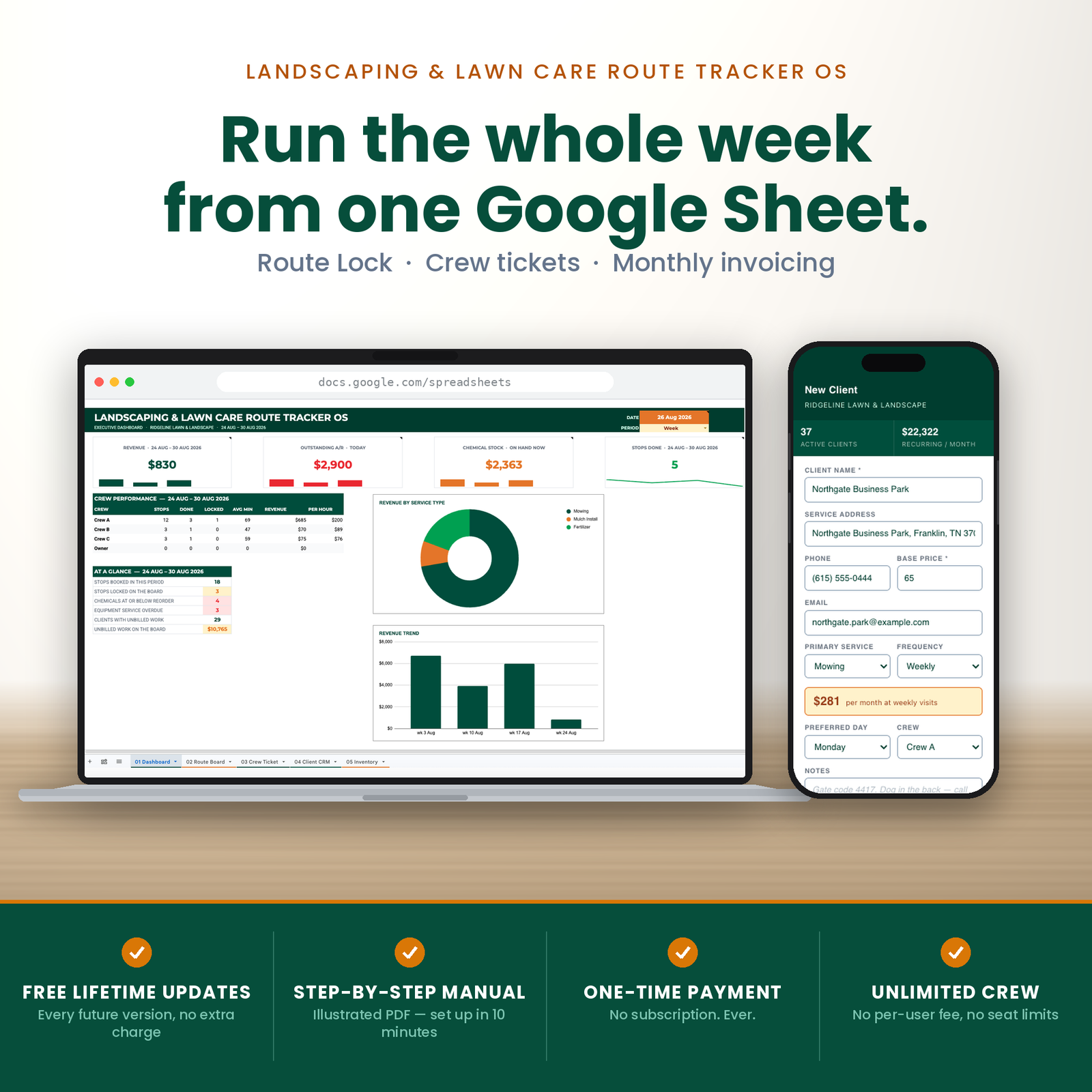
This is a lawn care route planner spreadsheet that replaces software costing $499 a month. 6 tabs, built for lawn care contractors who are past the whiteboard and not willing to pay per seat for the privilege.
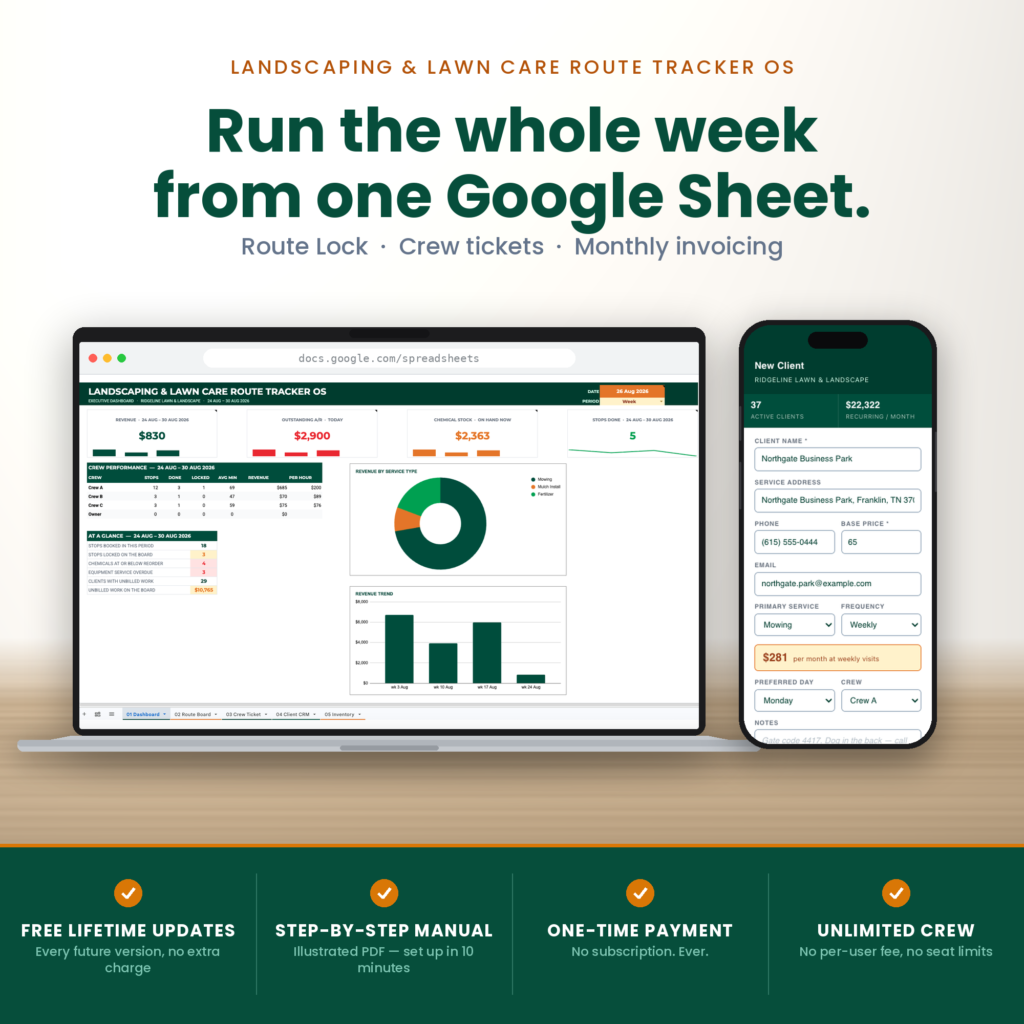
Six tabs and about 3,200 formulas, built by a script in one run. Route board, crew ticket, client CRM, inventory, invoicing and a dashboard over the top.
Your Google account, your data, no per-crew fee.
Lawn care runs on repetition, which sounds simple until it rains on Tuesday.
Now Tuesday’s forty stops have to land somewhere in a week that was already full, without losing the client who is on every-other-Thursday and without sending a crew back across town twice. Do that from memory and something gets missed. Do it from memory in August and it gets missed twice.
Underneath the scheduling problem is a money problem that is easier to ignore. Which crew actually earns per hour? Which recurring client has quietly not been billed for three visits? How much fertiliser is on the shelf, and is any of it below the reorder point before the spray week starts?
Those questions have answers. They are just spread across a truck, a notebook and somebody’s phone.
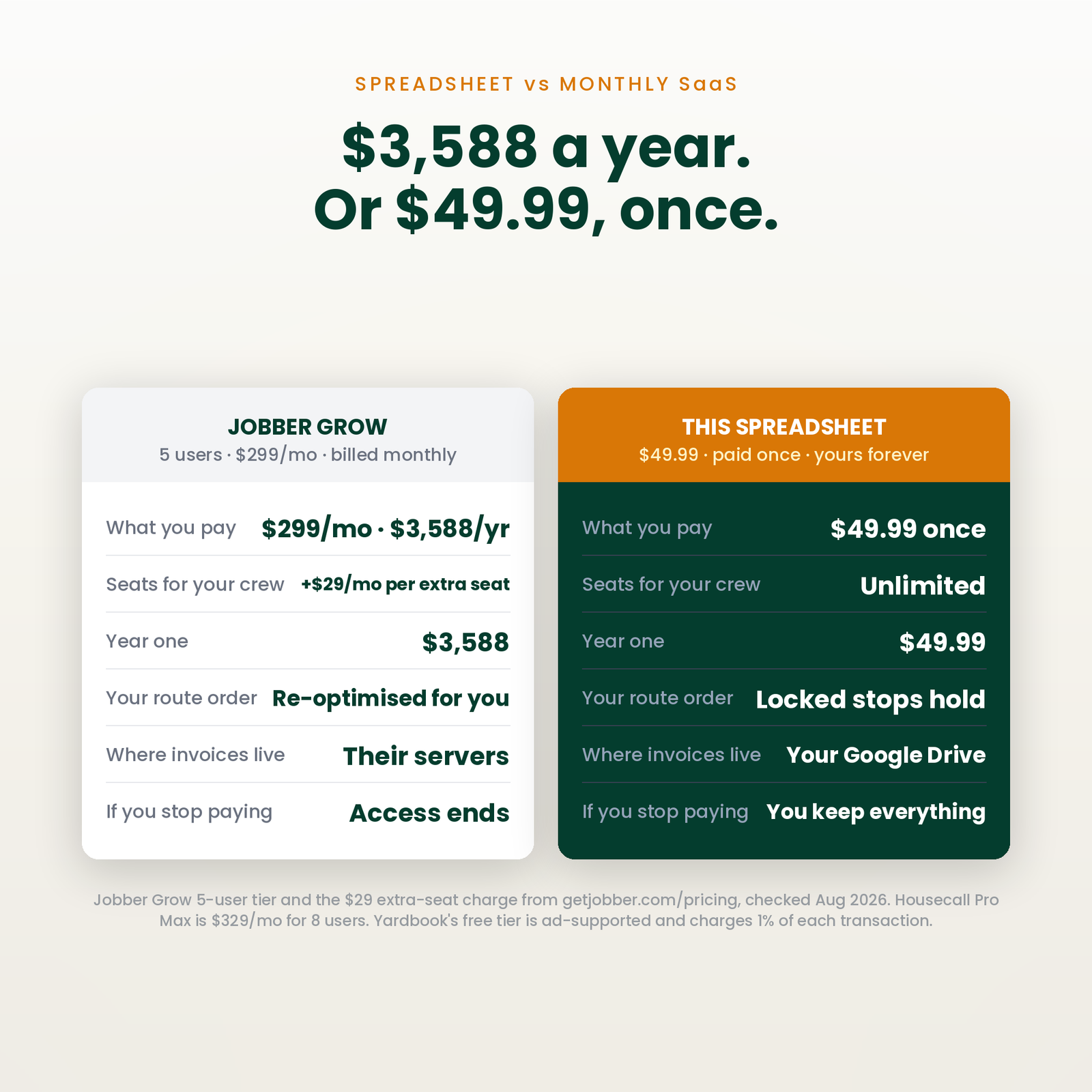
Published list prices, read from each vendor’s own pricing page on 27 August 2026. Month-to-month rates, because that is what you pay in month one — several of these vendors default their own pricing toggle to the cheaper annual-billed figure.
| Software | Plan | Per month | Year one | Seats |
|---|---|---|---|---|
| Jobber | Plus | $499 | $5,988 | 5 users, +$29/mo each |
| Housecall Pro | Max | $329 | $3,948 | 8 users, +$75/mo each |
| LMN by Granum | Starter (licence model differs; one-time onboarding fee not published) | $297 | $3,564 | 1 office/crew-lead + 5 crew |
| Jobber | Grow | $199 | $2,388 | 1 user, +$29/mo each |
| This spreadsheet | — | $49.99 once | $49.99 | Unlimited |
Worth saying plainly: Yardbook has a genuinely free ad-supported plan. The trade is that it is advertising-funded and its paid pricing is not published. If free with ads suits you, use it — this is for people who would rather own the file.
Year one on the cheapest paid option in that table is $2,388. This is $49.99, once. In year two the difference is the whole subscription again.
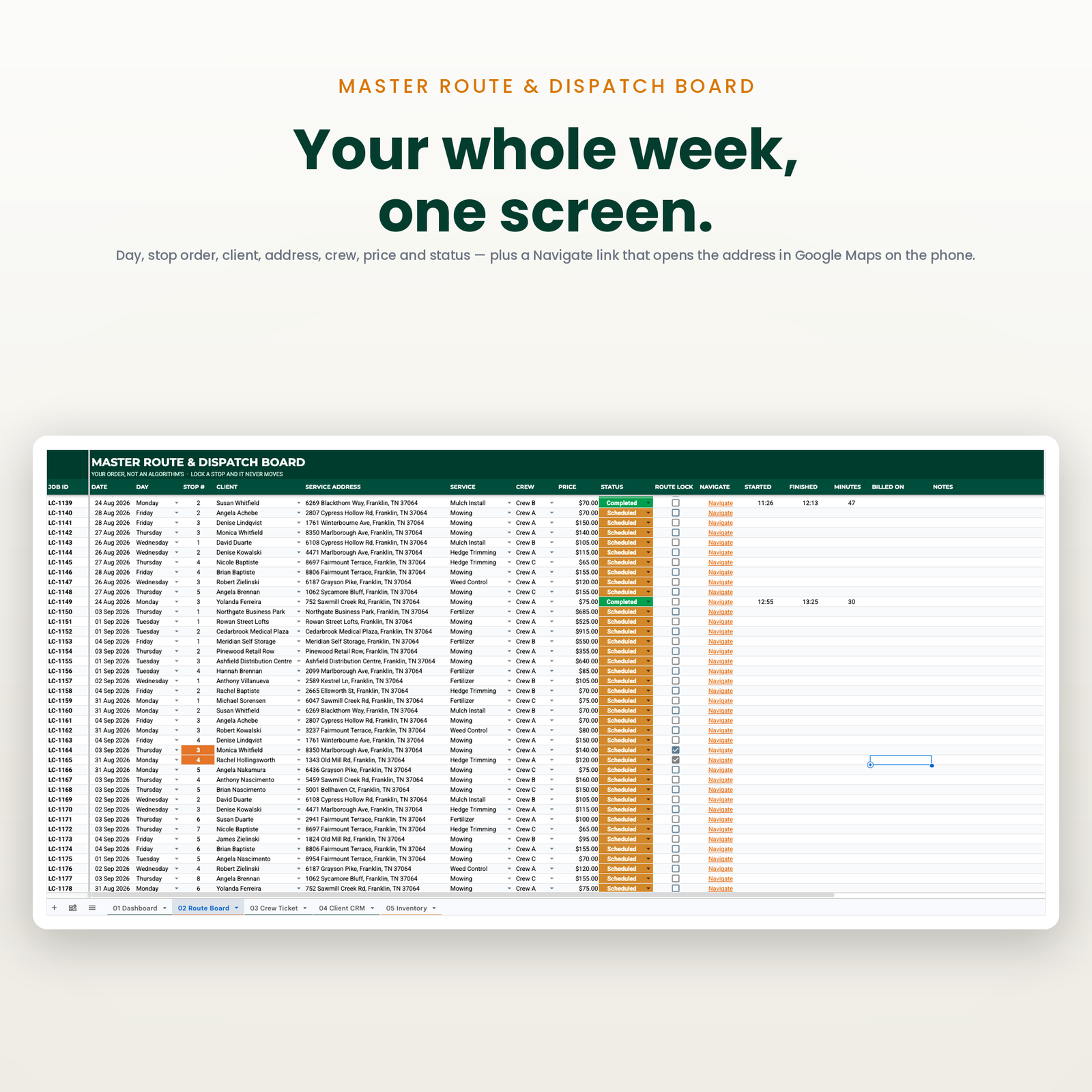
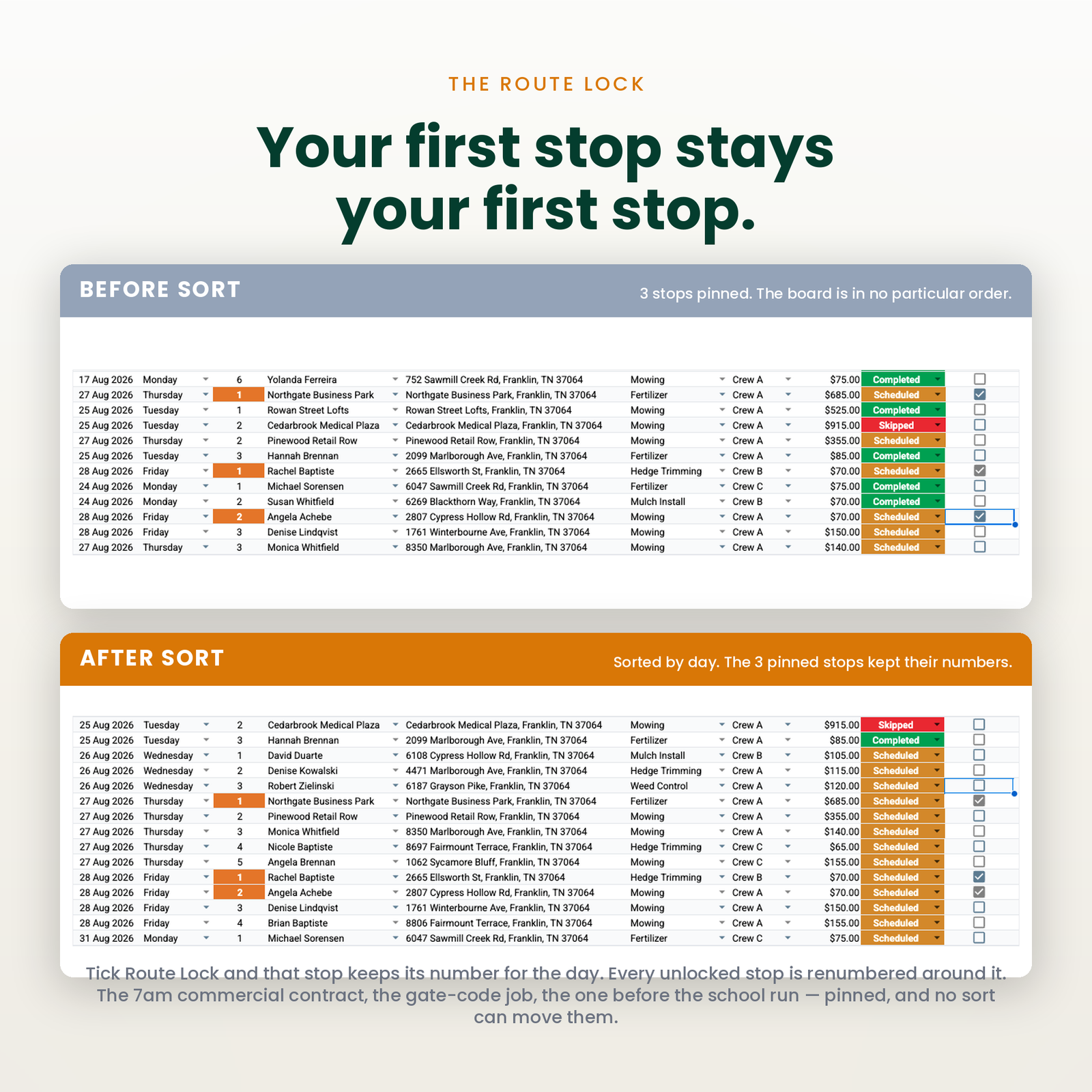
Plan the week, then lock the stops that are fixed. A locked stop does not get shuffled when Tuesday’s rain pushes everything sideways — which is the entire reason the feature exists.
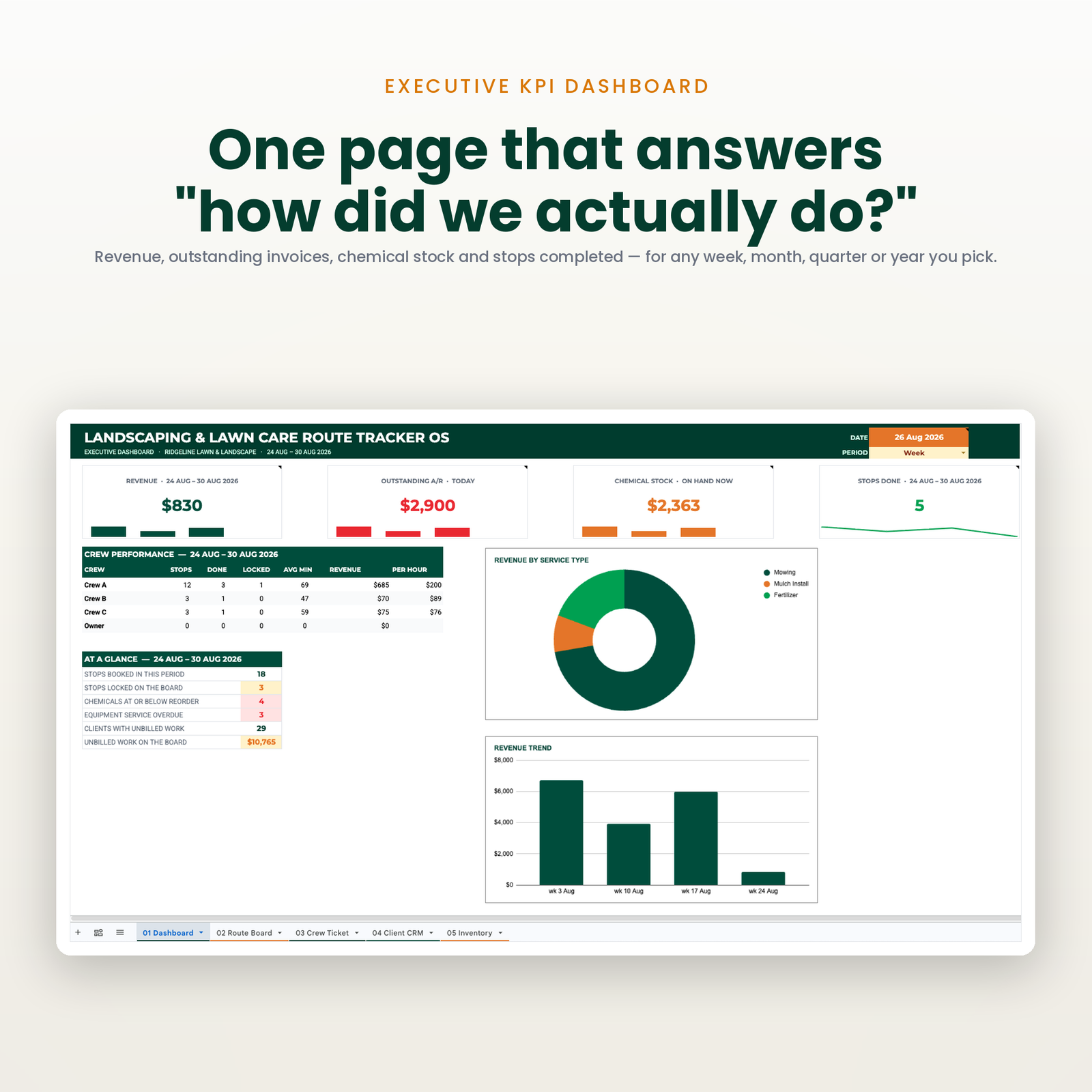
Stops, completed, locked, average minutes, revenue and revenue per hour, per crew, inside whatever time frame you pick. Revenue per hour is the number that decides whether a crew is worth keeping, and most owners have never once seen it.
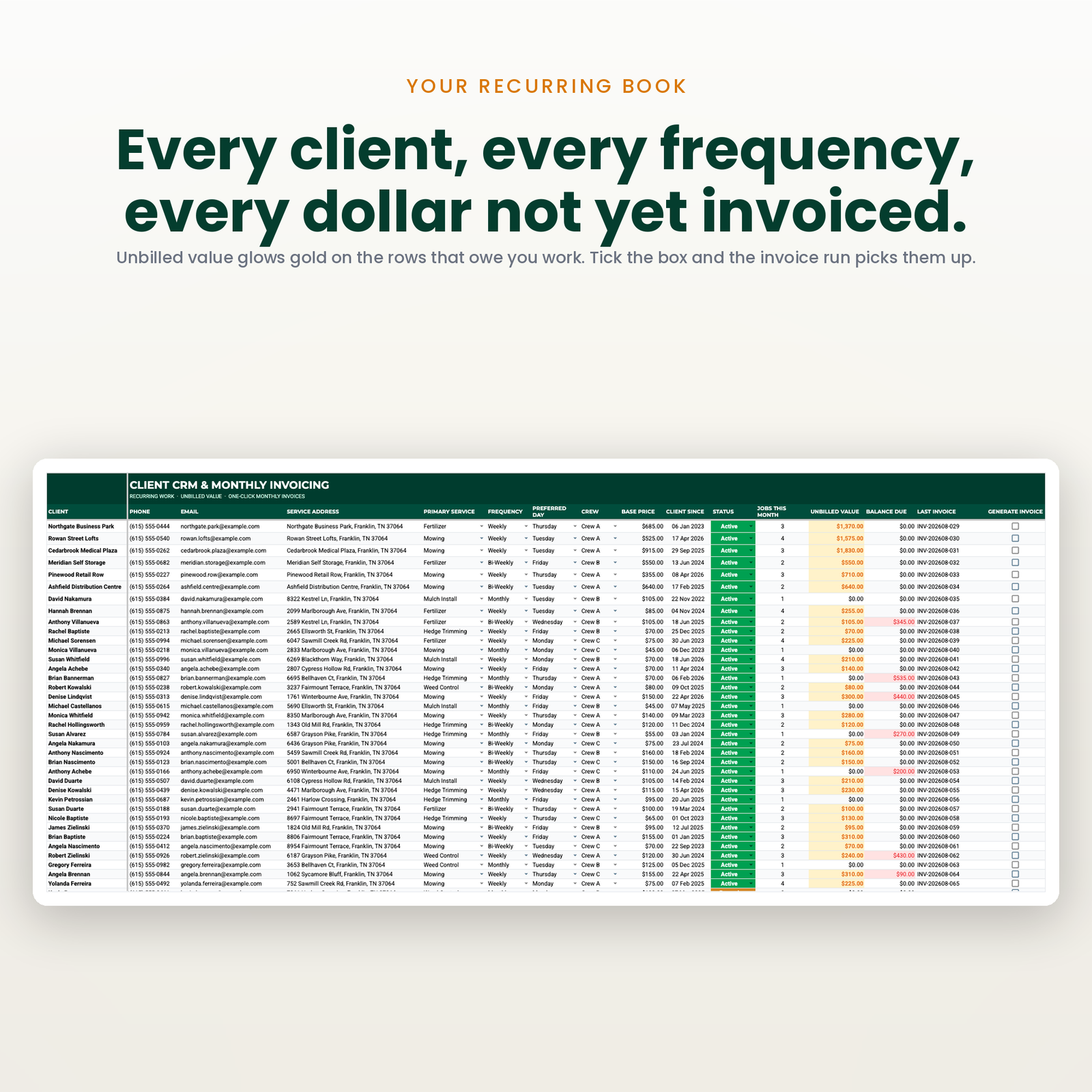
Frequency, preferred day, crew and price per client, with unbilled work flagged before it ages into a write-off.
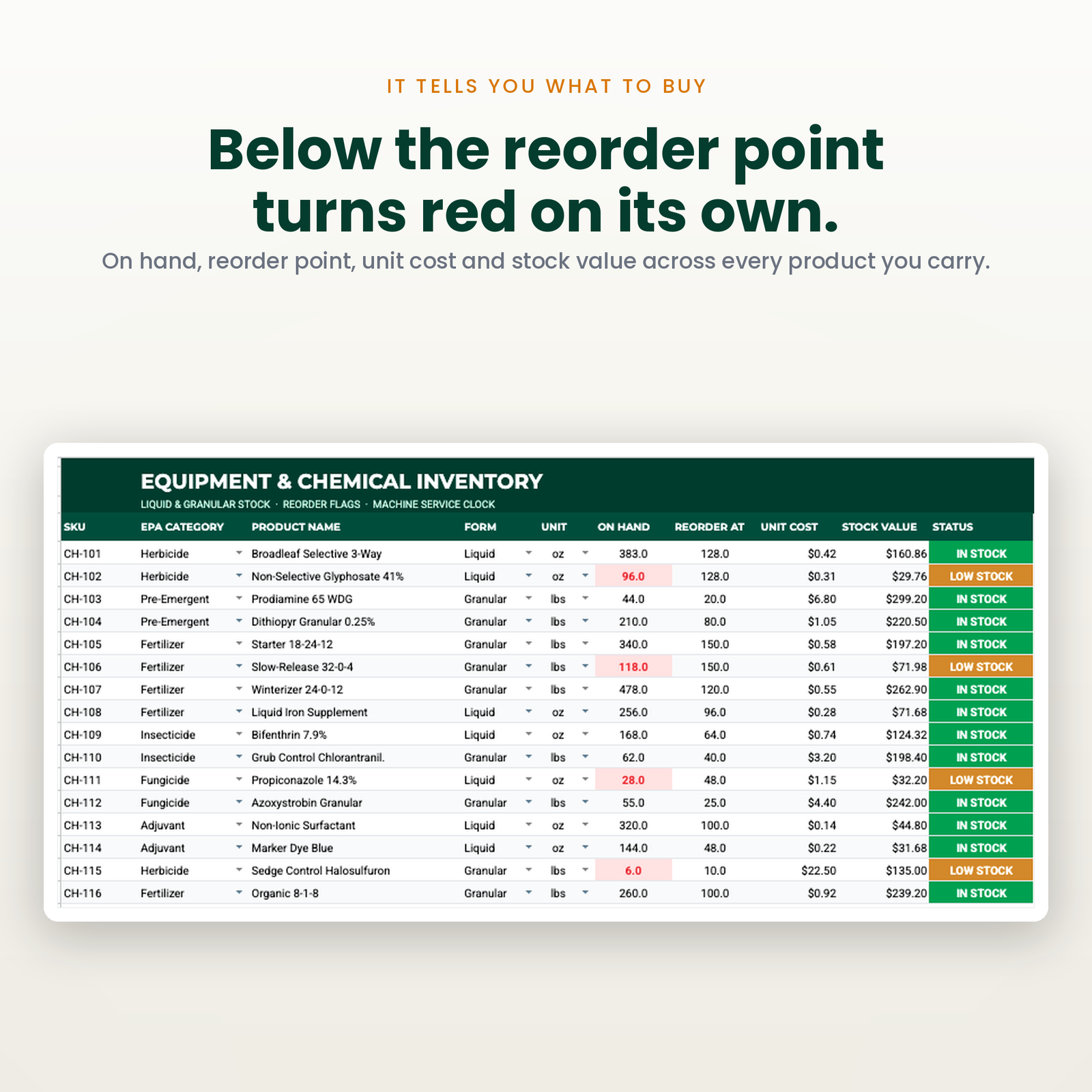
On-hand value, reorder flags, and a service-interval clock per machine. The dashboard tells you how many products are below reorder as at today — not as at some window you happen to have selected.
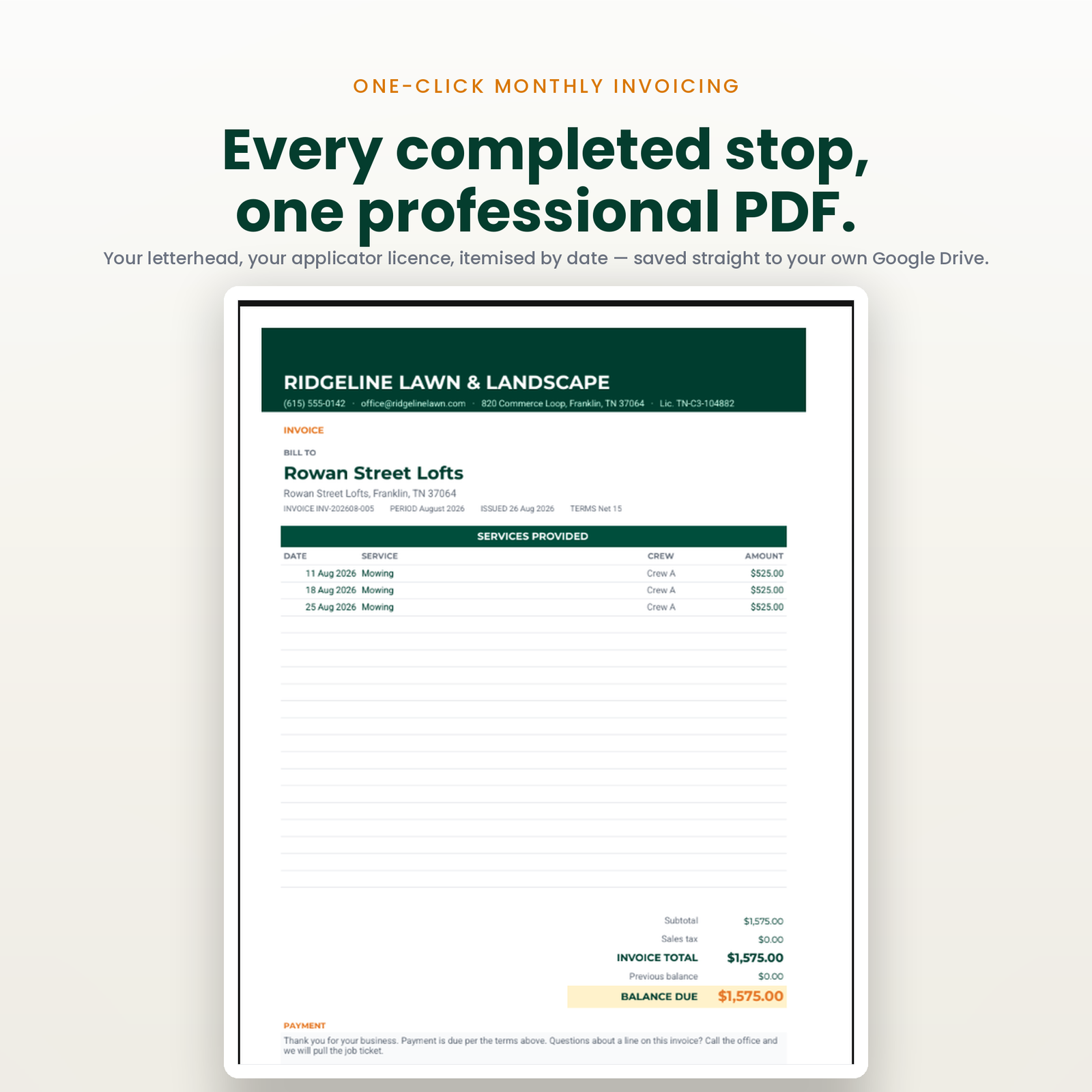
Completed work becomes a branded invoice PDF in your own Drive. Scheduled work is deliberately not revenue until somebody has actually mown it.
Revenue and stops done over today, this week, a quarter, or any two dates you type. Outstanding A/R and chemical stock deliberately ignore the window and say so on the card — money owed is owed today.
LawnCare_OS_Setup_Manual.pdf) with the link that copies the sheet into your own Google account.There is no account to create and nothing to install. The whole setup is three steps and about ten minutes.
It ships with a full season of demo stops, so every button and every report can be tried before a single real job goes in. One menu item erases it.
It is built for an owner-operator or a small shop — roughly one to eight crews — who has outgrown a notebook, does not want a per-seat subscription, and is comfortable typing into a spreadsheet.
It is not for you if you need a mobile app your crews log into, live GPS tracking, integrated card payments, or a platform that files your paperwork for you. Those are real needs and this does not meet them. If that is your shopping list, buy the subscription — it will be cheaper than buying this and then buying that anyway.
No. It holds the route, the crew, the price and the history. It does not optimise drive time or track a truck on a map. If turn-by-turn optimisation is what you are shopping for, this is not it.
There is, and it is worth knowing about — Yardbook has a genuinely free ad-supported plan. The trade is that you are the product and the paid tier pricing is not published. This is a file you own outright with no advertising in it.
No. Google Sheets and Apps Script only. Free Google account required.
It is one file. Share it with all four. There is no seat count.
Same engine, different trade — all in Industry Dashboards:
New here? The setup walkthrough shows what the first ten minutes look like, and the rest of the catalogue covers the other trades. Our refund policy is 14 days. If you have never copied a shared sheet before, Google explains how to make a copy of a file.
One purchase, one spreadsheet in your own Drive. No subscription, no account to keep, no monthly fee.
Copy the file, reload it once, run a single menu command. Nothing to configure and no setup wizard.
Every figure that changes your plan shows how it got there, in the sheet, before anything is rewritten.
The script reads and edits that one spreadsheet. No email, no other Drive files, and nothing is collected by us.
Google Sheets only. Excel cannot run the automation. Menu commands need a desktop browser, and day to day use works on mobile.
Immediately, as a link to the workbook and a setup manual. You copy the file into your own Google Drive and it is yours from that point.
No. The automation is Google Apps Script, which only runs inside Google Sheets. Opening the file in Excel gives you a spreadsheet with no menu and formulas that will not resolve.
Reload the file first, because the menu only appears after the first reload. If that does not fix it, support goes to a person and you get a reply rather than a ticket number.
Within 14 days, if the workbook will not build or does not do what this page says it does. The one exclusion is buying it for Excel, which is stated here, in the terms, and on How it works.