Instant digital delivery. One purchase, one file, no subscription. Full refund within 14 days if it does not do what this page says it does.
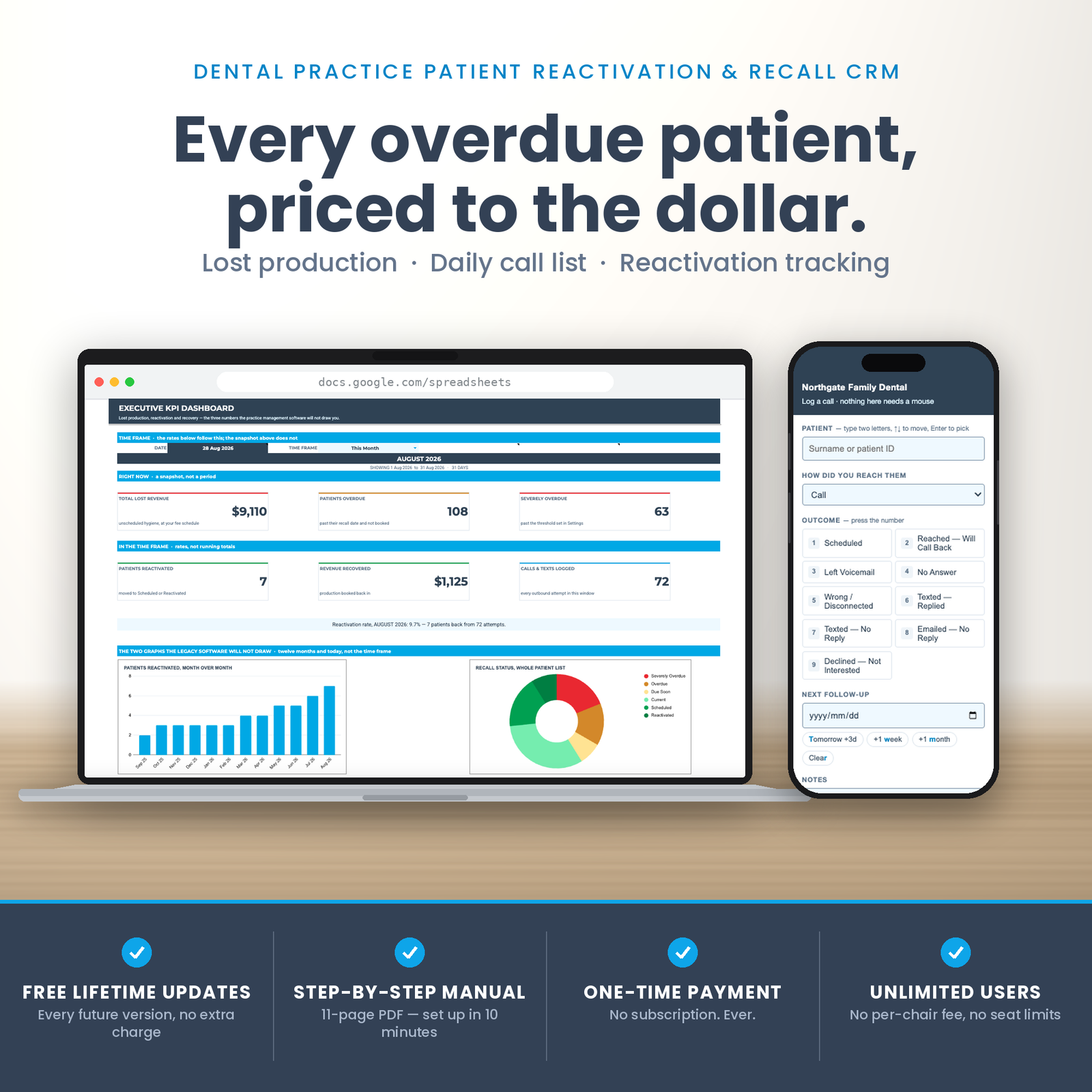
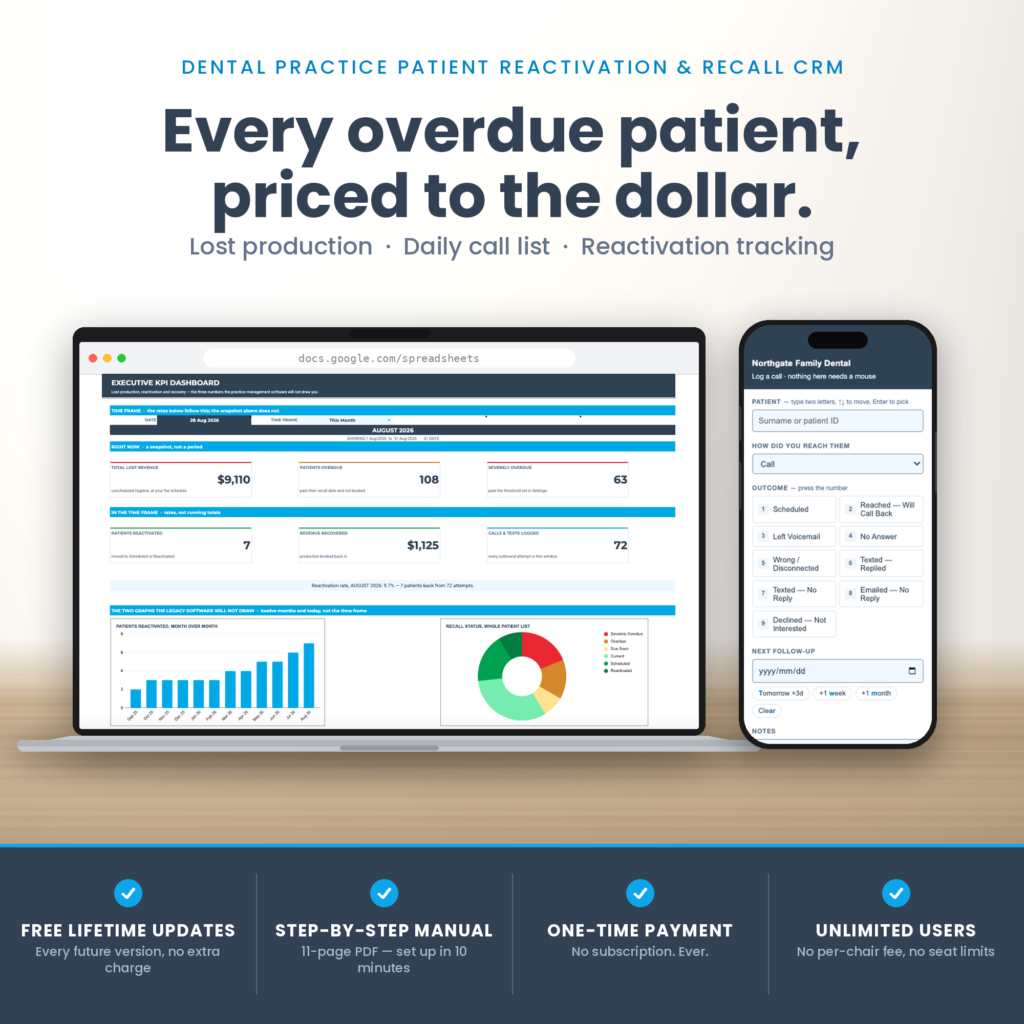
This is a dental recall spreadsheet that puts a dollar figure on the hygiene column nobody is calling — and then hands the front desk a call list every morning, sorted by what each call is worth.
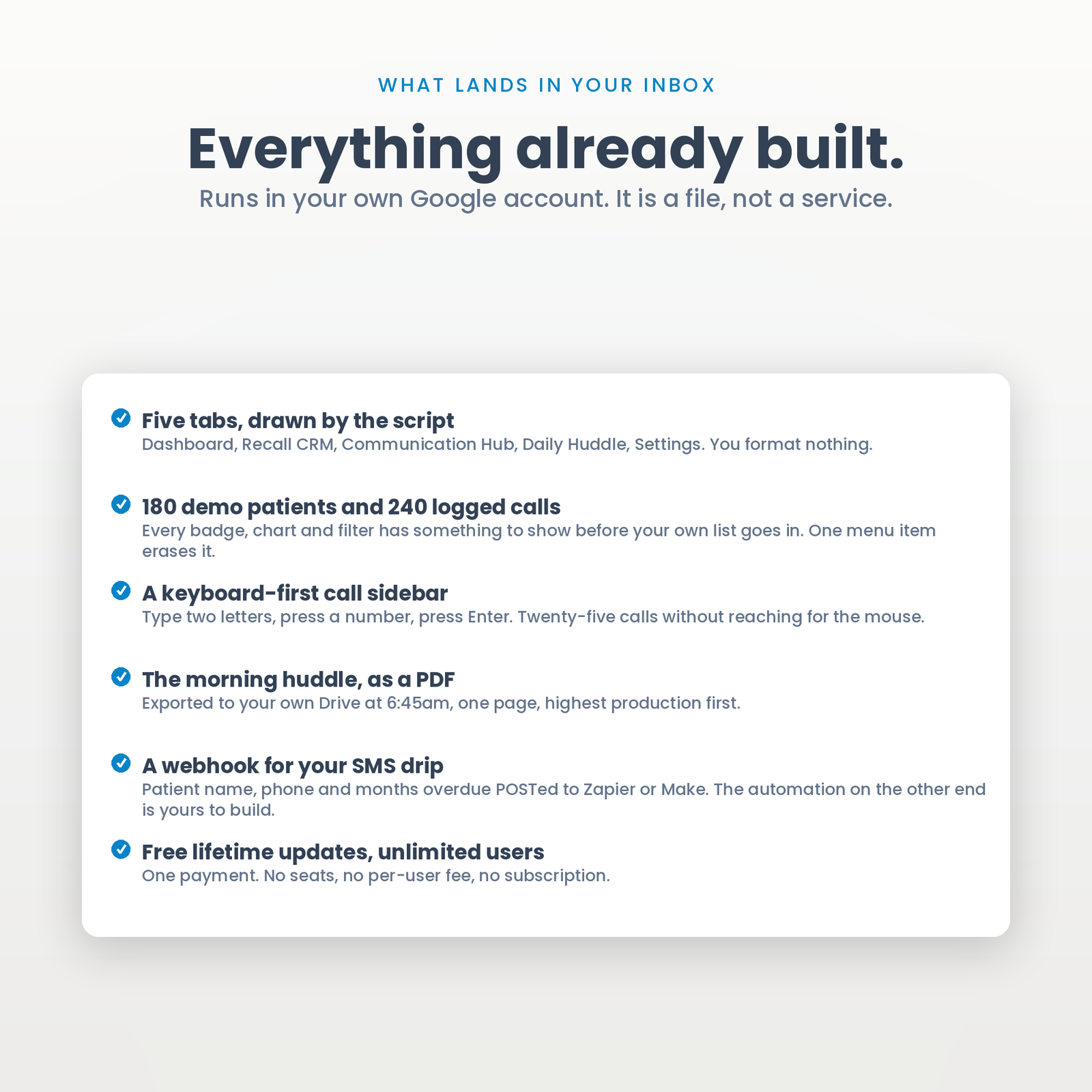
Five tabs in one Google Sheet, built by a script in a single run: an executive dashboard, a master recall CRM for up to 1,000 patients, a communication and drip hub, a printable daily huddle, and a settings tab holding your own fee schedule. Plus a keyboard-first call sidebar the front desk drives without touching the mouse.
It runs in your own Google account. One payment, no seats, no per-user fee, and your patient list is not sitting on somebody else’s server waiting for a pricing change.
Every practice knows the hygiene column is leaking. Almost none of them can say how much.
The information is all there — last prophy date, recall interval, your production per appointment — but it lives in three screens that do not talk to each other, and nobody has ten minutes to reconcile them between patients. So “we should really call the overdue list” stays a feeling instead of a number, and a feeling does not get anybody to pick up the phone.
This file does that one piece of arithmetic and keeps doing it. Every overdue patient carries a dollar figure. The dashboard totals them. The morning huddle sorts them highest first and caps the list at what a shift can actually get through.
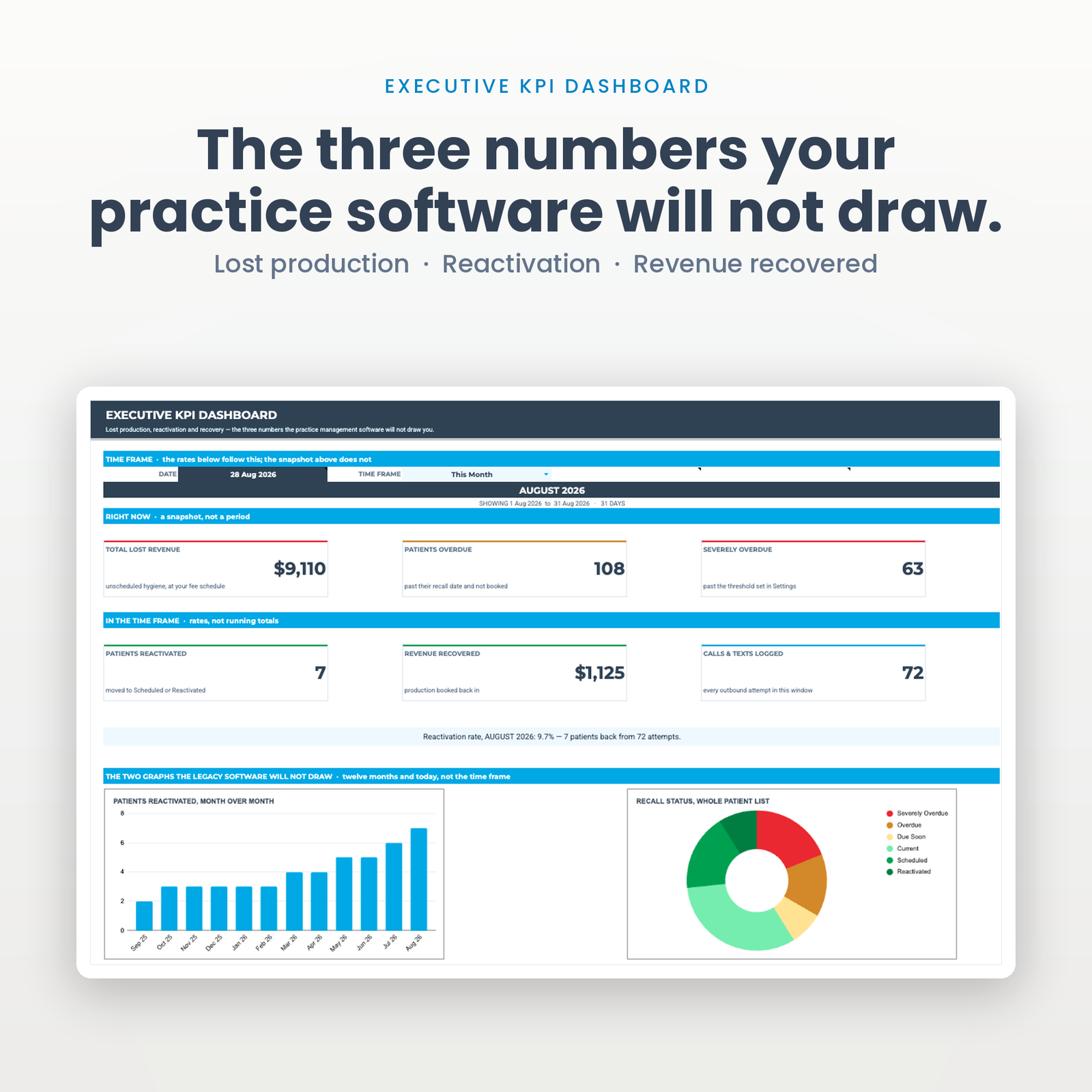
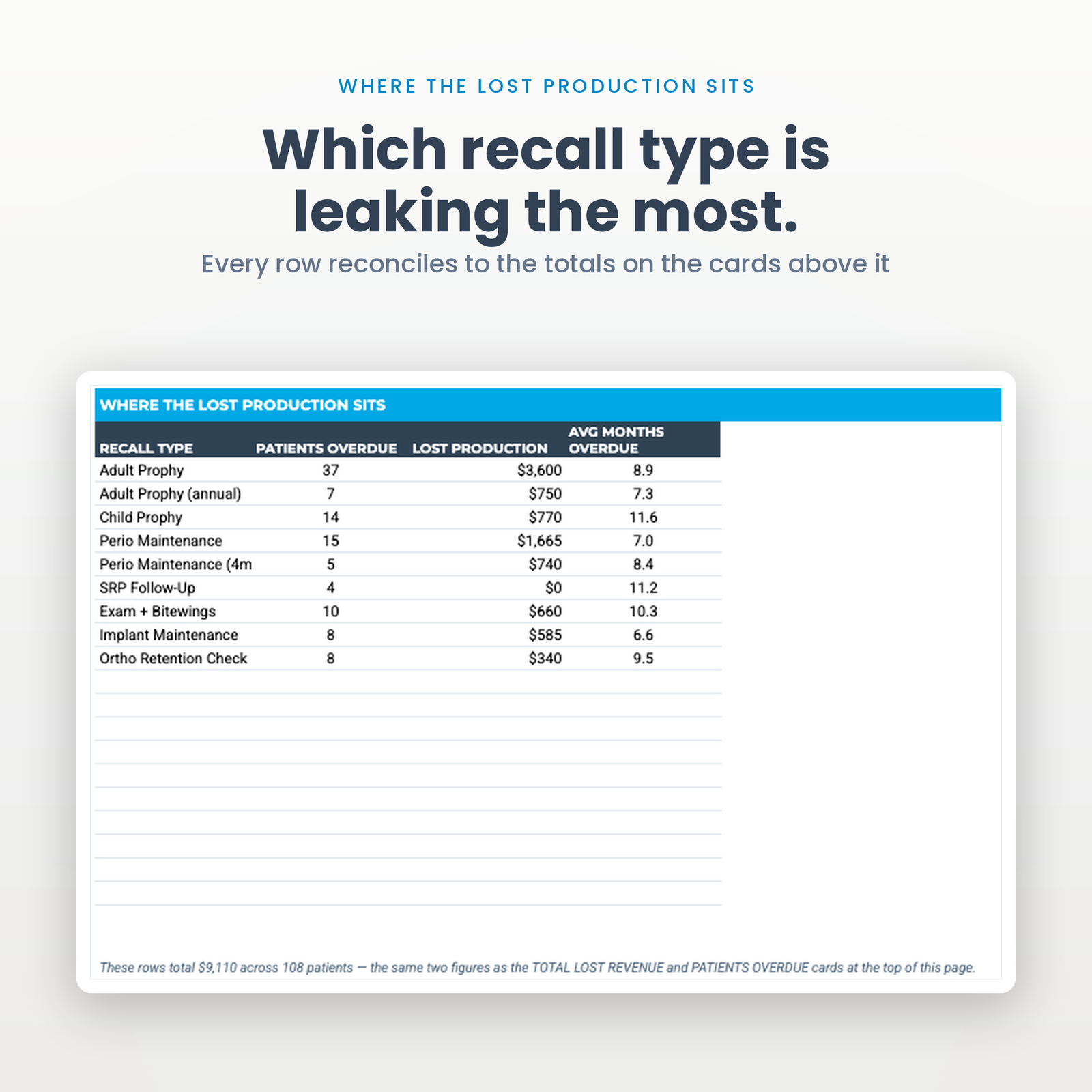
Every patient past their recall date and not yet booked is priced from your average production for that appointment type. The dashboard sums it, breaks it down by recall type, and prints the reconciliation in writing so the parts and the total visibly agree.
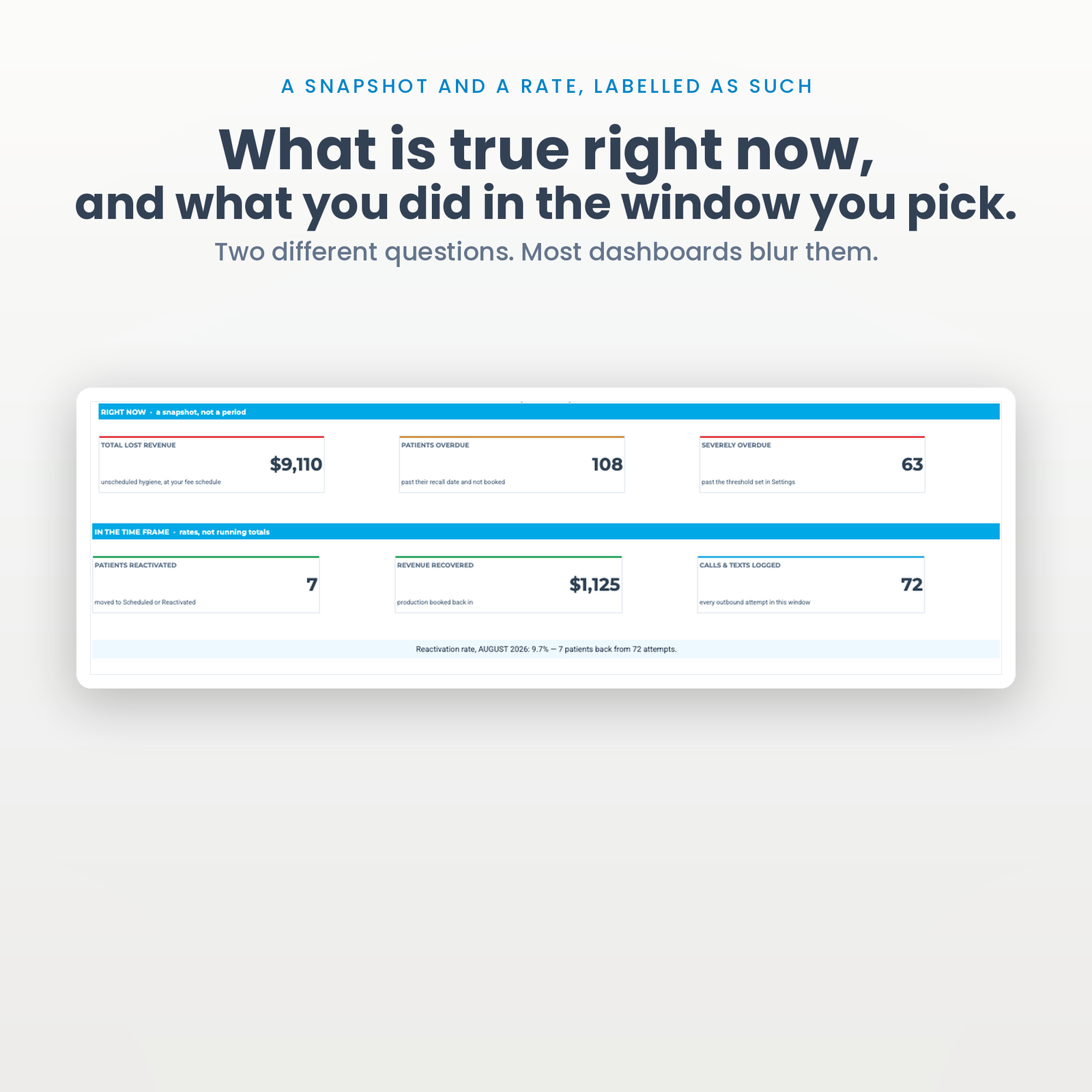
Three cards are a position: total lost production, patients overdue, severely overdue. They are true right now or they are not, and no date control should touch them. Three more are a rate: patients reactivated, revenue recovered, calls and texts logged. Those follow a time frame you set — type any date at the top, pick a window beside it, and all three move together. Today, this week, last month, last quarter, the year, all time, or two dates of your own. Want last March? Type any March date and pick This Month.
The dashboard says which band is which, in a line of type above each one, because a number that quietly changes meaning when somebody touches a dropdown is worse than no number.
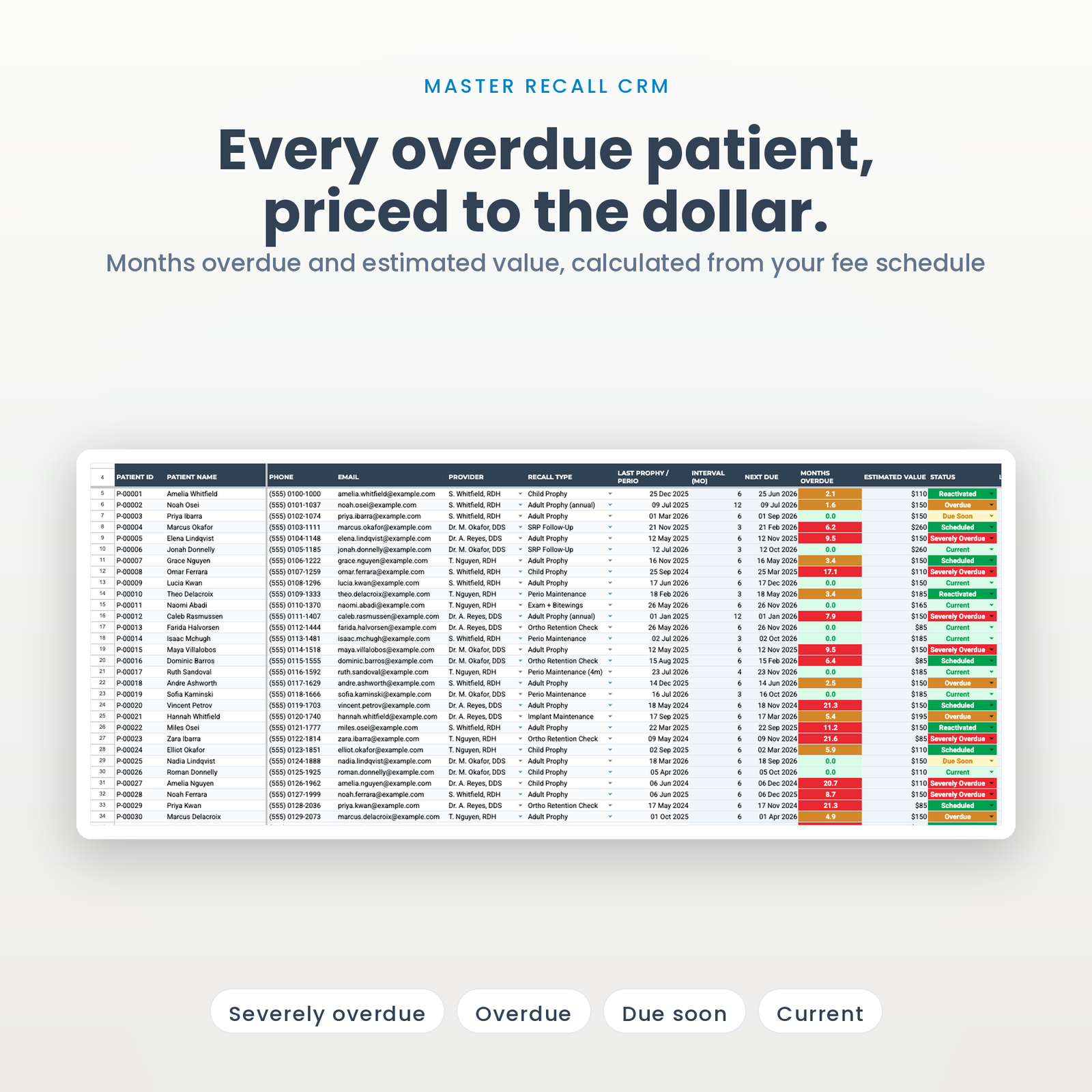
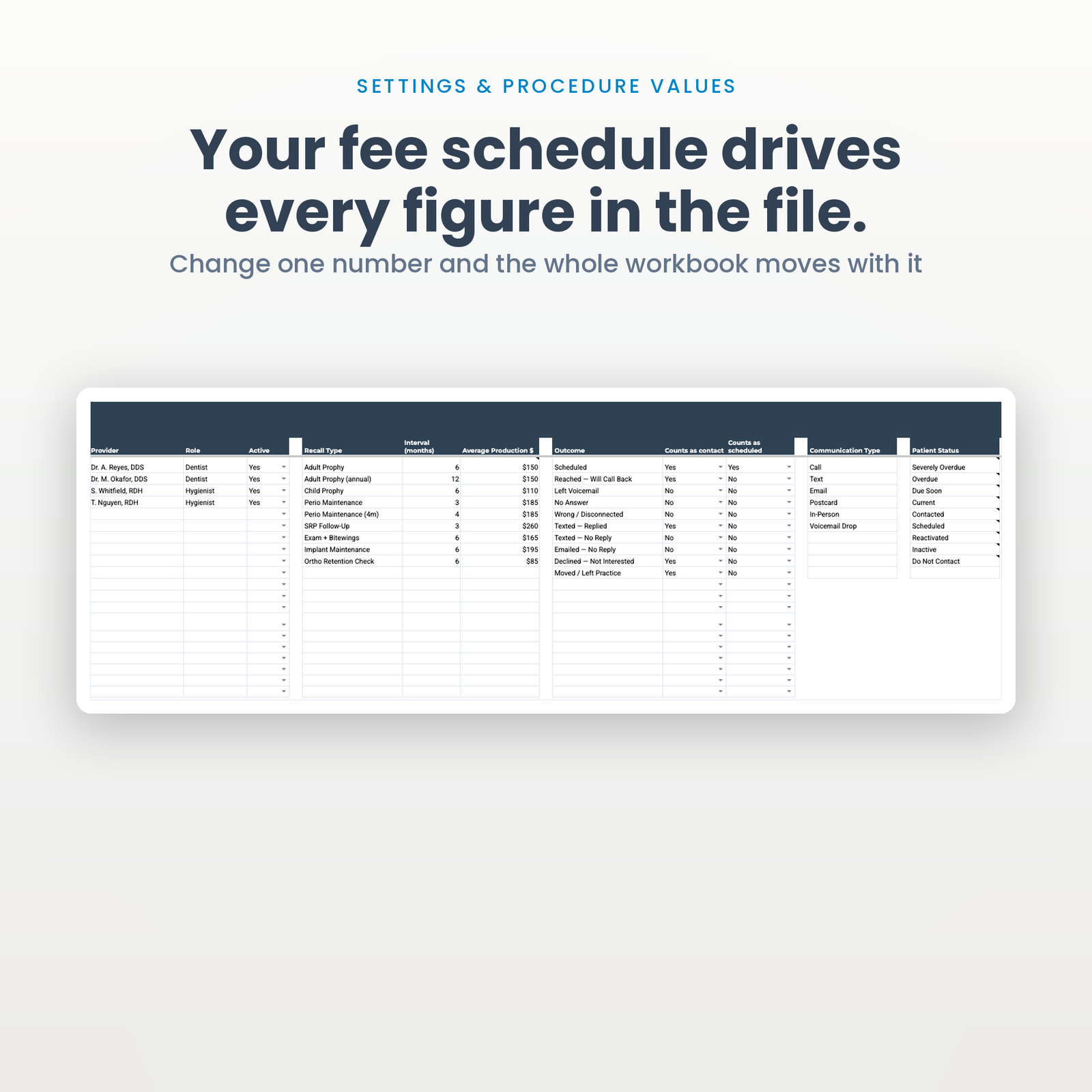
Months overdue is calculated, not typed. Past your threshold it goes red and the status badge reads SEVERELY OVERDUE. Under it, amber. Up to date, soft green. Change “severely overdue at” from 6 months to 4 in Settings and every badge in the file moves the moment you press Enter.
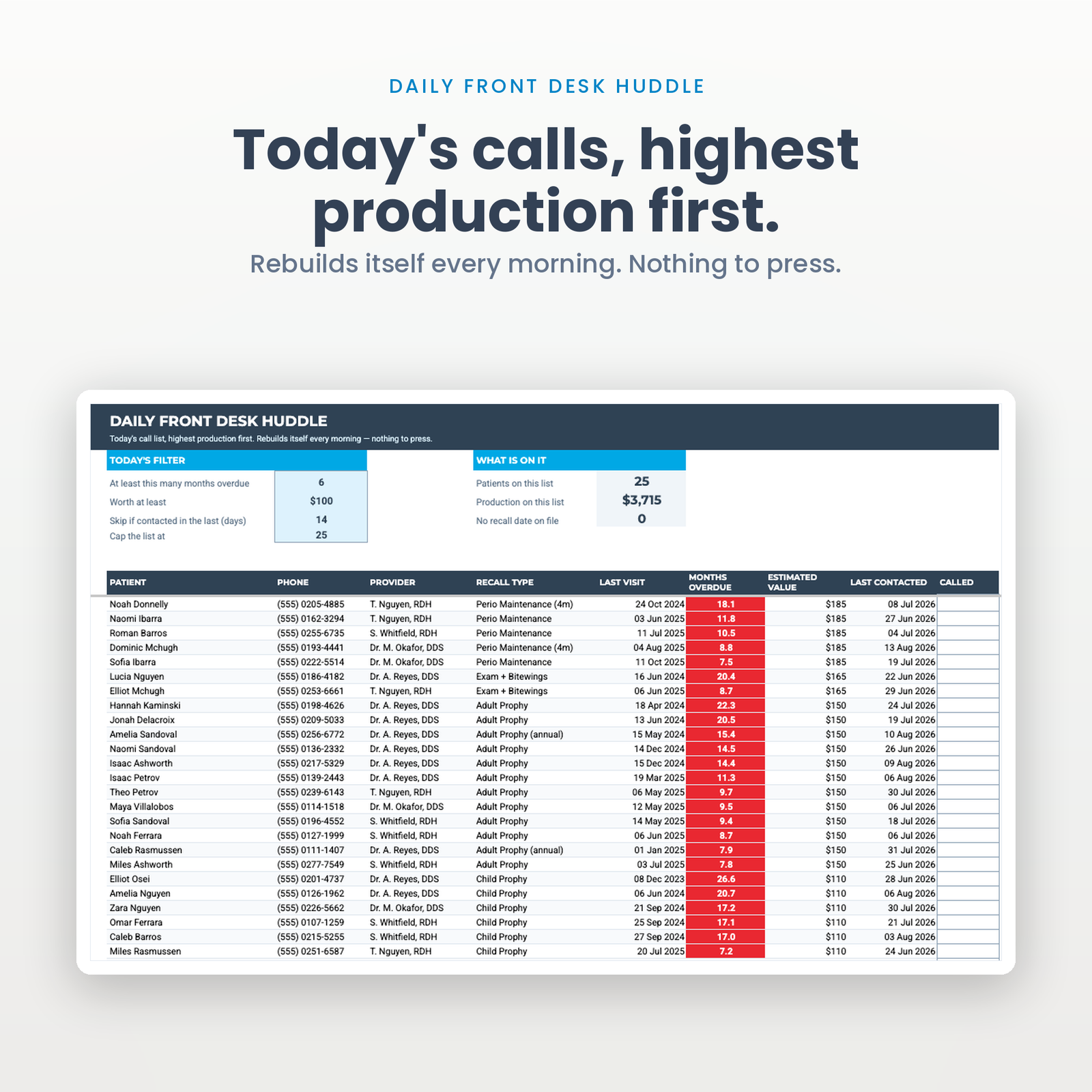
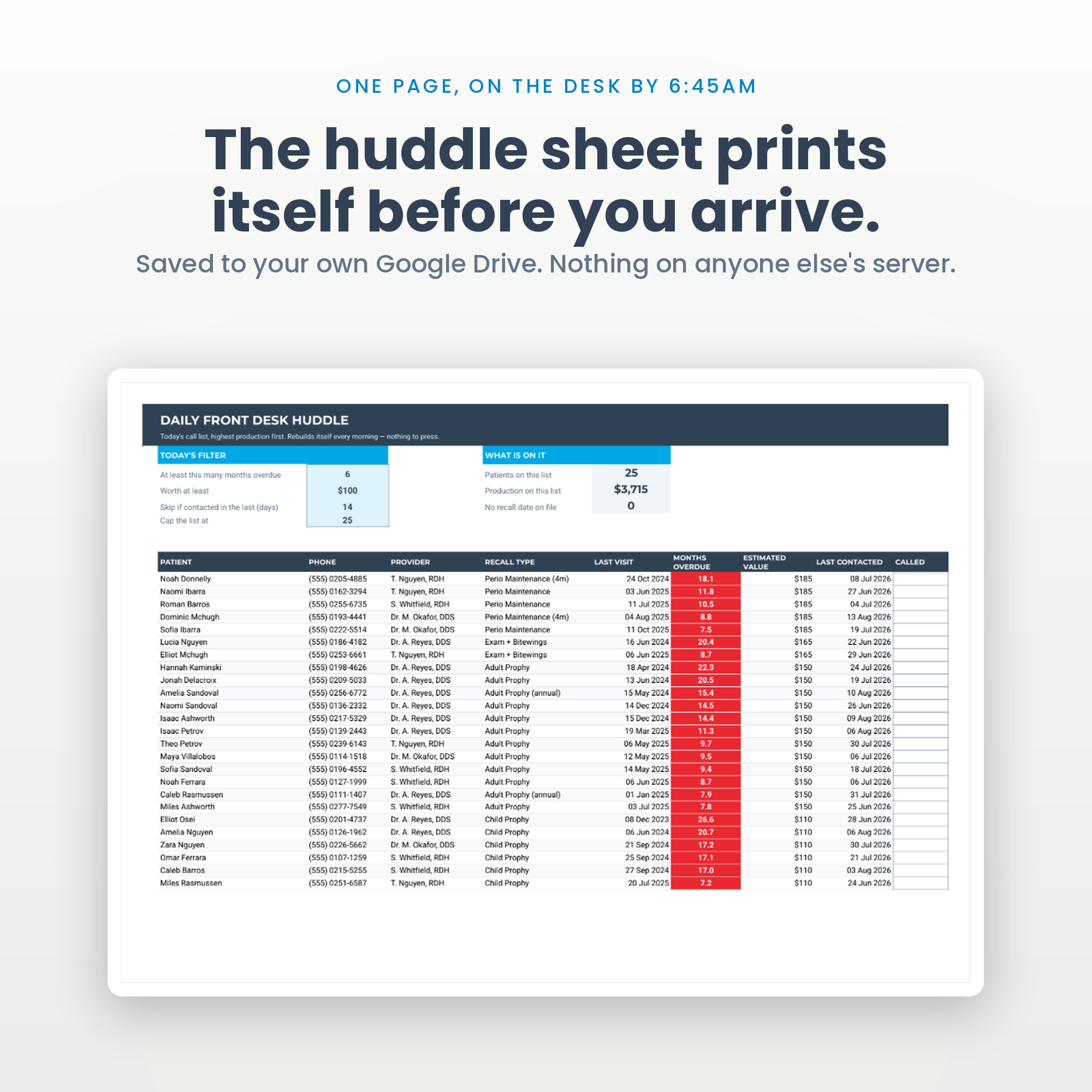
Four controls the practice owns: how overdue, worth at least how much, skip anyone contacted in the last N days, and cap the list at the day’s call target. Sorted by production. The front desk opens the tab and starts dialling.
One A4 page, landscape, exported to your own Google Drive at 6:45am every morning. Highest production first, with a pen box beside each name.
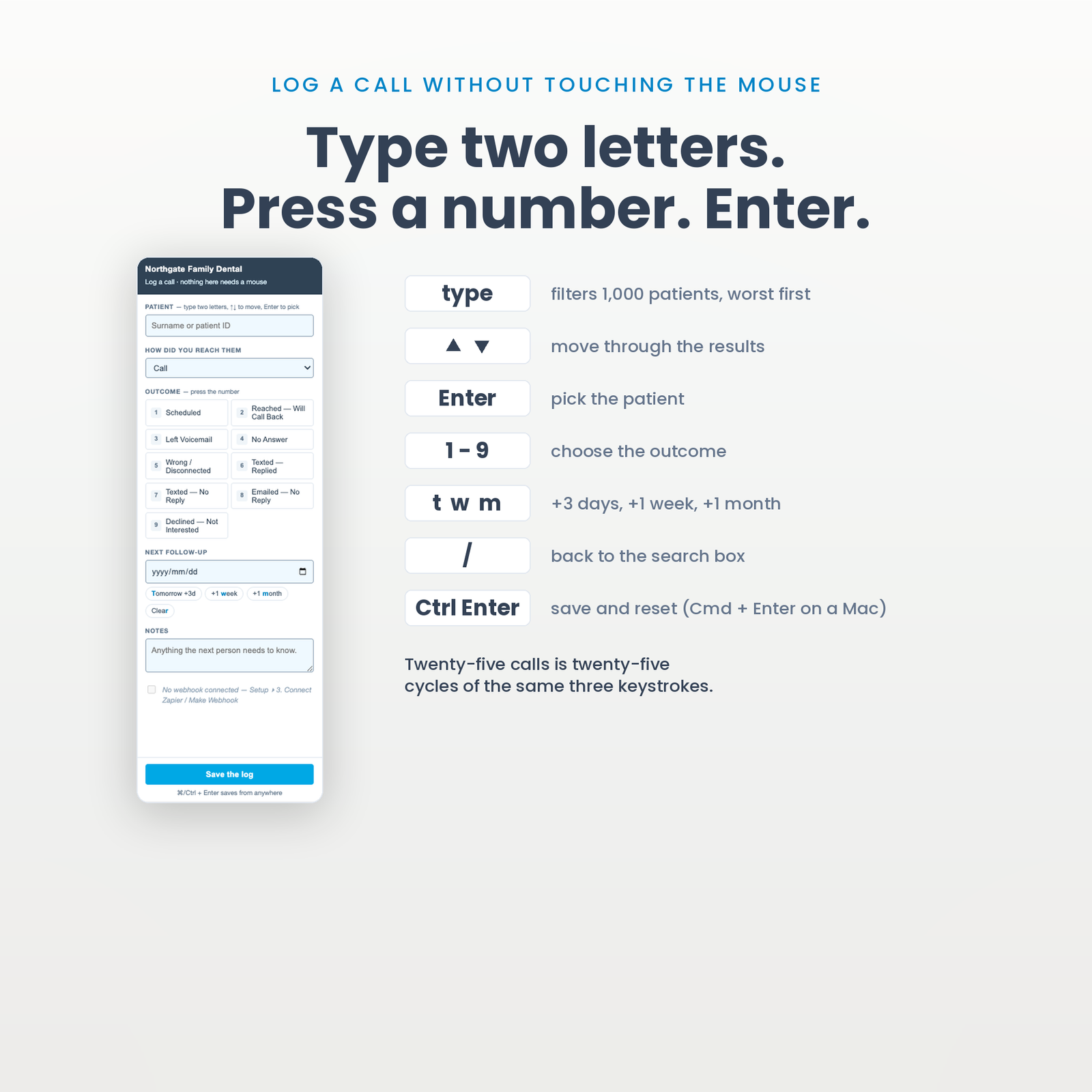
Open the sidebar, type two letters of a surname, press a number for the outcome, press Enter. It writes the log, moves the patient’s status, and stamps who did it and when. Twenty-five calls is twenty-five cycles of the same three keystrokes.
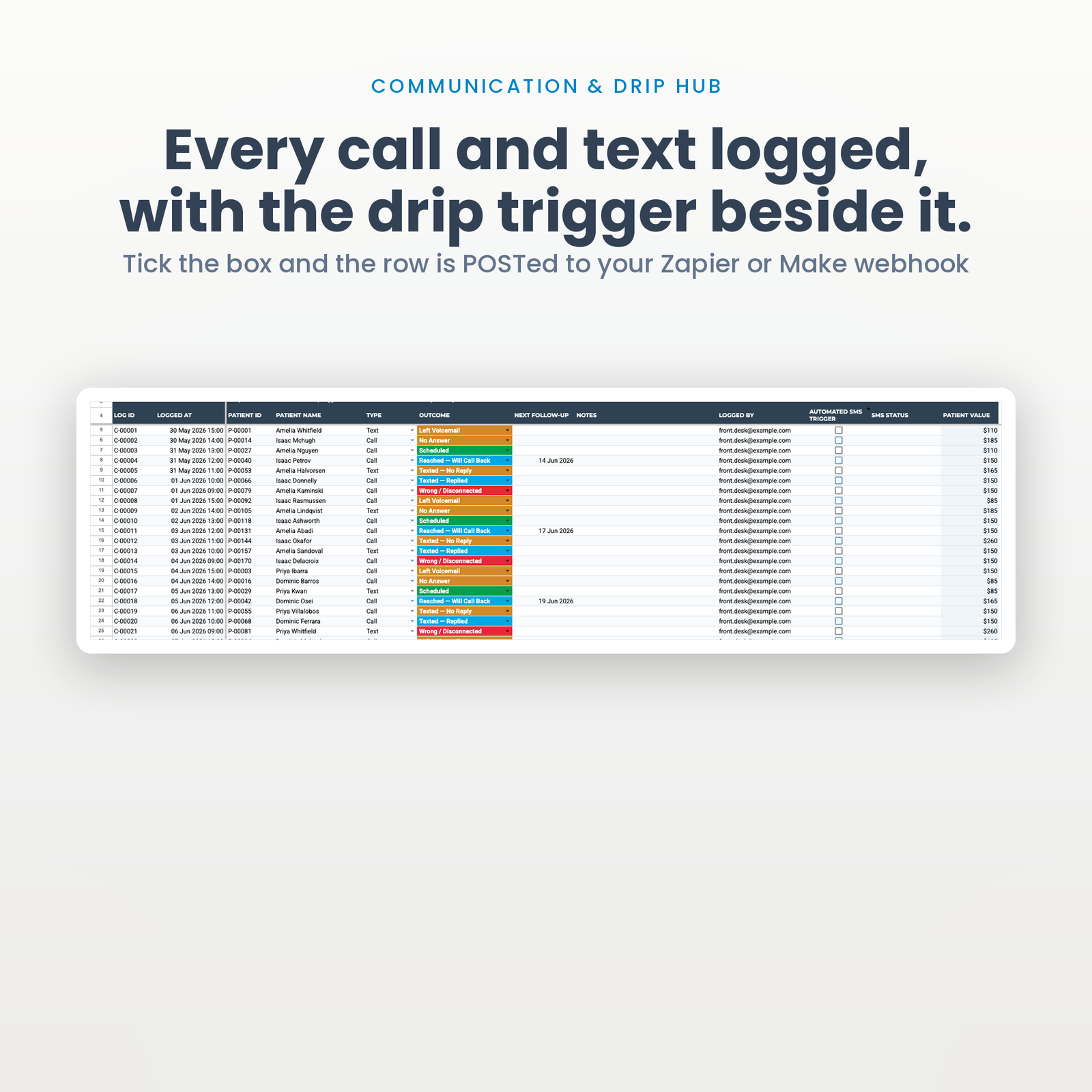
Tick one box and the row is POSTed to your Zapier or Make webhook — patient name, phone, months overdue, recall type, provider. What happens on the other end is yours to build. This file does not send the text itself, and does not pretend to.
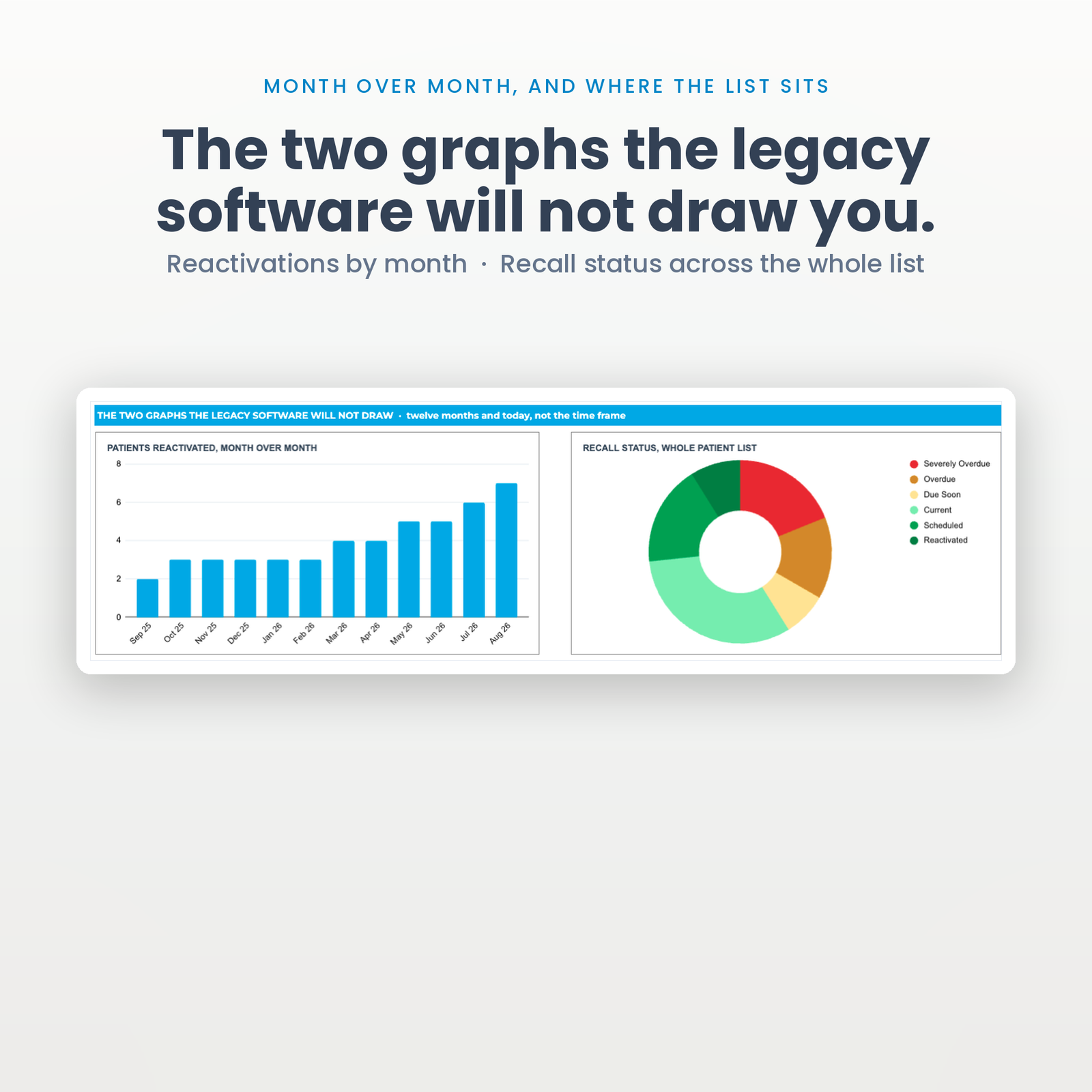
Patients reactivated month over month, and recall status across the whole list. Both rebuild from the data; neither needs a report to be run. Neither follows the dashboard’s time frame either, deliberately — a twelve-month trend reshaped by a period control stops being a trend, and a status pie is a snapshot by definition.
There is no account to create and nothing to install. About ten minutes.
A single practice or a small group — one to six chairs — where the front desk is already the person who would make these calls, and where the recall list currently lives in a report nobody runs.
It is not for you if you need automated two-way texting out of the box, online booking, insurance verification, or anything that writes back into your practice management system. Those are real needs and this does not meet them.
That is not a question a spreadsheet can answer, and any seller who tells you “yes” without qualification is guessing on your behalf.
What is true: the file lives in your Google account and nothing is transmitted to us. Whether storing patient names and phone numbers in Google Sheets is compliant for your practice depends on your own arrangements with Google — Google Workspace offers a Business Associate Agreement to covered entities on eligible plans; a free consumer Gmail account does not. If you enable the optional webhook, patient data also travels to whatever automation you connect, and that vendor is your call too.
Check with whoever handles compliance for your practice before you put real patient data in, and if the answer is no, this file still works perfectly well with initials and internal patient IDs instead of full names.
No, and I would rather say so on the listing than in a refund email. It runs on Google Apps Script. You need a free Google account. It will not work in Excel, Numbers or LibreOffice.
No. It logs the call, moves the patient, and can POST the row to Zapier or Make so your automation sends the text. Building that automation is yours.
No. You paste or export your overdue list in. It is a working file, not an integration.
1,000 active recall patients and 5,000 logged communications — about six months of history at 25 calls a day. Both ceilings are a one-line change in the script if you need more.
Every calculated column is a single formula covering all 1,000 rows — thirteen formulas on the CRM tab rather than thirteen thousand. That is a deliberate choice, and it is why the file repaints instantly at full size.
It is one file. Share it with all four. There is no seat count and there never will be, because you are buying a file rather than access to a service.
Same engine, different trade — all in Industry Dashboards:
New here? The setup walkthrough shows what the first ten minutes look like. Our refund policy is 14 days. If you have never copied a shared sheet before, Google explains how to make a copy of a file.
One purchase, one spreadsheet in your own Drive. No subscription, no account to keep, no monthly fee.
Copy the file, reload it once, run a single menu command. Nothing to configure and no setup wizard.
Every figure that changes your plan shows how it got there, in the sheet, before anything is rewritten.
The script reads and edits that one spreadsheet. No email, no other Drive files, and nothing is collected by us.
Google Sheets only. Excel cannot run the automation. Menu commands need a desktop browser, and day to day use works on mobile.
Immediately, as a link to the workbook and a setup manual. You copy the file into your own Google Drive and it is yours from that point.
No. The automation is Google Apps Script, which only runs inside Google Sheets. Opening the file in Excel gives you a spreadsheet with no menu and formulas that will not resolve.
Reload the file first, because the menu only appears after the first reload. If that does not fix it, support goes to a person and you get a reply rather than a ticket number.
Within 14 days, if the workbook will not build or does not do what this page says it does. The one exclusion is buying it for Excel, which is stated here, in the terms, and on How it works.