Instant digital delivery. One purchase, one file, no subscription. Full refund within 14 days if it does not do what this page says it does.
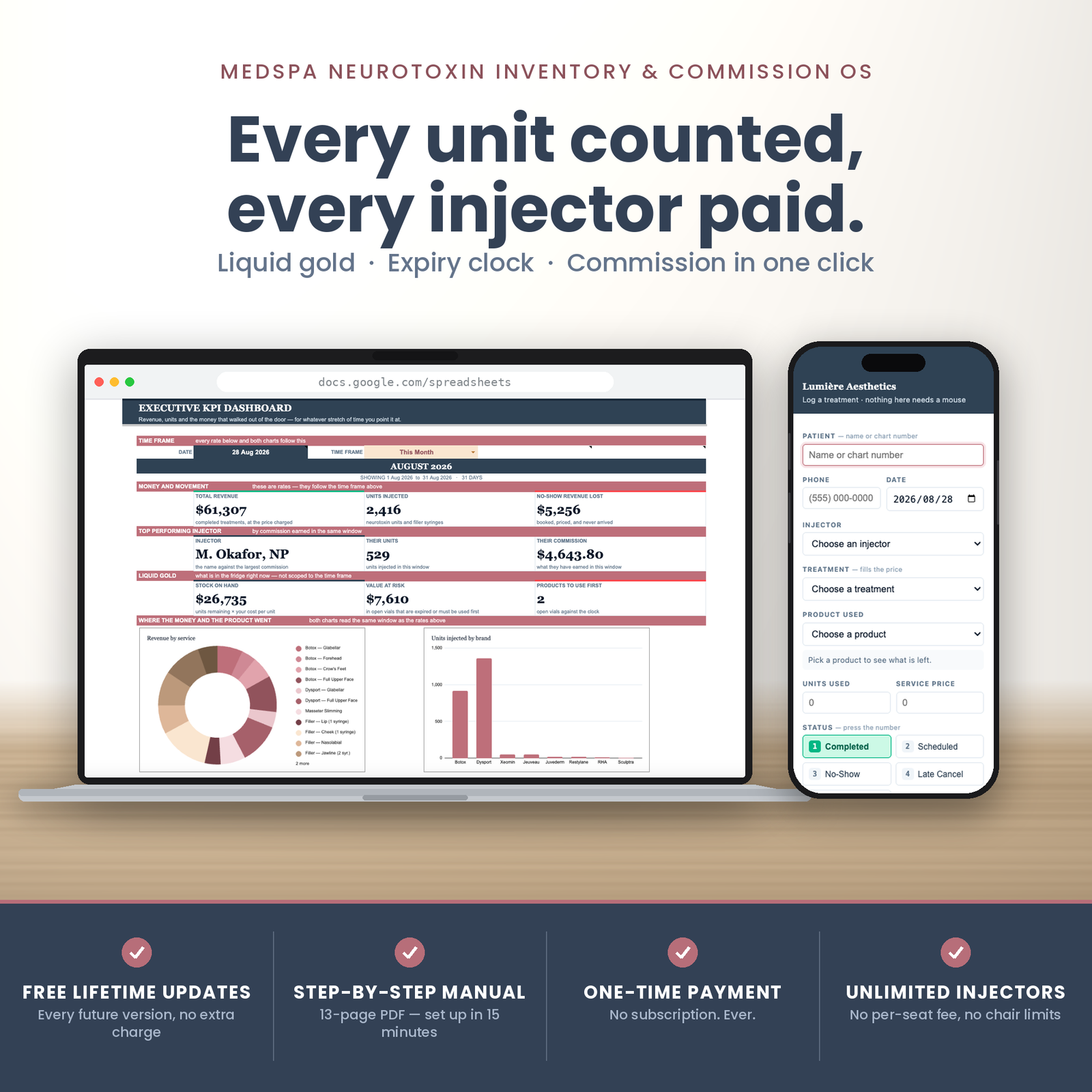
This is a med spa inventory spreadsheet that never subtracts from a stock cell — every vial is counted from the treatment log itself — and then works out what each injector is owed for any date range you set.
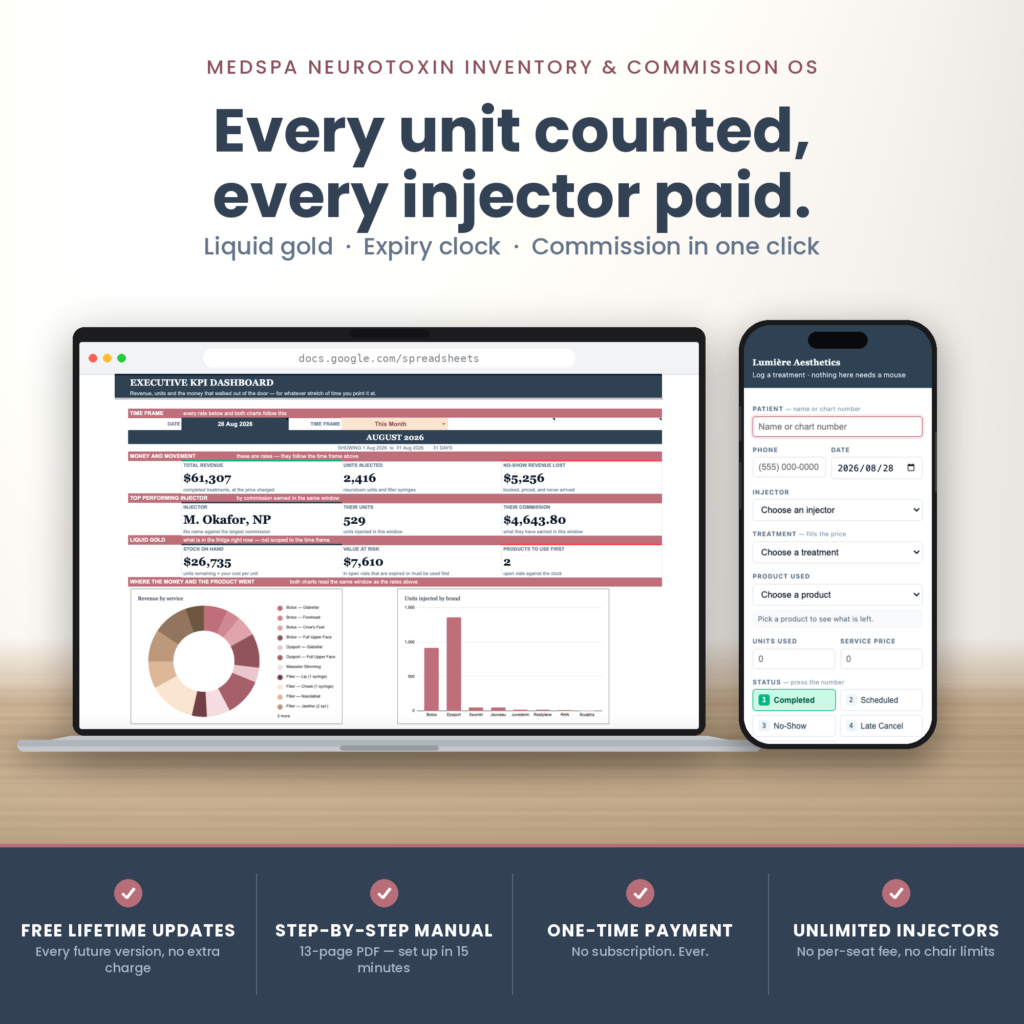
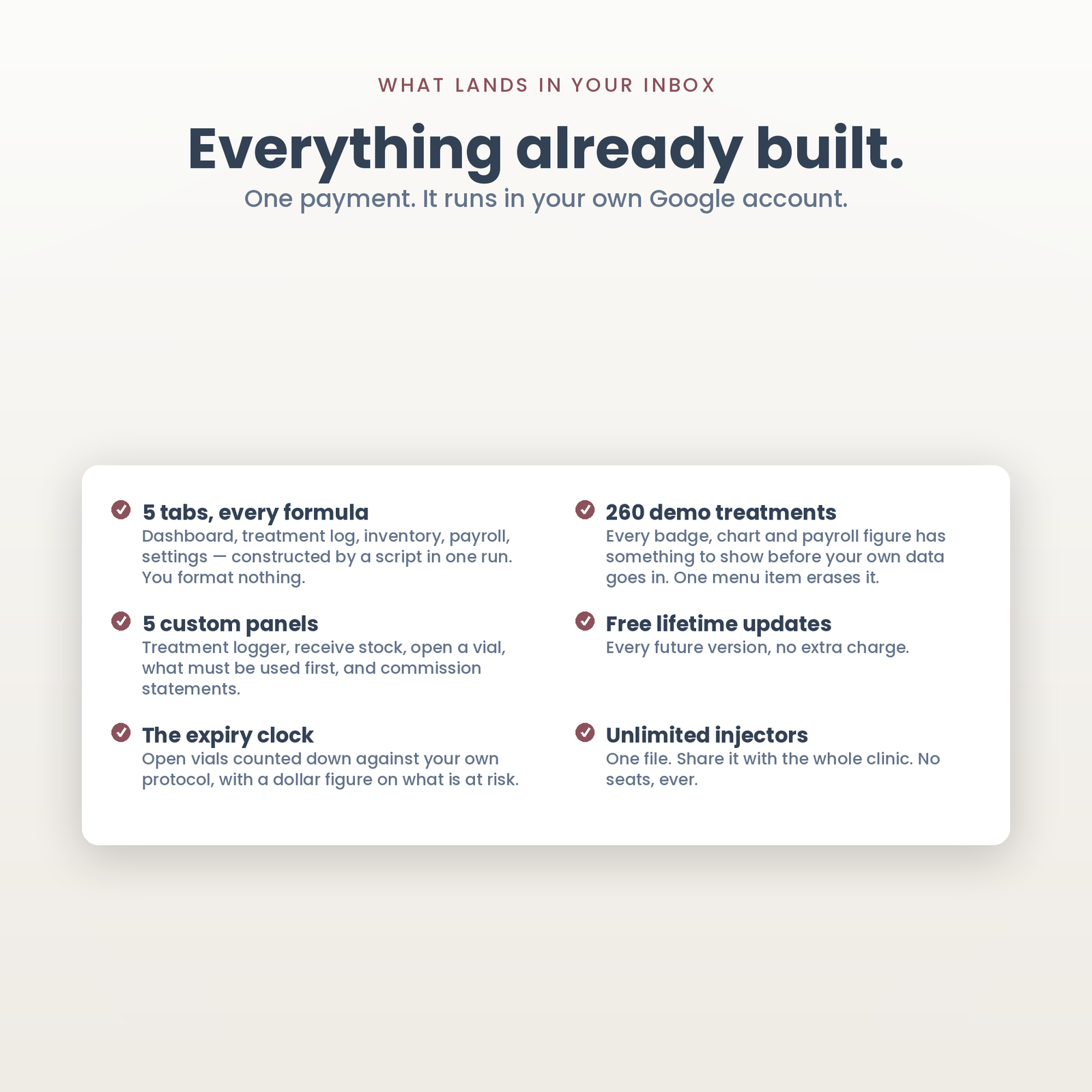
Five tabs in one Google Sheet, built by a script in a single run: an executive KPI dashboard, a master treatment and no-show log holding 1,000 visits, a “Liquid Gold” inventory tracker for 80 products, an automated injector commission calculator, and a settings tab holding your injectors, your rates and your price book. Plus five custom panels — a keyboard-first treatment logger, receive stock, open a vial, what must be used first, and commission statements.
It runs in your own Google account. One payment, no seats, no per-user fee, and your patient list is not sitting on somebody else’s server waiting for a pricing change.
Every clinic starts with a count-down sheet. Somebody types 500 units in, somebody subtracts 24, and for about three weeks it works.
Then a treatment gets cancelled after the units were already taken off. Then a row is entered twice and deleted once. Then somebody corrects 24 units to 20 and the stock cell never hears about it. By month end the sheet says 180 units and the fridge says 210, and there is no way to find out which of the four hundred rows caused it — so somebody recounts by hand and starts the whole cycle again.
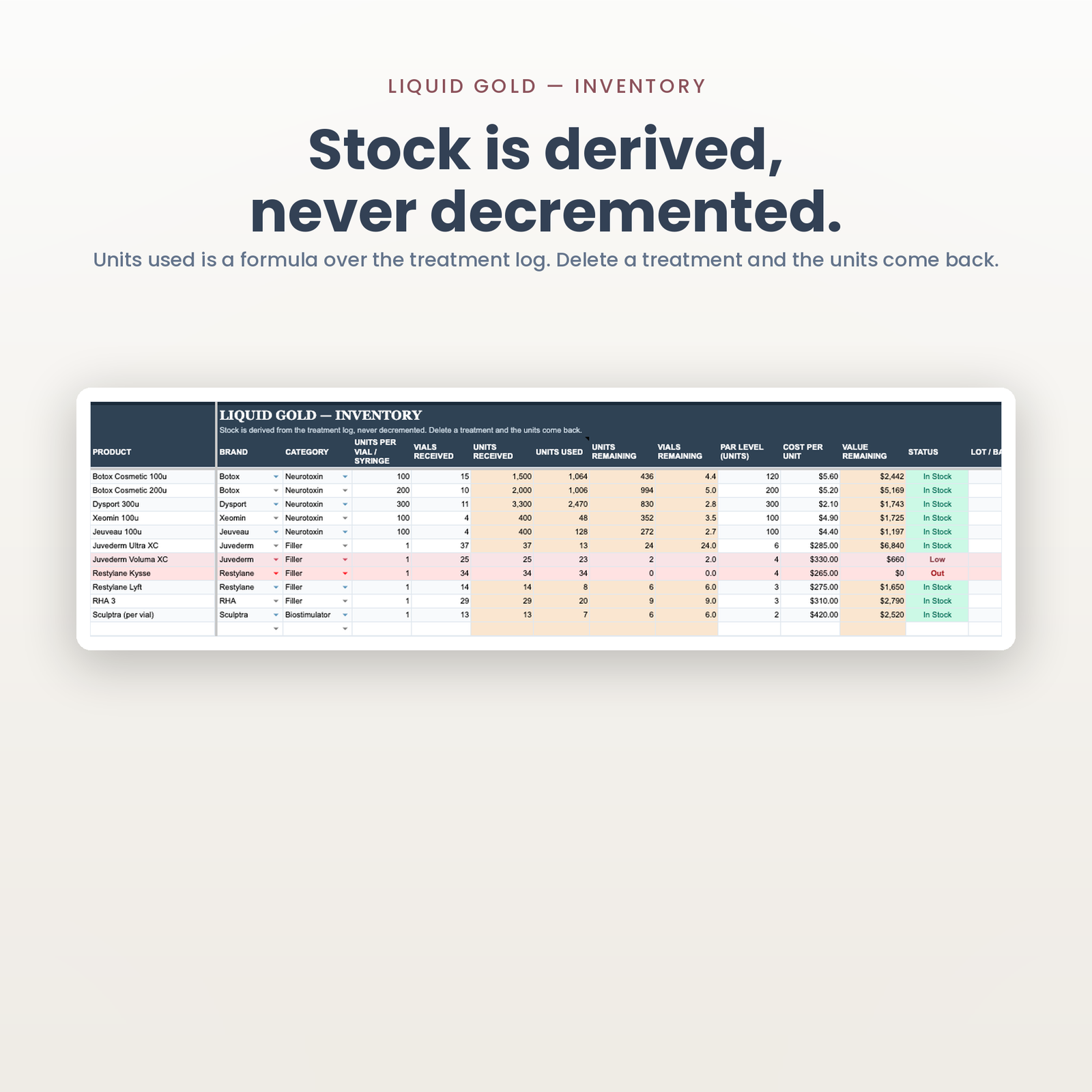
This file does not have that failure mode, because it does not have a counter. Units used is a formula that adds up every completed treatment on the log. Units remaining is what you received minus that. No script in the workbook ever writes a stock number.
Which means: delete a treatment and the units come back. Correct 24 units to 20 and stock corrects itself. Log a visit twice, delete the duplicate, and the count is right again. It cannot drift, because there is nothing to drift from — the number on the screen is the arithmetic of the rows underneath it, and you can always find the row.
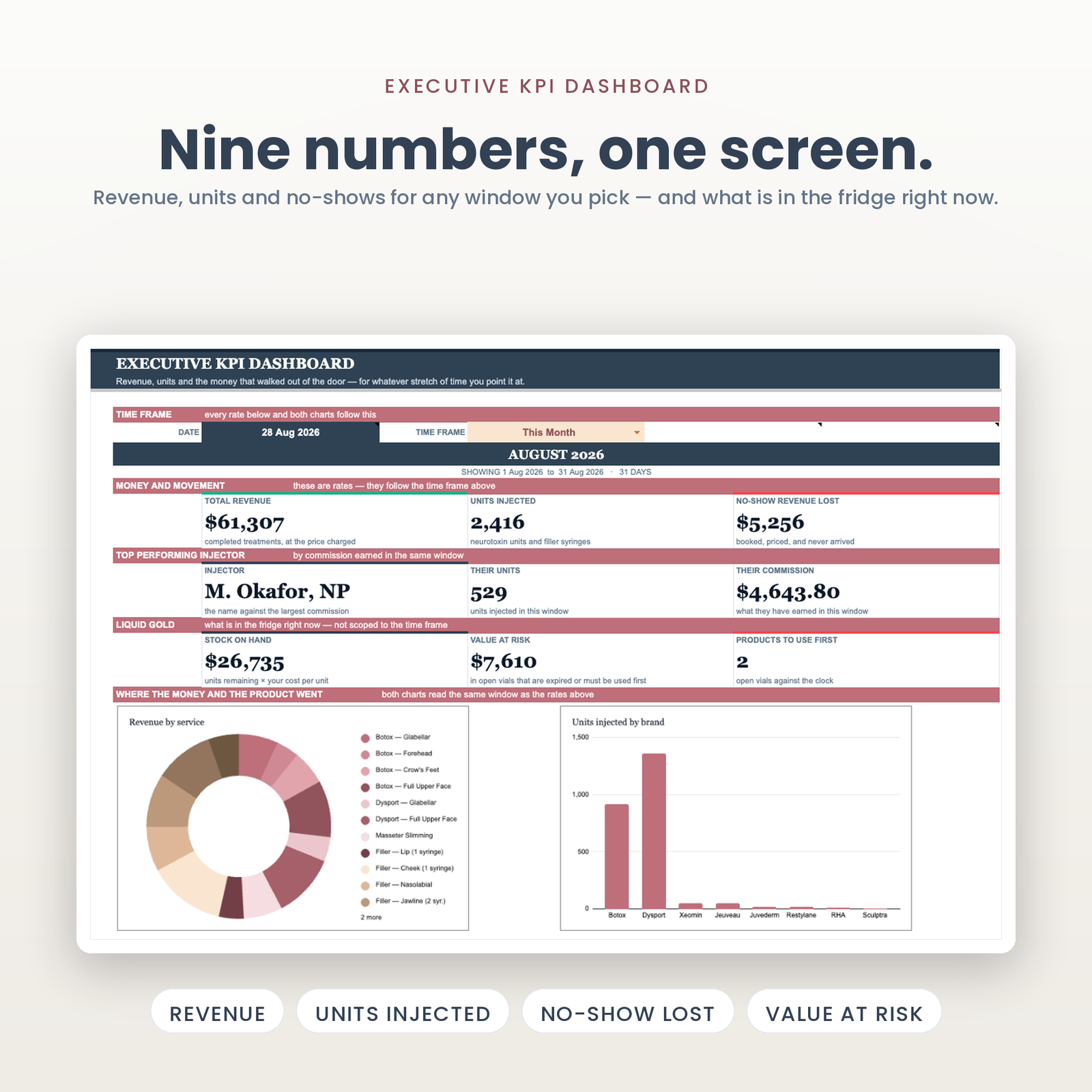
Type any date at the top, pick a window beside it — today, this week, last month, last quarter, the year, all time, or two dates of your own — and six figures move together: revenue, units injected, no-show revenue lost, and your top performing injector with their units and their commission. Want last March? Type any March date and pick This Month.
Three cards deliberately stay put: stock on hand, value at risk, and how many products must be used first. Stock is a position, not a rate — what is in the fridge is true right now or it is not, and scoping it to last quarter would answer a question nobody asks.
Both charts read the same window as the cards, because the window is resolved once in one place and everything else reads those cells. Underneath, a line that adds up the revenue-by-service block and compares it against the total above it, in writing. A table showing a total and its parts has to visibly agree, or say that it does not.
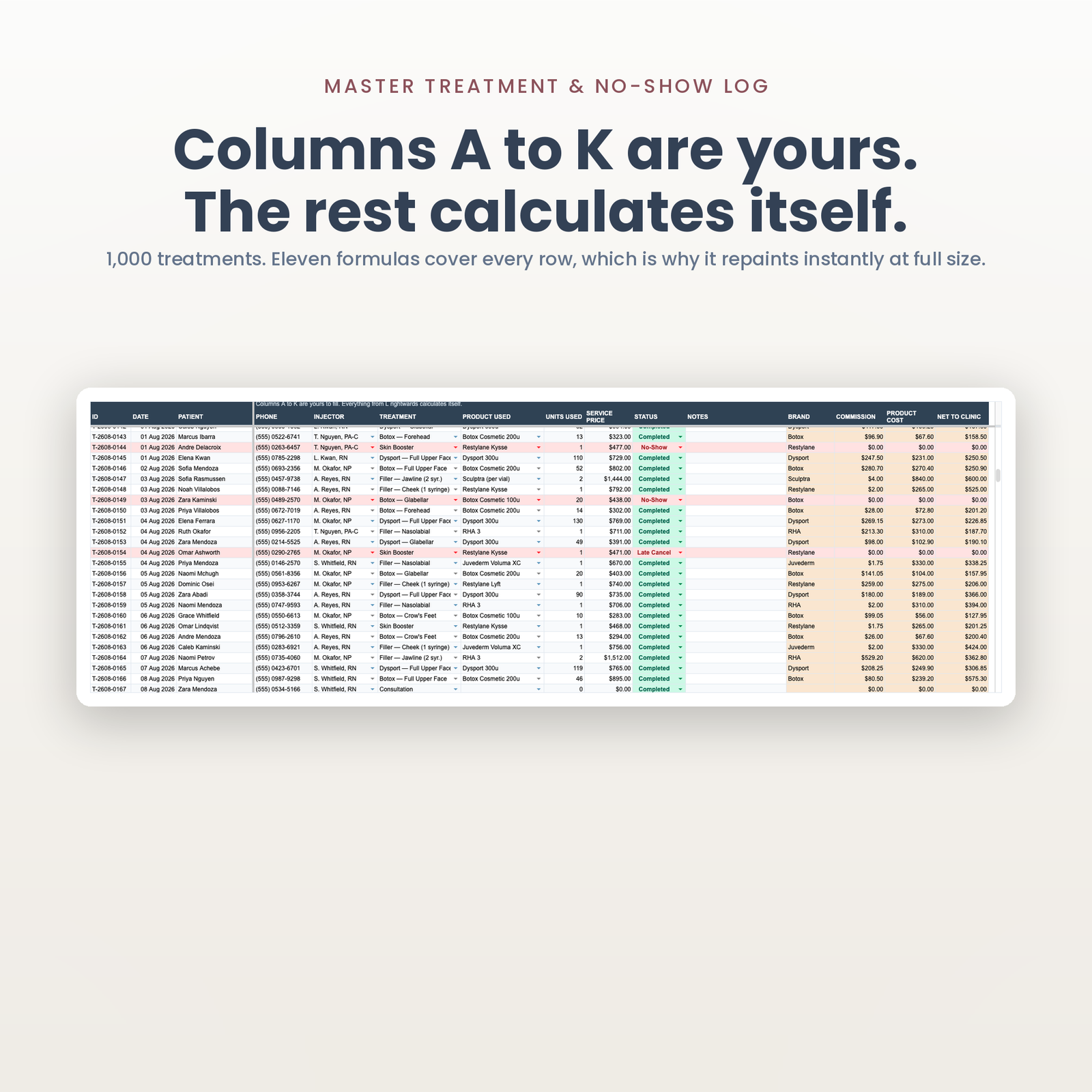
Columns A to K are yours: date, patient, phone, injector, treatment, product, units, price, outcome, notes. Everything from L rightwards calculates itself — brand, commission, product cost, net to the clinic. Completed rows go soft green, no-shows and late cancels go red, scheduled goes champagne. Eleven ARRAYFORMULAs cover all 1,000 rows rather than eleven thousand copied ones, which is why the tab repaints instantly at full size.
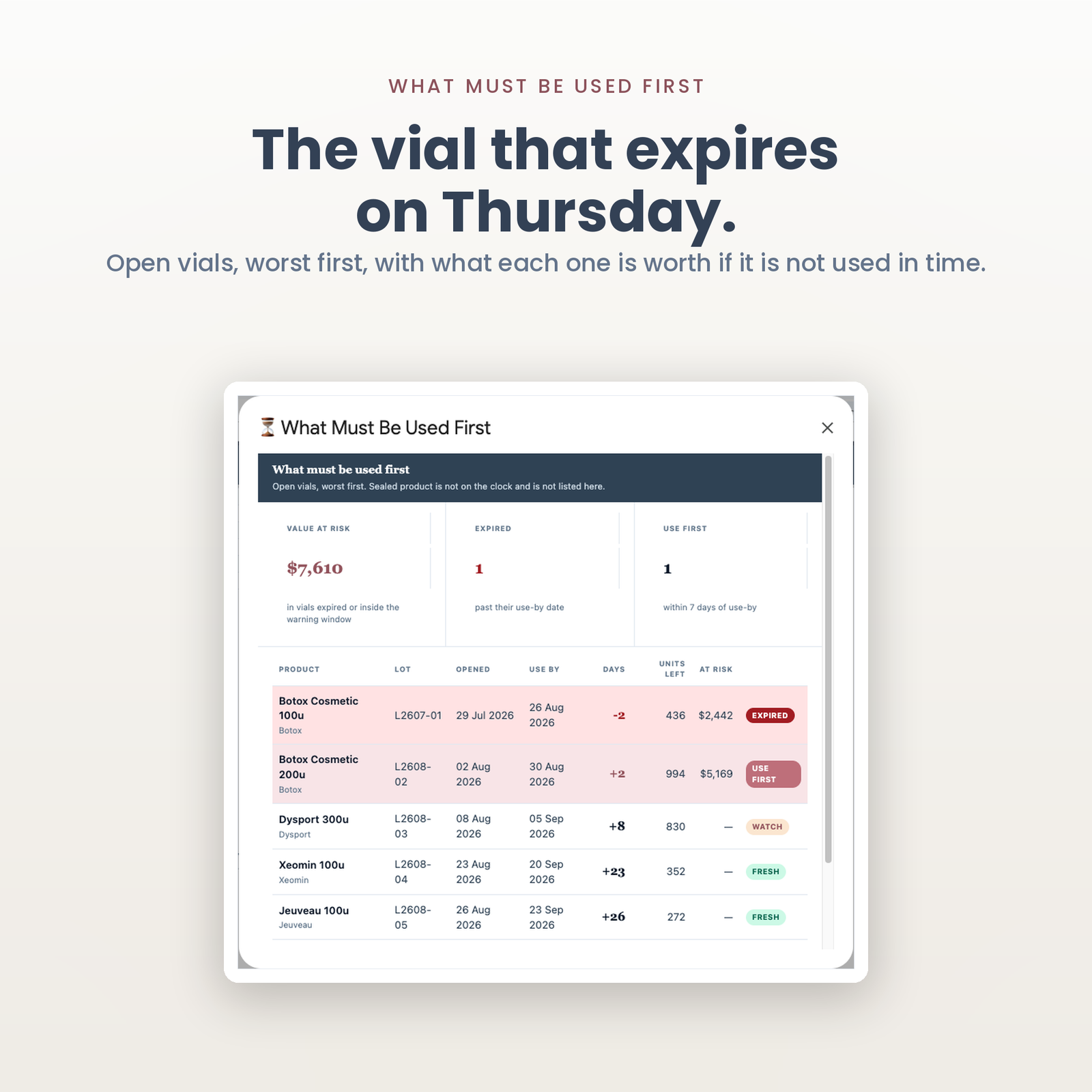
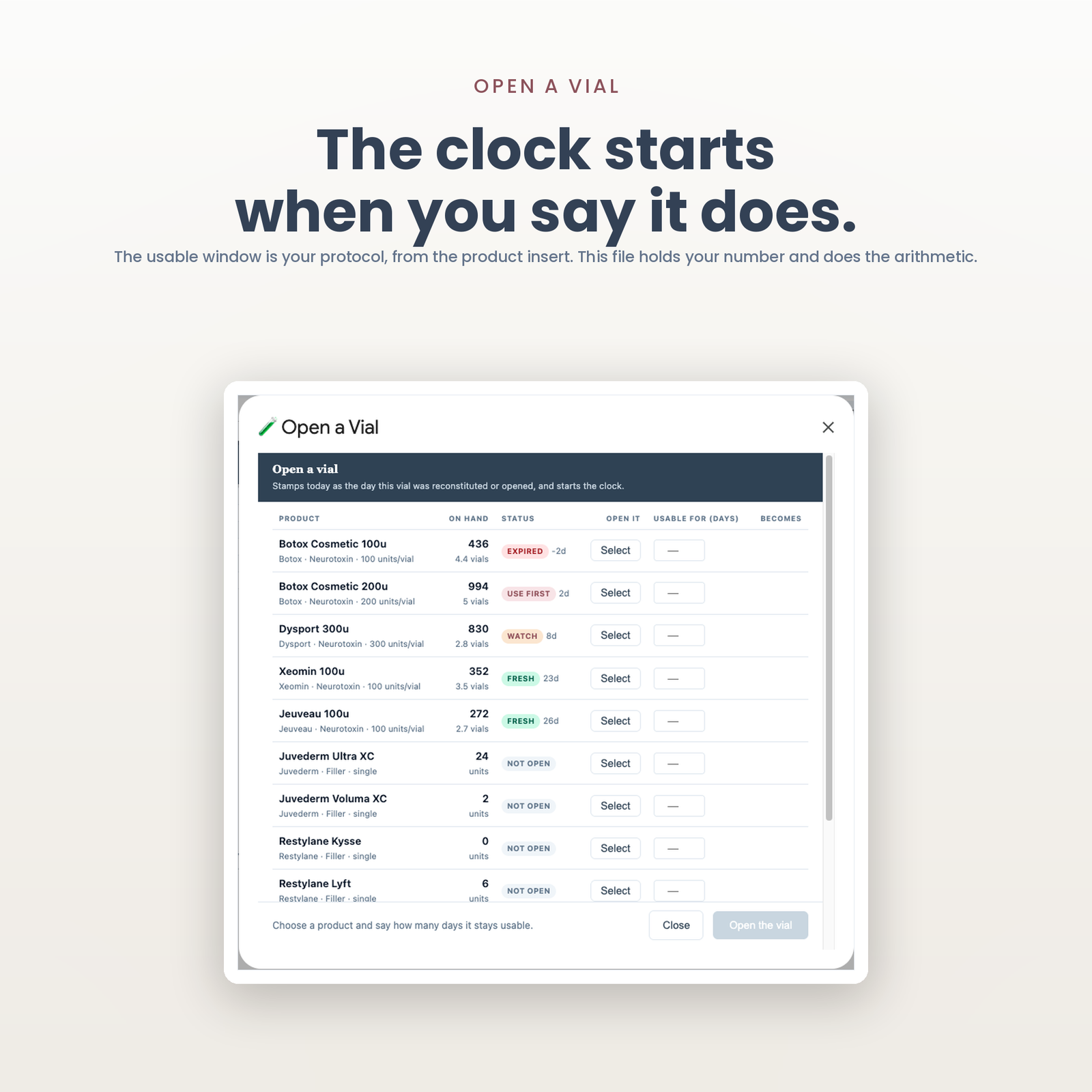
A sealed box is not on a clock. An opened one is, and that clock is the most expensive thing in the fridge to ignore. Fill in OPENED ON and USE WITHIN — or use Inventory › Open a Vial and it stamps today for you — and the workbook counts down, badges the row Expired, Use First, Watch or Fresh, and puts a dollar figure on what is at risk if it is not used in time.
The usable window is yours to set. How long an opened vial lasts is a question for the product insert and your medical director. This file ships no number of its own and never will. It holds the number you give it and does the arithmetic.
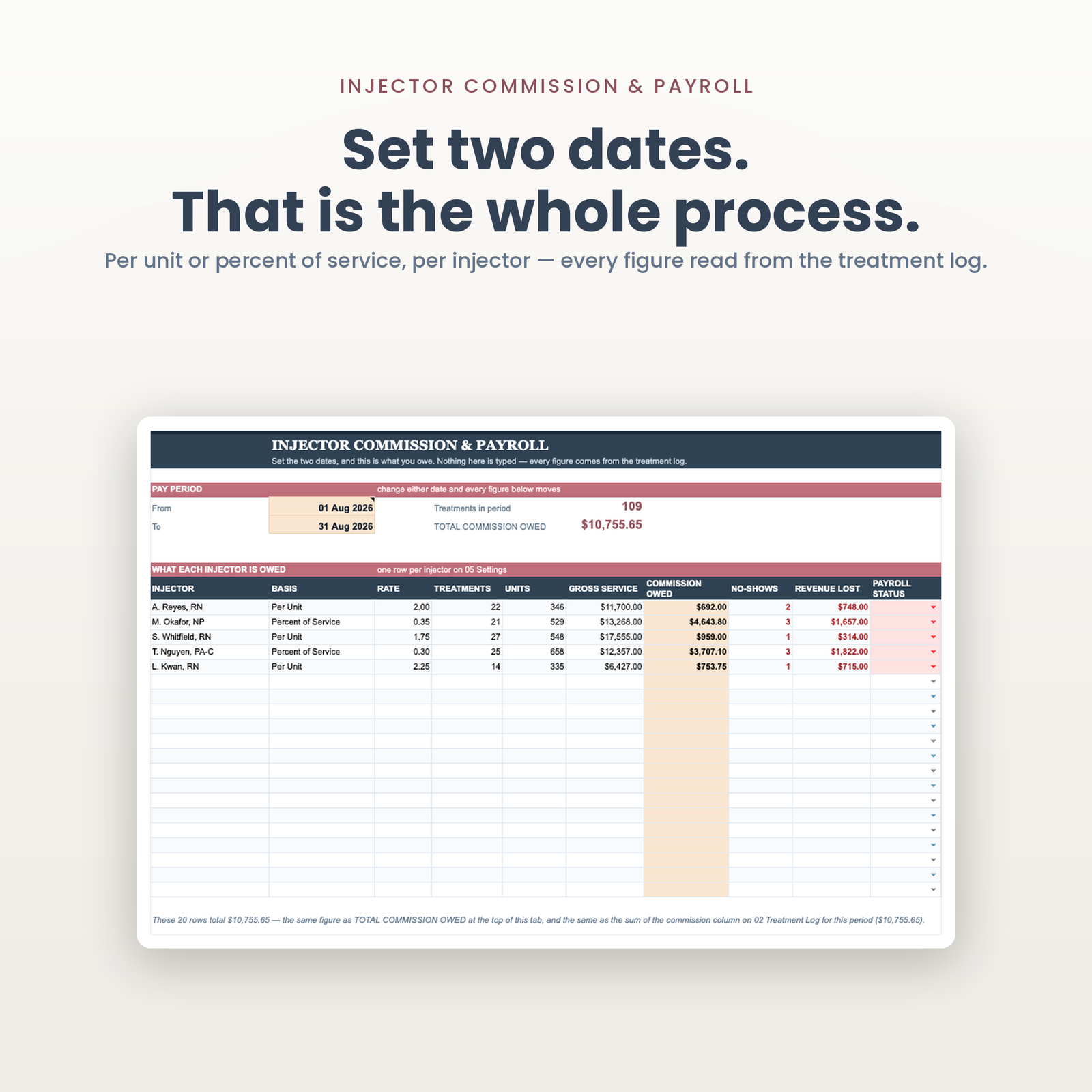
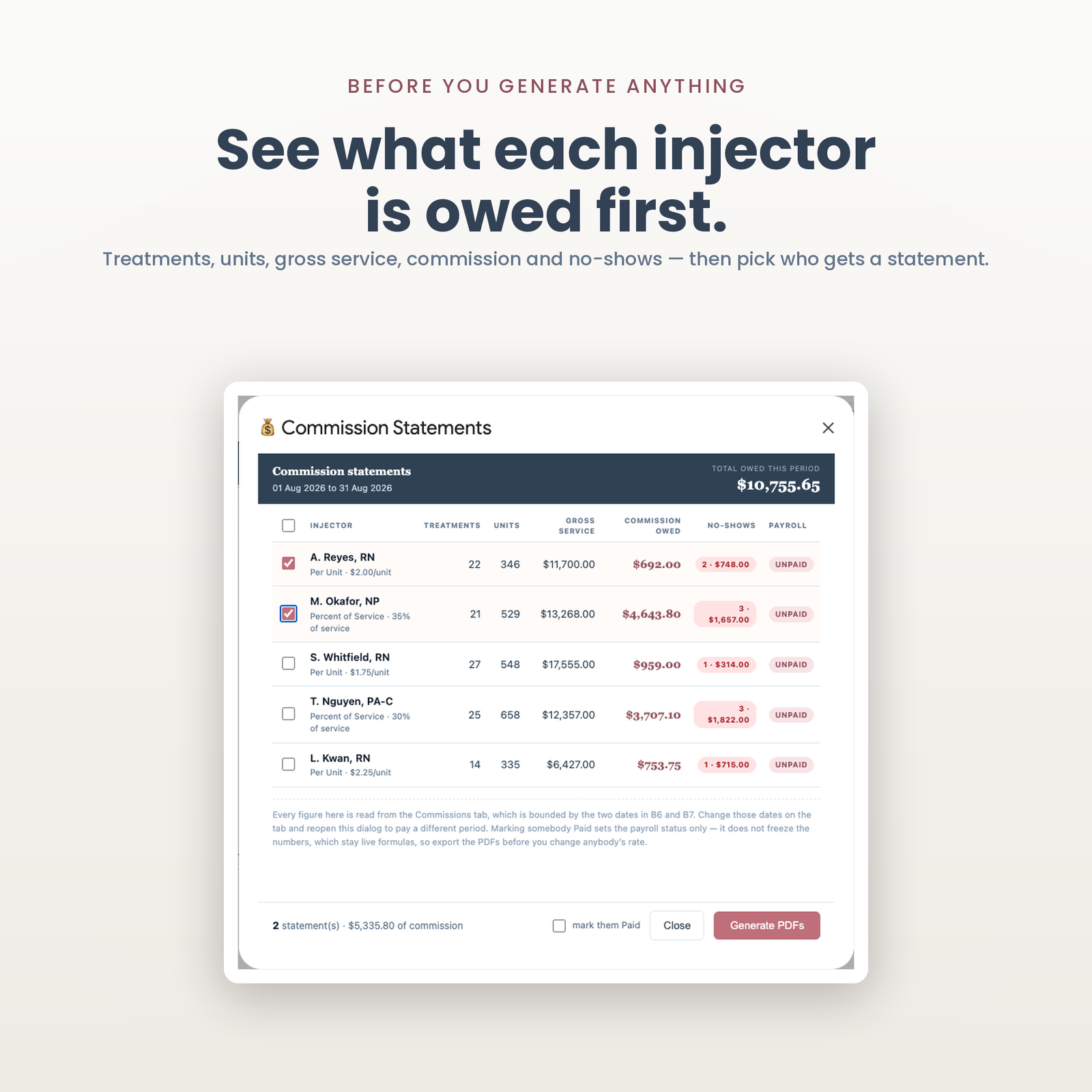
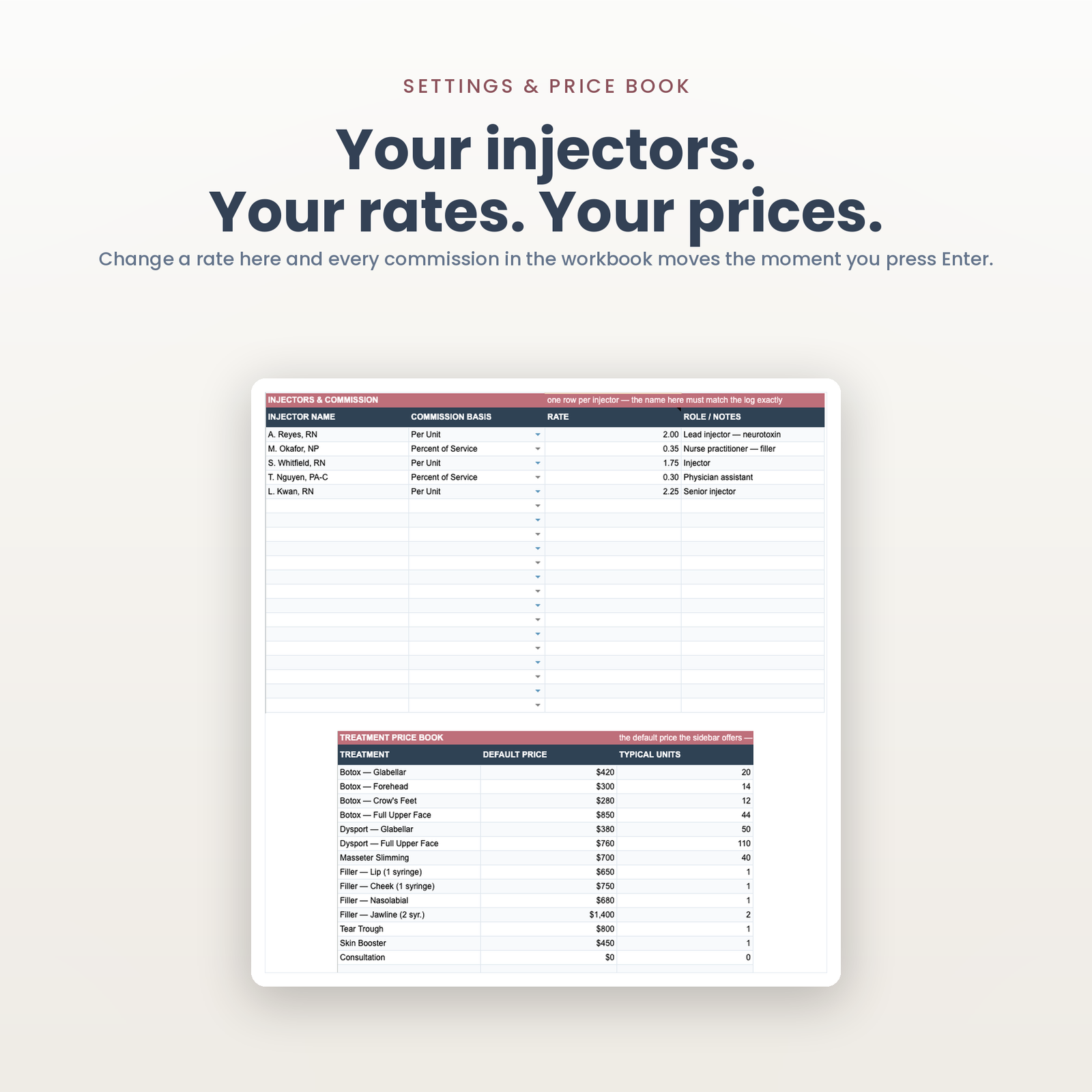
Set a from date and a to date. Twenty injectors, each with their treatments, units, gross service, commission owed, no-shows and revenue lost. Per unit or percent of service, per injector, because a clinic with three injectors usually has three different deals — and the same formula reads whichever applies.
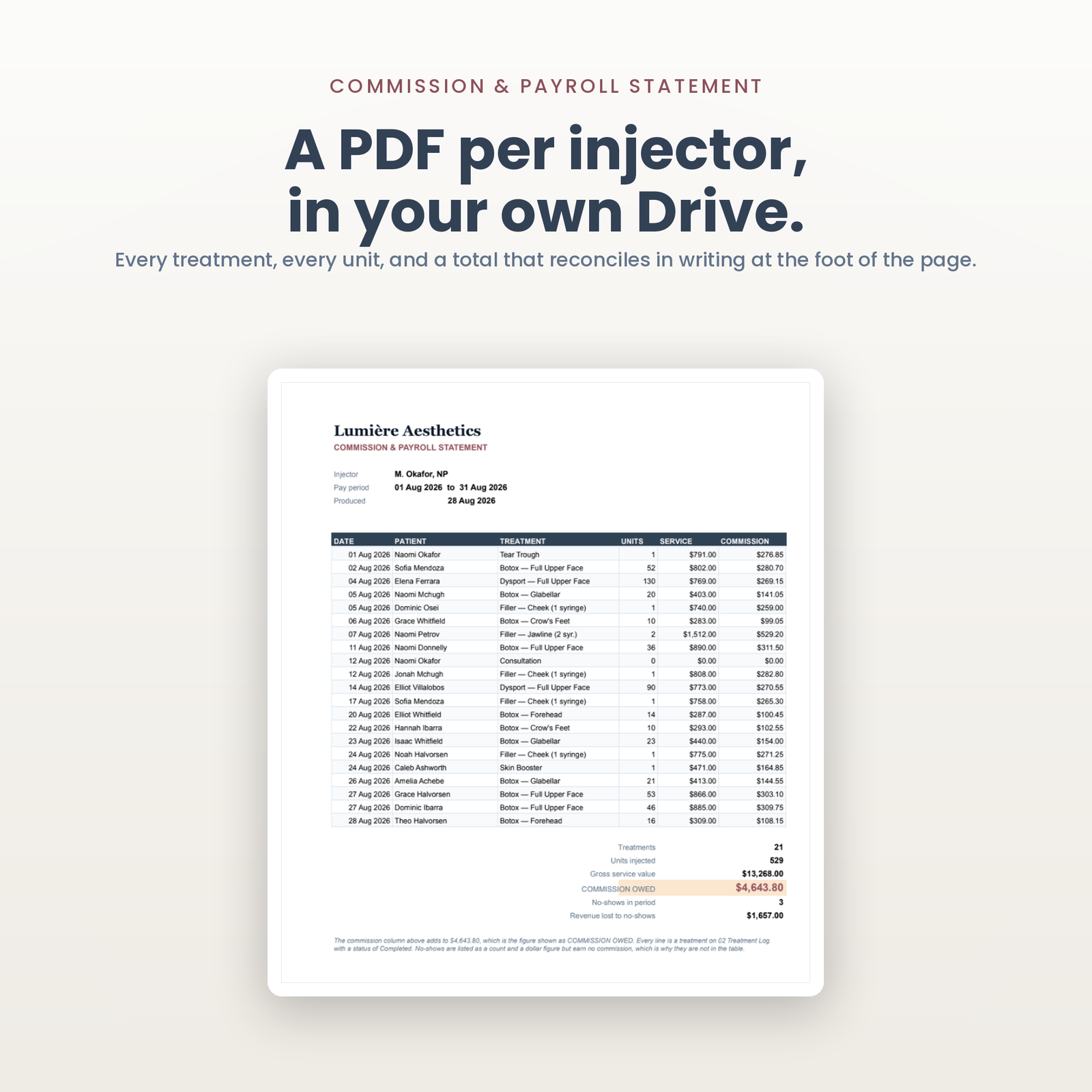
The statement dialog shows what each person is owed before anything is generated. Tick the ones you want and it writes a PDF each into a folder in your own Google Drive: every treatment, every unit, and a total that reconciles in writing at the foot of the page.
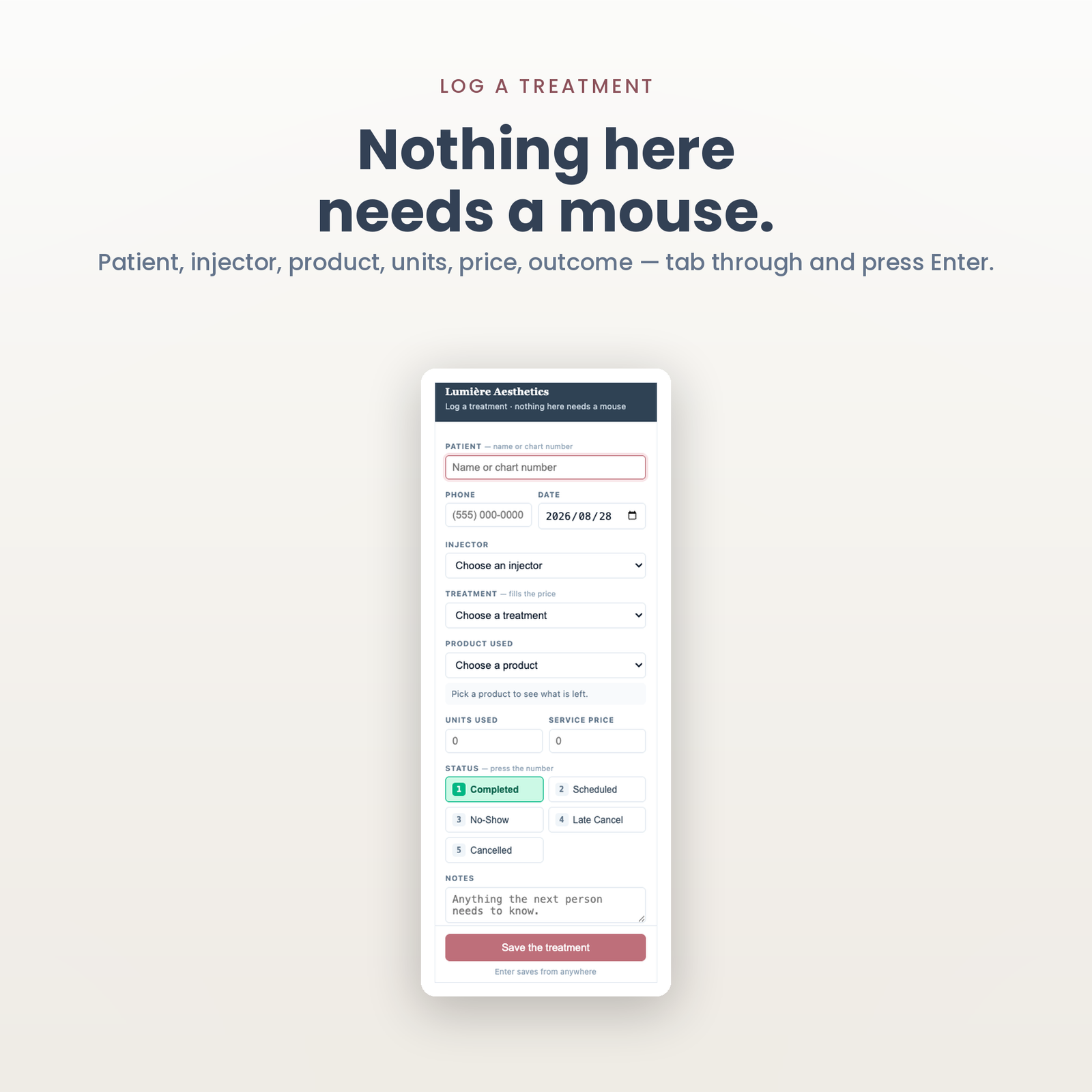
Logging a treatment is two letters of a patient’s name, a tab through injector, treatment, product, units, price and outcome, and Enter. The price book fills the price and the typical units — and only ever fills a blank, because that is how a discounted visit silently goes out at list price. Receiving stock is a stepper per product with a live “this becomes 640 units, 6.4 vials” as you type, additive rather than a total, so two boxes is two entries and not subtraction in your head.
Mark a row No-Show and, if you have connected one, the row is POSTed to your Zapier or Make webhook — patient, phone, injector, treatment, revenue lost. What happens on the other end is yours to build; this file does not send the text itself and does not pretend to. A row stamped more than 60 minutes ago is recorded and not sent, because an edit trigger cannot tell a fresh no-show from an undo, a restore, or a paste of last quarter’s appointments — and without that guard, importing your history texts three hundred patients about visits they missed in June.
Read from each vendor’s own pricing page on 28 August 2026, for a single location with five users. Not from a comparison site — those publish estimates, and an estimate is not a price. Both links below go to the page the figure was read from, so you can check it rather than take my word for it.
| Plan | What its own page says | Year one, 5 users |
|---|---|---|
| Aesthetic Record Essentials | $15 per user per month + $399 startup | $1,299 |
| Aesthetic Record Accelerator | $19 per user per month + $399 startup | $1,539 |
| Boulevard Essentials | $176 per location per month | $2,112 |
| Boulevard Premier | $293 per location per month | $3,516 |
| Boulevard Prestige | $410 per location per month | $4,920 |
| This file | $129.99, once | $129.99 |
Two notes, because a comparison that leaves them out is not honest. Boulevard was running a limited-time new-customer discount when this was read — $140, $234 and $328 — and the figures above are the standard prices those revert to, because that is what a clinic pays from the second year. Aesthetic Record’s $399 startup fee is included, because the buyer pays it.
Zenoti and PatientNow are named in this category and are deliberately absent from that list. Neither publishes a price on its own website; every tier ends in a demo request. Putting a third-party estimate beside their name to make ours look better would be inventing a number.
None of these is the same kind of thing as this file. They are booking, EMR and payments platforms; this is a spreadsheet that counts vials and works out pay. The comparison is on the line item a clinic actually feels — what leaves the account every month — and a clinic that needs online booking and card processing should buy one of them.
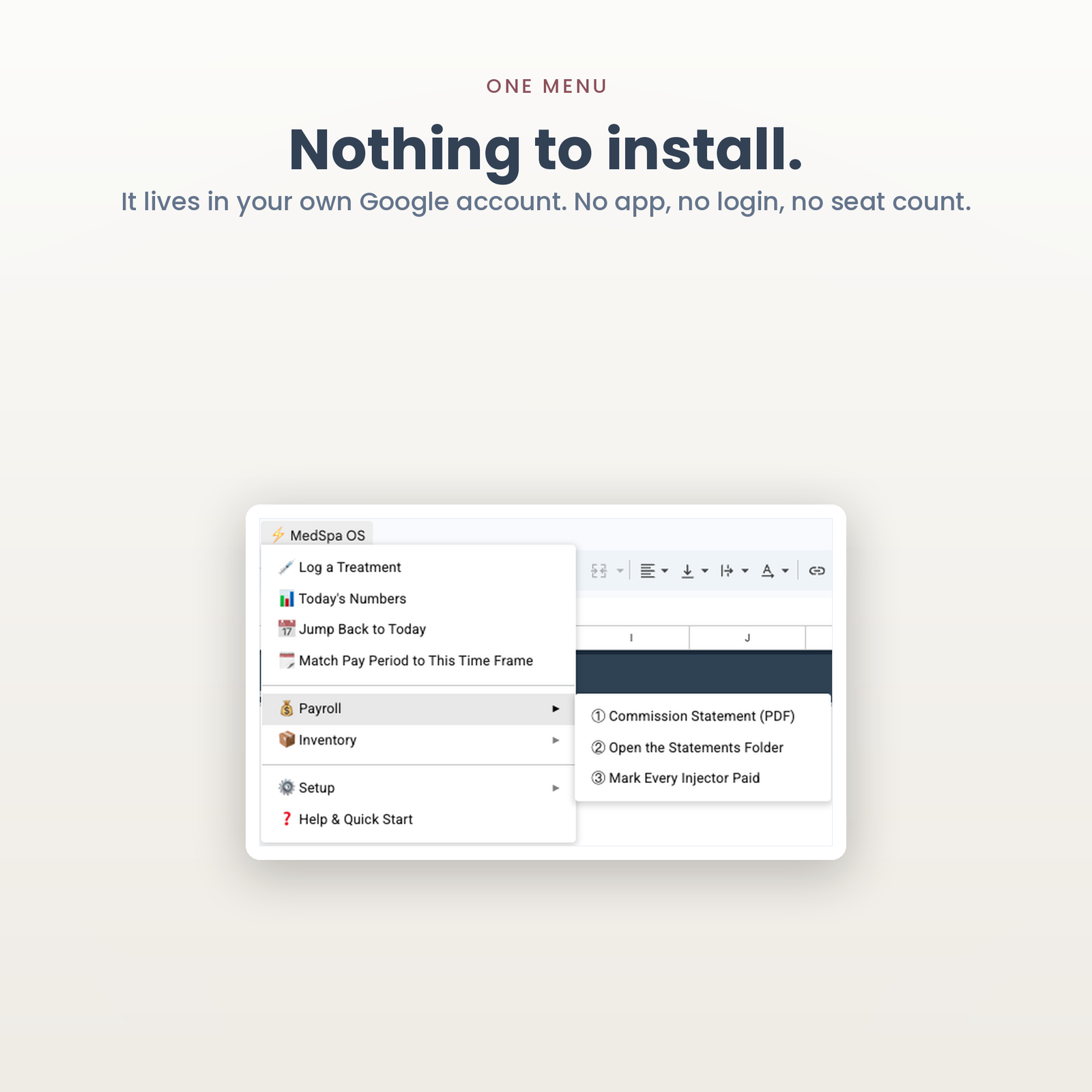
There is no account to create and nothing to install. About fifteen minutes.
A single-location med spa or aesthetic clinic with one to six injectors, where somebody is already counting vials by hand at month end and commission is worked out in a separate sheet that nobody trusts. If you run a different kind of appointment business, the rest of the Industry Dashboards range is built the same way.
It is not for you if you need online booking, charting, consents, card payments, or anything that writes back into your EMR. Those are real needs and this does not meet them.
That is not a question a spreadsheet can answer, and any seller who tells you “yes” without qualification is guessing on your behalf. What is true: the file lives in your Google account and nothing is transmitted to us. Whether storing patient names and phone numbers in Google Sheets is compliant for your clinic depends on your own arrangements with Google — Google Workspace offers a Business Associate Agreement to covered entities on eligible plans; a free consumer Gmail account does not. If you enable the optional webhook, patient data also travels to whatever automation you connect, and that vendor is your call too. Check with whoever handles compliance for your clinic before real patient data goes in — and if the answer is no, this file works perfectly well with initials and internal patient IDs instead of full names.
No, and it never will. It holds the number you enter for each product, from the product insert and your medical director’s protocol, and counts down against it. A spreadsheet seller publishing a clinical shelf life would be practising medicine at you through a template.
No, and I would rather say so here than in a refund email. It runs on Google Apps Script. You need a free Google account. It will not work in Excel, Numbers or LibreOffice.
Yes, and that is most of why it exists. Each injector is set to Per Unit or Percent of Service with their own rate, and the same formula reads whichever applies. Twenty injectors, twenty different arrangements if you want.
1,000 treatments, 80 products, 20 injectors, 20 treatments in the price book and 10 brands. Every one of those ceilings is a one-line change in the script.
Once, on first run. That warning appears for every script Google has not paid to review. It is your copy, in your account, on your data — the setup manual walks you through the two clicks.
Same engine, different trade — all in Industry Dashboards:
New here? The setup walkthrough shows what the first ten minutes look like. Our refund policy is 14 days. If you have never copied a shared sheet before, Google explains how to make a copy of a file.
Instant download. 14-day refund, no questions and no form. ApexDevz is not affiliated with, endorsed by, or partnered with any company named on this page. Product names are the trademarks of their owners and are used only to identify the products being referred to.
One purchase, one spreadsheet in your own Drive. No subscription, no account to keep, no monthly fee.
Copy the file, reload it once, run a single menu command. Nothing to configure and no setup wizard.
Every figure that changes your plan shows how it got there, in the sheet, before anything is rewritten.
The script reads and edits that one spreadsheet. No email, no other Drive files, and nothing is collected by us.
Google Sheets only. Excel cannot run the automation. Menu commands need a desktop browser, and day to day use works on mobile.
Immediately, as a link to the workbook and a setup manual. You copy the file into your own Google Drive and it is yours from that point.
No. The automation is Google Apps Script, which only runs inside Google Sheets. Opening the file in Excel gives you a spreadsheet with no menu and formulas that will not resolve.
Reload the file first, because the menu only appears after the first reload. If that does not fix it, support goes to a person and you get a reply rather than a ticket number.
Within 14 days, if the workbook will not build or does not do what this page says it does. The one exclusion is buying it for Excel, which is stated here, in the terms, and on How it works.